Filters
Featured
Filter by Template
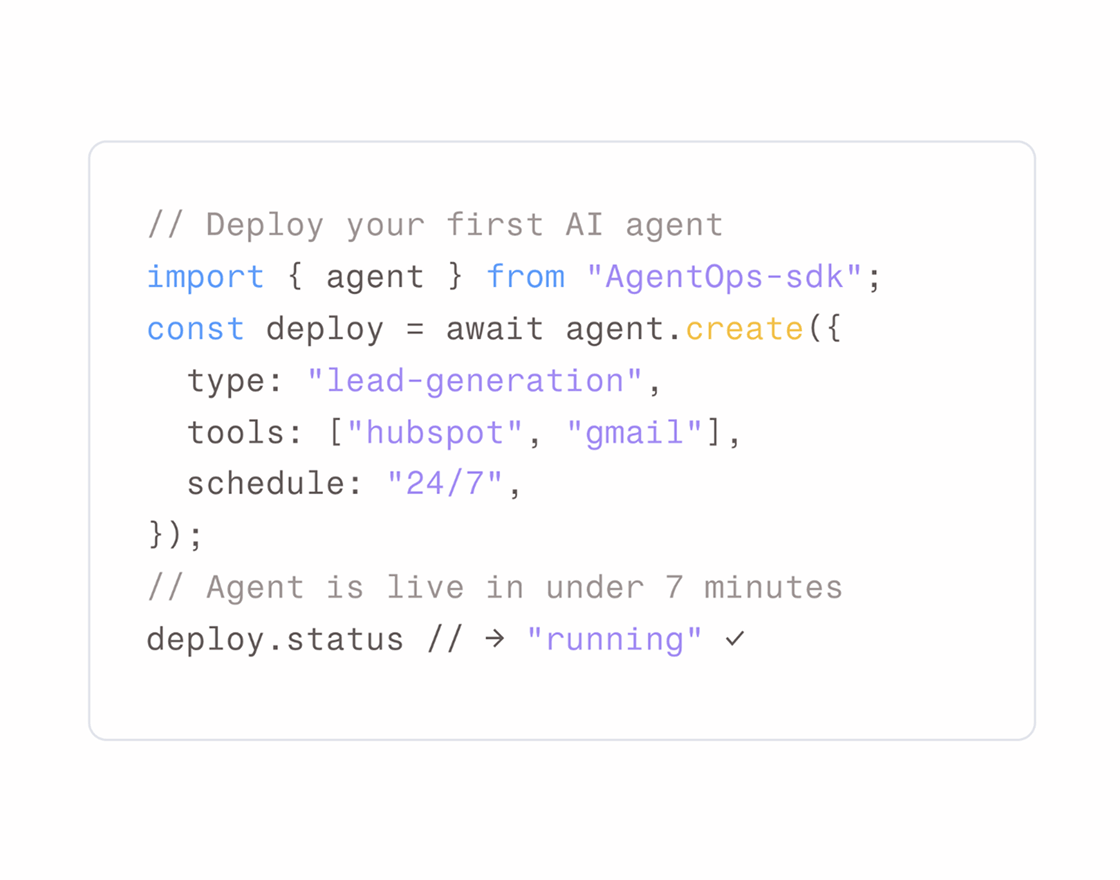
Framer Code Snippet Components
Display clean, syntax-highlighted code with Framer Code Snippet Components. Perfect for documentation, tutorials, and developer-focused websites.
✅ Trusted by Great Companies & Customers

Best Value
All-Access
$149
$599
Unlimited access to every template, block, and component in the
Framespark ecosystem - with free lifetime updates.



Best Value
All-Access
$149
$599
Unlimited access to every template, block, and component
in the Framespark ecosystem - with free lifetime updates.
Best Value
All-Access
$149
$599
Unlimited access to every template,
block, and component in the
Framespark ecosystem -
with free lifetime updates.
Framer Code Snippet
Framer Code Snippet is a reusable Framer Component that allows you to display code in a clean, readable, and developer-friendly format. Whether you're publishing tutorials, API documentation, technical blogs, product documentation, or developer resources, this component helps present code examples with proper formatting, syntax highlighting, and an improved reading experience.
Built for Framer's visual editor, the Code Snippet component is fully customizable without writing code. From single-line commands and configuration files to multi-language code examples and API responses, it provides a professional way to showcase code while maintaining a modern website design.
What is Framer Code Snippet?
Framer Code Snippet is a UI component designed to display source code, terminal commands, configuration files, and technical examples inside visually organized code blocks. It separates code from regular content, making documentation and tutorials much easier to read and follow.
Instead of embedding plain text or screenshots of code, a Code Snippet component presents code using proper formatting, improving readability for developers and technical audiences.
A typical Framer Code Snippet includes:
Syntax-highlighted code
Copy-to-clipboard button
Language indicator
Line numbering
Multi-language support
Responsive layouts
Clean typography
Built using reusable Framer Components, every Code Snippet component can be customized to match your documentation, blog, or developer portal.
Why Use Framer Code Snippet Component?
Technical content is much easier to understand when code is presented clearly. A dedicated Code Snippet component improves readability while creating a professional developer experience.
Improve Code Readability: Display code with proper formatting that is easier to read and understand.
Built for Framer: Customize every Code Snippet component using reusable Framer Components without writing code.
Perfect for Documentation: Showcase API examples, installation commands, tutorials, and configuration files.
Copy-to-Clipboard Support: Help developers quickly copy code without selecting text manually.
Fully Responsive: Ensure code blocks remain readable across desktop, tablet, and mobile devices.
Easy Customization: Modify colors, typography, spacing, themes, and layouts directly inside Framer.
Developer-Friendly Experience: Create professional documentation that improves usability and learning.
Features
Syntax Highlighting: Display code with language-specific highlighting for better readability.
Copy Code Button: Allow users to copy code snippets with a single click.
Language Labels: Identify programming languages for every code example.
Line Number Support: Improve readability for tutorials and technical documentation.
Multi-Language Compatibility: Display HTML, CSS, JavaScript, TypeScript, React, JSON, Bash, and many other languages.
Responsive Design: Keep code readable across desktop, tablet, and mobile devices.
Easy Customization: Edit colors, typography, spacing, themes, and layouts directly inside Framer.
Performance Optimized: Lightweight component designed for fast-loading documentation websites.
Production Tips
Well-presented code examples improve learning and reduce confusion. Following these best practices creates a better developer experience.
Keep code examples concise and focused on a single concept.
Use syntax highlighting to improve readability.
Add descriptive titles before each code block.
Include a copy button for frequently used commands.
Use consistent formatting throughout your documentation.
Break long code examples into smaller sections when possible.
Test code examples to ensure they work as expected.
Pair code snippets with clear explanations to help beginners understand each example.
Integration With Other Components
A Framer Code Snippet component works exceptionally well with a Framer TOC component, allowing readers to quickly navigate between installation guides, API references, and technical sections within long-form documentation. This combination creates a better reading experience for developers exploring complex content.
For product documentation and knowledge bases, pairing Code Snippet with a Framer FAQ component helps answer common implementation questions after each tutorial or setup guide. You can also combine it with a Framer Navigation component to build structured developer portals where visitors can easily move between documentation pages.
If you're showcasing interactive examples or product demos, integrating Framer Motion Animation can create subtle transitions that improve the overall browsing experience without distracting from the code itself. For open-source projects, adding a Framer GitHub component alongside code examples makes it easy for visitors to access repositories, contribute to projects, or explore the complete source code.
By combining these reusable Framer Components, you can build professional Framer Templates for documentation, developer portals, technical blogs, and product guides that are organized, engaging, and easy to navigate.

Framespark
Everything you need to ship faster in Framer : Templates, Components, Sections, Backgrounds and more.
Official Framer Creator
Resources
Help and Support
Framespark Templates
Framespark
Everything you need to ship faster in Framer : Templates, Components, Sections, Backgrounds and more.
Official Framer Creator
Help and Support
Resources
Framespark Templates
©2026 Framespark, Powered by Clevision


Polar

©2026 Framespark, Powered by Clevision
Polar