Filters
Featured
Filter by Template
Framer Progress Components
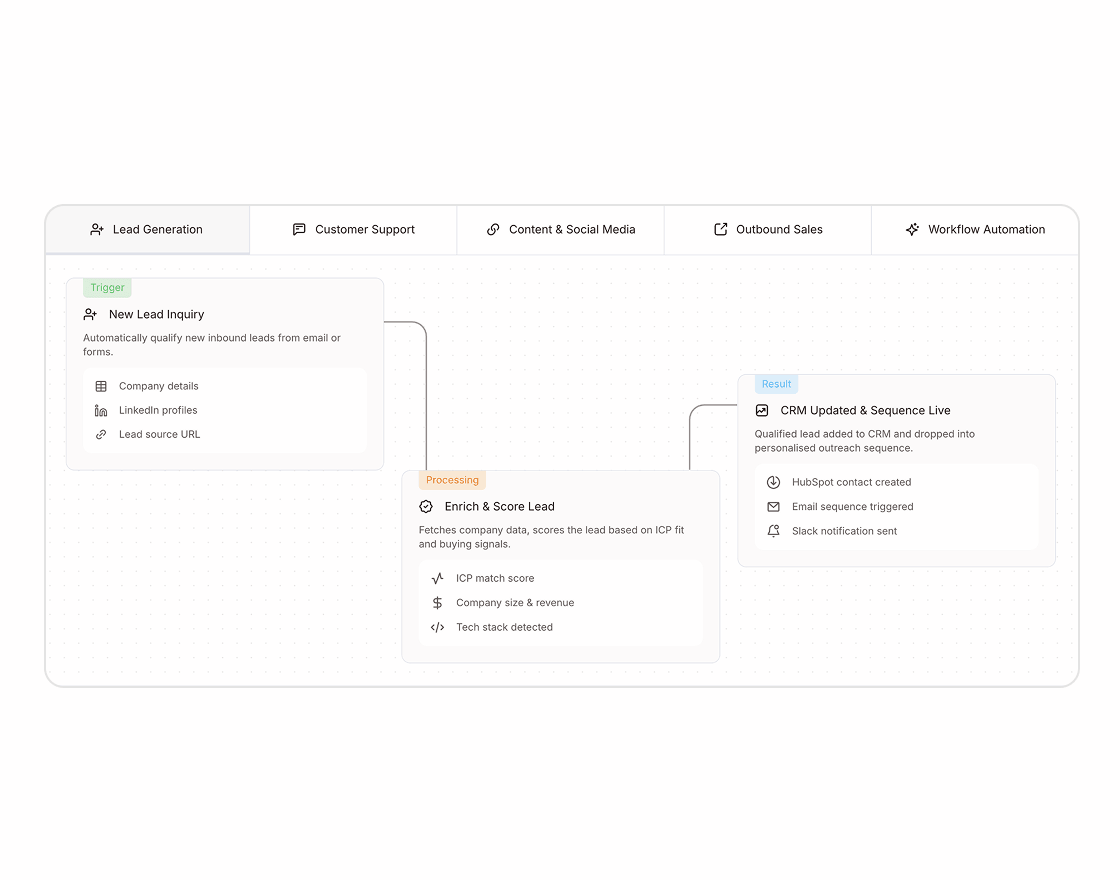
Process Components are reusable UI components that present workflows, timelines, and step-by-step processes in structured layouts.
✅ Trusted by Great Companies & Customers


Best Value
All-Access
$149
$599
Unlimited access to every template, block, and component in the
Framespark ecosystem - with free lifetime updates.



Best Value
All-Access
$149
$599
Unlimited access to every template, block, and component
in the Framespark ecosystem - with free lifetime updates.
Best Value
All-Access
$149
$599
Unlimited access to every template,
block, and component in the
Framespark ecosystem -
with free lifetime updates.
Framer Progress
Framer Progress is a reusable Framer Progress Component that helps you visually display completion status, loading states, goals, task progress, onboarding progress, and user achievements. Whether you're building a SaaS dashboard, project management tool, educational platform, onboarding flow, or business website, this component makes it easy to communicate progress through clear and engaging visual indicators.
Built for Framer's visual editor, every Framer Progress Component is created using reusable Framer Components and can be customized without writing code. From simple progress bars and circular indicators to multi-step completion trackers, Framer Progress helps you build modern websites with intuitive progress visualization.
What is Framer Progress?
Framer Progress is a reusable UI component designed to display completion status, loading progress, or goal tracking through visual progress indicators. It helps visitors understand how much of a progress, task, or workflow has been completed while improving usability and user engagement.
Instead of relying on text alone, a Framer Progress Component communicates progress visually, making dashboards, onboarding flows, forms, and productivity tools easier to understand.
A typical Framer Progress Component includes:
Step-by-step layouts
Numbered progress cards
Icons or illustrations
Progress connectors
Titles and descriptions
Responsive layouts
Optional call-to-action buttons
Built using reusable Framer Components, every Progress component can be customized to match your website's branding while maintaining a clean and consistent user experience.
Why Use Framer Progress Component?
Breaking information into structured steps helps visitors understand your product or service more quickly. A well-designed Progress component reduces confusion while making your website feel more organized and professional.
Simplify Complex Workflows: Present complicated progresses through easy-to-follow step-by-step layouts.
Built for Framer: Customize every Progress component visually using reusable Framer Components without writing code.
Improve User Understanding: Help visitors quickly understand how your product, service, or business works.
Fully Responsive: Deliver a consistent experience across desktop, tablet, and mobile devices.
Increase Conversions: Clear workflows reduce hesitation and encourage visitors to take action.
Flexible Layouts: Display onboarding, timelines, customer journeys, implementation processes, or service workflows.
Modern User Experience: Organize content using visually appealing layouts that improve readability.
Features
Step-by-Step Layouts: Present workflows through structured, easy-to-follow stages.
Numbered Progress Cards: Guide visitors using clearly organized sequential steps.
Custom Icons & Illustrations: Improve understanding with visual elements for every stage.
Flexible Layout Styles: Create vertical, horizontal, timeline, or grid-based progress sections.
Smooth Animations: Add subtle transitions to create a polished browsing experience.
Responsive Design: Ensure every progress section adapts across desktop, tablet, and mobile devices.
Easy Customization: Update steps, colors, typography, icons, spacing, and layouts directly inside Framer.
Reusable Components: Maintain consistency across multiple pages using modular Framer Components.
Production Tips
A Progress component should make information easier to understand rather than overwhelming visitors. Following these best practices helps improve clarity and usability.
Keep each step concise and focused on one action.
Use descriptive titles that clearly explain each stage.
Include icons or illustrations to improve visual scanning.
Limit the number of steps whenever possible to avoid complexity.
Maintain consistent spacing and alignment between progress cards.
Use numbering to reinforce the correct sequence.
Highlight the final outcome with a strong call-to-action.
Test layouts on desktop and mobile devices before publishing.
Integration With Other Components
A Framer Progress component works perfectly with a Framer Progress component to visually show users how far they are through a workflow, onboarding sequence, or multi-step experience. This combination creates intuitive interfaces that help visitors understand progression while reducing friction.
For SaaS landing pages and product websites, combining Progress with Framer Motion Animation adds subtle entrance animations that guide users naturally from one step to the next. Pairing it with a Framer FAQ component below the workflow helps answer common questions after visitors understand your process, creating a smoother customer journey.
You can also integrate a Framer Card Hover component to make each progress step feel more interactive or use a Framer Counter component to highlight business achievements, completed projects, or customer success metrics alongside your workflow.
By combining these reusable Framer Components, you can build engaging Framer Templates that clearly communicate complex processes while maintaining a modern, responsive, and user-friendly experience.

Framespark
Everything you need to ship faster in Framer : Templates, Components, Sections, Backgrounds and more.
Official Framer Creator
Resources
Help and Support
Framespark Templates
Framespark
Everything you need to ship faster in Framer : Templates, Components, Sections, Backgrounds and more.
Official Framer Creator
Help and Support
Resources
Framespark Templates
©2026 Framespark, Powered by Clevision


Polar

©2026 Framespark, Powered by Clevision
Polar