Filters
Featured
Filter by Categories
Filter by Template
60+ Framer Components - Free & Pro
Explore 60+ Framer Code Components : advanced, code-powered elements you copy into your project, connect to your content, and customize without writing a line of code.
✅ Trusted by Great Companies & Customers


Zolt Lanyard
Free
Category:
Lanyard
Zolt Lanyard
Free
Category:
Lanyard

AgentOps Dynamic Table of Contents
Free
Category:
Navigation
Table of Contents
AgentOps Dynamic Table of Contents
Free
Category:
Navigation
Table of Contents

AgentOps FAQ
Free
Category:
FAQ
AgentOps FAQ
Free
Category:
FAQ

Zolt Github
Free
Category:
Github
Zolt Github
Free
Category:
Github

AgentOps Light Dark Image
Free
Category:
Toggle
AgentOps Light Dark Image
Free
Category:
Toggle

AgentOps Counter
Free
Category:
Counter
AgentOps Counter
Free
Category:
Counter
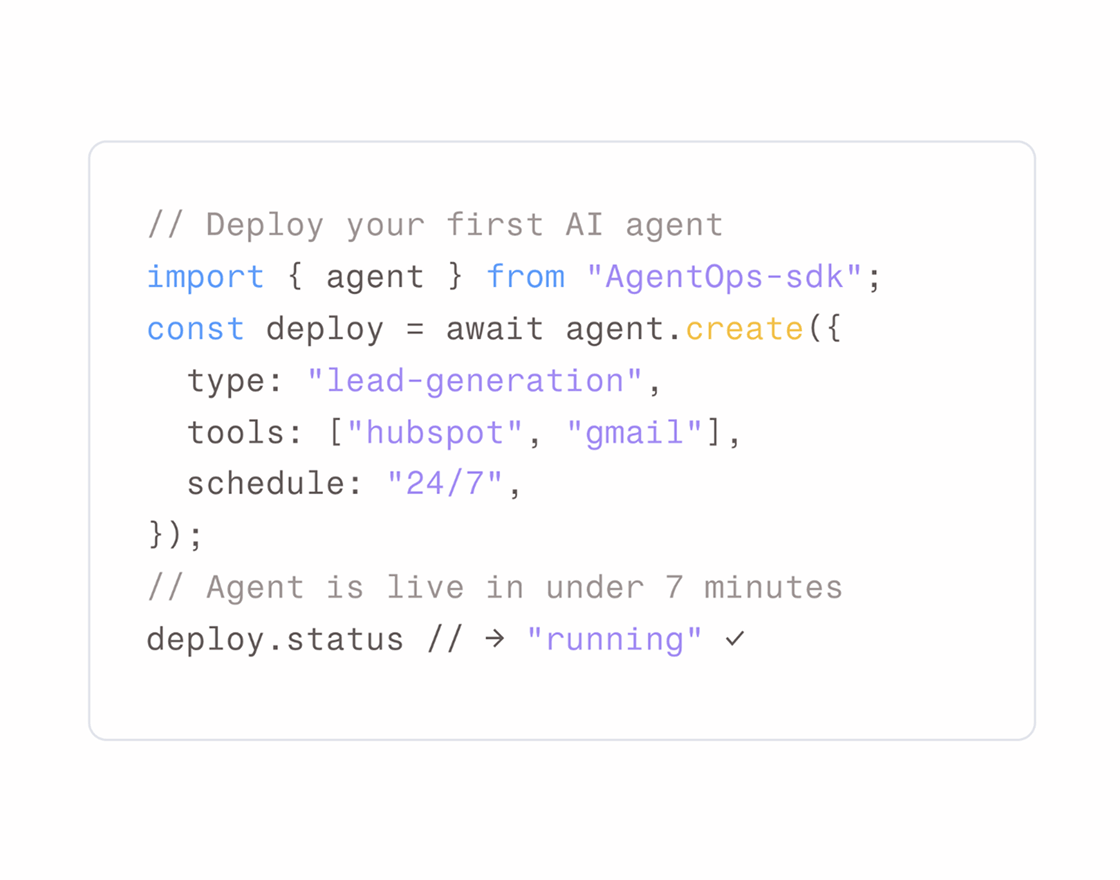
AgentOps Live Code Snippet
Free
Category:
Code Snippet
AgentOps Live Code Snippet
Free
Category:
Code Snippet

AgentOps Motion Animation 2
Free
Category:
Motion Animation
AgentOps Motion Animation 2
Free
Category:
Motion Animation

Pure Skin Carousel
Free
Category:
Carousel
Pure Skin Carousel
Free
Category:
Carousel

Pure Skin Compare
Free
Category:
Before After
Compare
Pure Skin Compare
Free
Category:
Before After
Compare

Zolt Navigation
Free
Category:
Navigation
Zolt Navigation
Free
Category:
Navigation

Pure Skin Card Hover
Free
Category:
Card
Pure Skin Card Hover
Free
Category:
Card
Zolt Lanyard
Free
Category:
Lanyard
AgentOps Light Dark Image
Free
Category:
Toggle
Pure Skin Carousel
Free
Category:
Carousel
AgentOps Dynamic Table of Contents
Free
Category:
Navigation
Table of Contents
AgentOps Counter
Free
Category:
Counter
Pure Skin Compare
Free
Category:
Before After
Compare
AgentOps FAQ
Free
Category:
FAQ
AgentOps Live Code Snippet
Free
Category:
Code Snippet
Zolt Navigation
Free
Category:
Navigation
Zolt Github
Free
Category:
Github
AgentOps Motion Animation 2
Free
Category:
Motion Animation
Pure Skin Card Hover
Free
Category:
Card
Zolt Lanyard
Free
Category:
Lanyard
Pure Skin Carousel
Free
Category:
Carousel
AgentOps Counter
Free
Category:
Counter
AgentOps FAQ
Free
Category:
FAQ
Zolt Navigation
Free
Category:
Navigation
AgentOps Motion Animation 2
Free
Category:
Motion Animation
AgentOps Light Dark Image
Free
Category:
Toggle
AgentOps Dynamic Table of Contents
Free
Category:
Navigation
Table of Contents
Pure Skin Compare
Free
Category:
Before After
Compare
AgentOps Live Code Snippet
Free
Category:
Code Snippet
Zolt Github
Free
Category:
Github
Pure Skin Card Hover
Free
Category:
Card
Best Value
All-Access
$149
$599
Unlimited access to every template, block, and component in the
Framespark ecosystem - with free lifetime updates.



Best Value
All-Access
$149
$599
Unlimited access to every template, block, and component
in the Framespark ecosystem - with free lifetime updates.
Best Value
All-Access
$149
$599
Unlimited access to every template,
block, and component in the
Framespark ecosystem -
with free lifetime updates.
Best Value
All-Access
$149
$599
Unlimited access to every template, block, and component
in the Framespark ecosystem - with free lifetime updates.
Explore 60+ Framer Components
Add the interactive pieces Framer doesn't ship with - carousels, before/after sliders, live code snippets, animated counters, and more. Framespark components are advanced, code-powered elements you copy into your project, connect to your content, and customize without writing a line of code.
Every component is built for performance, responsive by default, and ready to drop straight onto your Framer canvas.
What are Framer components?
A Framer component is a self-contained interactive element you add to a page - a carousel, a comparison slider, an animated counter - that brings behavior Framer doesn't offer out of the box. Where a block is a full page section and a template is a whole site, a component is the smallest reusable piece: one interactive element you drop wherever you need it.
Framespark components are code-powered under the hood but code-free to use. Each is built to paste directly onto your canvas, connect to your CMS where it makes sense, and customize with Framer's own controls. You get advanced interactivity - the kind that usually needs a developer - without touching code.
Why use Framer components instead of building your own?
Framer is powerful, but some interactions take real effort to build well. Components remove that effort.
They add capability, fast. A live code snippet with a copy button, a physics-based badge, an auto-generating table of contents - these take hours to build and debug. With a component, you paste it in and it works.
They're built for performance. Poorly built interactions slow a page down and hurt your Core Web Vitals. FrameSpark components are structured to stay lightweight and fast, so interactivity never costs you speed.
They're customizable, not rigid. Colors, sizing, timing, content - all editable in Framer. A component is a starting point you shape to your design, not a black box.
They keep your site consistent. Using components from one system means your interactions feel intentional and unified across every page.
How do Framer components work?
The workflow is simple:
Find the component you need - say, a carousel or a counter.
Copy it into your Framer project - components paste cleanly onto the canvas.
Connect your content - link it to a CMS collection or add your own items.
Customize - adjust styling, timing, and behavior with Framer's controls.
Publish - your interactive element is live, responsive, and fast.
No plugins to configure, no code to write. If you can edit in Framer, you can use a FrameSpark component.
Types of Framer components
Framespark organizes components by what they do, so you can find the right one fast.
Component
What It Does
Smooth, responsive slider for images and content.
Side-by-side comparison layout.
Auto-generating table of contents.
Dynamic menus with dropdowns.
Live GitHub stats display.
Physics-based interactive badge.
Hover effects and interactions.
Draggable before/after image slider.
One-tap theme toggle.
Animated progress / scroll indicator.
Syntax-highlighted code with copy button.
Scroll and entrance animations.
Accordion FAQ section.
Numbers that count up on scroll.
Best For
Showcases, galleries, testimonials
Feature or plan comparisons
Blogs, docs, long articles
Headers, mega-menus
Dev tools, open-source projects
Playful hero and profile sections
Feature grids, portfolios
Skincare, design, product demos
Any site offering both themes
Reading UX, forms, multi-step flows
Dev docs, SaaS, technical sites
Any page that needs polish
Product, pricing, support pages
Stats, metrics, social proof
New components are added regularly, so the collection keeps growing.
Use cases: who Framer components are for
SaaS and startup builders add code snippets, counters, and comparison sliders to explain a product clearly and build trust.
Designers and freelancers use carousels, card-hover effects, and motion animations to make portfolios feel polished and alive.
Developers drop in GitHub stats, live code snippets, and dark-mode toggles that would otherwise take real build time.
Content and blog creators use the auto-generating table of contents and scroll progress to improve reading experience and dwell time.
Agencies assemble interactive client sites faster by combining components instead of building each interaction from scratch.
Features of Framespark components
Code-powered, code-free to use - advanced behavior without writing code
Copy-paste into Framer - no plugins, no setup friction
CMS-connectable - many components pull dynamic content from Framer CMS
Fully customizable - styling, timing, and behavior editable on the canvas
Responsive - work across desktop, tablet, and mobile out of the box
Performance-focused - lightweight structure that protects your page speed
Dark-mode friendly - built to adapt to light and dark themes
Consistent design language - mix components freely and the site still feels unified
What makes Framespark components different
Most component libraries hand you an element and leave you to it. Framespark builds each component conversion-first and performance-first, with CMS depth so your interactions scale with real content instead of static placeholders. These are the higher-value, technical pieces that make a Framer site feel genuinely custom - without the developer.
Pair them with premium Framer Blocks, Framer Templates, and Framer Backgrounds to build a complete, polished site without starting from scratch.
FAQ Section
What are Framer components?
Framer components are self-contained interactive elements - like carousels, comparison sliders, and animated counters - that you add to a page to bring behavior Framer doesn't include by default. Each is copy-paste ready and fully customizable inside Framer.
What's the difference between a Framer component and a Framer block?
A component is a single interactive element, like a carousel or a counter. A block is a complete page section, like a hero or pricing table, often made up of several elements. Use components to add interactivity; use blocks to assemble whole sections.
Do I need to know how to code to use Framespark components?
No. FrameSpark components are code-powered under the hood but code-free to use. You copy them onto the canvas and customize them with Framer's visual controls - no code required.
Are Framespark components responsive?
Yes. Every component is built to work across desktop, tablet, and mobile devices out of the box.
Can components connect to the Framer CMS?
Yes. Many FrameSpark components are CMS-connectable, so elements like carousels and comparison sliders can pull dynamic content from a Framer CMS collection automatically.
Will components slow down my site?
No. FrameSpark components are built to stay lightweight and performance-focused, so you get advanced interactivity without hurting your page speed.
Can I customize how a component looks and behaves?
Yes. Styling, timing, and behavior are all editable in Framer, so each component matches your design instead of looking generic.
How many components does Framespark offer?
FrameSpark offers 60+ components including carousels, compare sliders, navigation, code snippets, counters, FAQ accordions, and more - with new components added regularly.
How do I add a Framespark component to my project?
Find the component you want, copy it, and paste it into your Framer project. Then connect your content and customize the styling. The whole process takes a few minutes.

Framespark
Everything you need to ship faster in Framer : Templates, Components, Sections, Backgrounds and more.
Official Framer Creator
Resources
Help and Support
Framespark Templates
Framespark
Everything you need to ship faster in Framer : Templates, Components, Sections, Backgrounds and more.
Official Framer Creator
Help and Support
Resources
Framespark Templates
Framespark
Everything you need to ship faster in Framer : Templates, Components, Sections, Backgrounds and more.
Official Framer Creator
Resources
Help and Support
Framespark Templates
Framespark
Everything you need to ship faster in Framer : Templates, Components, Sections, Backgrounds and more.
Official Framer Creator
Help and Support
Resources
Framespark Templates
©2026 Framespark, Powered by Clevision


Polar

©2026 Framespark, Powered by Clevision
Polar