10+ Ecommerce Framer Plugins for Websites
Discover 10+ Framer ecommerce plugins for Shopify, WooCommerce, Stripe, Razorpay, and digital products.

Framer is great for creating premium-looking websites, but it doesn’t include e-commerce features like a cart, inventory, or checkout. That’s where Framer e-commerce plugins come in.
These plugins can connect Framer with platforms like Shopify, WooCommerce, or Odoo, while others add features such as Stripe checkout, Razorpay payments, digital downloads, or product customisation.
The right plugin depends on your needs. A fashion store with hundreds of products may need Shopify integration, while a creator selling one digital product may need something much simpler.
In this guide, we’ve selected 13 Framer ecommerce plugins - 8 free and 5 paid - and compared them based on features, setup, design flexibility, integrations, and real-world usability. Whether you’re building a D2C store, selling digital products, or creating a customised shopping experience, these plugins can help you sell through Framer without sacrificing your design.
Quick Comparison Table
Plugin | Best For | Connects With | Type |
|---|---|---|---|
Frameshop | Small stores without Shopify | Stripe | Free |
ShopifyConnect | Budget-friendly Shopify storefronts | Shopify | Free |
FeCommerce | WordPress & WooCommerce stores | WooCommerce | Free |
StripeKit | Selling products & subscriptions fast | Stripe | Free |
Shopify CMS Sync | Shopify catalogs in Framer CMS | Shopify | Free |
Polar | Digital products & software | Polar | Free |
RazorpayKit | Indian businesses & creators | Razorpay | Free |
Arvo Commerce | Businesses running on Odoo | Odoo | Free |
Framer Commerce | Serious Shopify brands | Shopify | Freemium / Paid |
Frameship | Shopify stores on a one-time budget | Shopify | Paid |
ShopKit | Design-first Shopify storefronts | Shopify | Paid |
FramerFlo | All-in-one store with customer accounts | Stripe, PayPal, Square | Paid |
FramerConfigurator | Customizable products | Stripe | Paid |
Frameshop - Free Framer Ecommerce Plugin with Stripe

Best For:
Small shops, independent brands, and beginners who don't want a Shopify subscription
Type:
Free
Frameshop by Frameshop takes a different route from the Shopify plugins. Instead of connecting to an external store, it turns your Framer project itself into the store, with products and stock managed in Framer CMS and payments processed through Stripe.
Why Choose
Frameshop
?
No external commerce platform required
Products and inventory managed directly in Framer CMS
Stock tracking to help prevent overselling
Secure payments through Stripe
Fully customizable cart and checkout components
Beginner-friendly setup
Key Features
Product listing components
Cart and checkout components
CMS-based product management
Stock level tracking
Stripe payment sync
Sales insights inside Framer
Ready-made store templates available
ShopifyConnect - Free Shopify Plugin for Framer

Best For:
Shopify merchants, freelancers, and agencies who want a Shopify storefront without plugin fees
Type:
Free
ShopifyConnect by FeCommerce is one of the newest free ecommerce plugins for Framer, and it covers a surprising amount of ground for a free tool. It brings your Shopify catalog into Framer and gives you drag-and-drop components for product pages, listings, carts, and checkout.
Why Choose
ShopifyConnect
?
Completely free to use
Two data modes: sync to Framer CMS or fetch live via API
Components wire automatically to real store data
Checkout handled securely by Shopify
Storefront token stays off your published site
Light and dark mode with full responsiveness
Key Features
Product page and product listing components
Search, sort, and pagination
Variant selector with pills and swatches
Add to Cart and Buy It Now buttons
Cart drawer, cart page, and mobile sticky cart
Inventory labels and counters
Related products and share buttons
FeCommerce - Free WooCommerce Plugin for Framer

Best For:
WordPress store owners, WooCommerce merchants, and agencies moving clients to Framer
Type:
Free
FeCommerce by FeCommerce solves a very specific problem: you already run your store on WooCommerce, but you want the front end to be designed in Framer. It connects the two, so WooCommerce stays the backend while Framer becomes the storefront.
Why Choose
FeCommerce
?
Free WooCommerce integration for Framer
One-click product sync into Framer CMS
Optional live API mode
No theme, backend, or code required
Supports physical and digital products
Useful for agencies migrating WordPress clients
Key Features
Product title, price, and image sync
Variant and stock sync
Category sync
Drag-and-drop shop components
Automatic product data updates
Order-ready storefront
StripeKit - Free Stripe Checkout Plugin for Framer
Best For:
Creators, SaaS founders, and small brands selling products or subscriptions
Type:
Free
StripeKit by FeCommerce is the fastest way on this list to start taking payments. It doesn't try to build a full store. Instead, it turns your existing Stripe products into Buy Now buttons you can drop anywhere on the Framer canvas.
Why Choose
StripeKit
?
Free plugin, with only standard Stripe fees
No OAuth, server, or backend setup
Supports one-time purchases and subscriptions
Create new Stripe products without leaving Framer
Buttons are native, fully editable Framer components
Ideal for landing pages and single-product sites
Key Features
Live API key validation
Automatic product and price sync
Subscription billing intervals
Drag-and-drop Buy Now buttons
Auto-generated Stripe Payment Links
Custom styling controls
Shopify CMS Sync - Free Shopify Catalog Plugin

Best For:
Shopify stores that want product data in Framer CMS and prefer to build their own components
Type:
Free
Shopify CMS Sync by Grids & Giggles is intentionally focused. It doesn't ship a cart or checkout component library. It does one job well: turning your Shopify catalog into a native Framer CMS collection you can bind to your own designs.
Why Choose
Shopify CMS
?
100% free with no revenue share or locked features
Talks directly to Shopify's Storefront API with no third-party backend
Read-only token that can't touch orders or customers
Re-sync without breaking canvas bindings
Deleted products are cleaned up automatically
Supports multiple stores per project
Key Features
Title, description, price, and compare-at price sync
Featured image and full gallery
Variants and options data
Vendor, tags, category, and collections
Ratings and review counts
Custom metafields as individual CMS fields
Polar - Free Plugin for Selling Digital Products
Best For:
Template creators, indie developers, course sellers, and software founders
Type:
Free
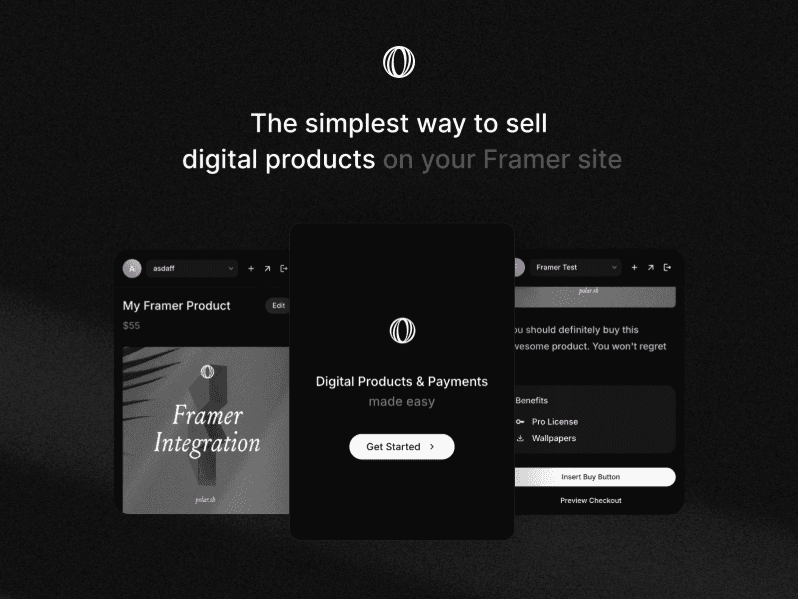
Polar by Polar is the official Polar integration for Framer, built for people selling digital goods rather than physical inventory. You can set up products, license keys, and downloads, then place a secure checkout directly on your Framer page.
Why Choose
Polar
?
Official integration from Polar
One-time and subscription products
License keys for software products
Digital downloads and custom benefits
Embedded checkout keeps buyers on your site
Set up everything without leaving Framer
Key Features
Polar organization setup
Product creation inside Framer
License key delivery
Digital file delivery
Checkout component for the canvas
Checkout preview
RazorpayKit - Free Razorpay Payment Plugin for Framer

Best For:
Indian businesses, creators, coaches, and agencies building sites for Indian clients
Type:
Free
RazorpayKit by FeCommerce is the go-to choice if your customers pay in INR. It connects your Razorpay account to Framer and turns Payment Links into checkout buttons you can place and style directly on the canvas.
Why Choose
RazorpayKit
?
Free Razorpay integration for Framer
No backend or developer required
Live sync with your Razorpay Payment Links
Two checkout styles: hosted link or Standard Checkout modal
Multi-currency support including INR, USD, EUR, and GBP
Real Framer components, not iframes
Key Features
Payment Link sync with status filtering
Create new payment links inside Framer
Custom price Standard Checkout buttons
Live button preview
Editable button styles
Support for courses, deposits, and paid plans
Arvo Commerce - Free Odoo Commerce Plugin for Framer

Best For:
Businesses already running inventory, sales, or operations on Odoo
Type:
Free
Arvo Commerce by Orix Studio is a newer plugin aimed at a niche that most Framer ecommerce plugins ignore: companies that run their business on Odoo. It pulls your Odoo catalog into Framer so the storefront can finally match the brand.
Why Choose
Arvo Commerce
?
Free Odoo integration for Framer
Keeps your commerce backend in Odoo
Product sync into Framer CMS
Updates existing products without creating duplicates
Fully customizable storefront
Templates and components on the roadmap
Key Features
Odoo store connection
Product catalog browsing
Framer CMS sync
Duplicate-free updates
Organized product data
Framer Commerce - Advanced Shopify Plugin for Framer

Best For:
Shopify brands, D2C stores, fashion labels, and agencies building high-end storefronts
Type:
Premium
Framer Commerce by Framer Commerce is the most complete Shopify option on this list of Framer ecommerce plugins. It syncs your Shopify catalog into Framer and gives you a large library of storefront components, so the design stays in Framer while Shopify handles products, inventory, and checkout.
Why Choose
Framer Commerce
?
One-click sync for products, variants, prices, collections, and SEO data
40+ Shopify components for carts, variants, filters, and purchase buttons
Subscription selling through Shopify selling plans
Shopify Markets support for local prices and localized checkout
Built-in tracking with Meta Pixel, Conversions API, and Google Analytics
Free tier to start, with paid plans for custom domains and higher limits
Key Features
Add to Cart, Quick Add, Buy Now, and Shop Pay buttons
Variant swatches and dropdown selectors
Live product filters, search, and sorting
Cart promo progress bars
Favorites without login
Custom market selectors
Discount badges and compare-at pricing
Free and premium starter templates
Frameship - Shopify Ecommerce Plugin for Framer
Best For:
Designers and store owners who want Shopify in Framer with a one-time payment
Type:
Premium
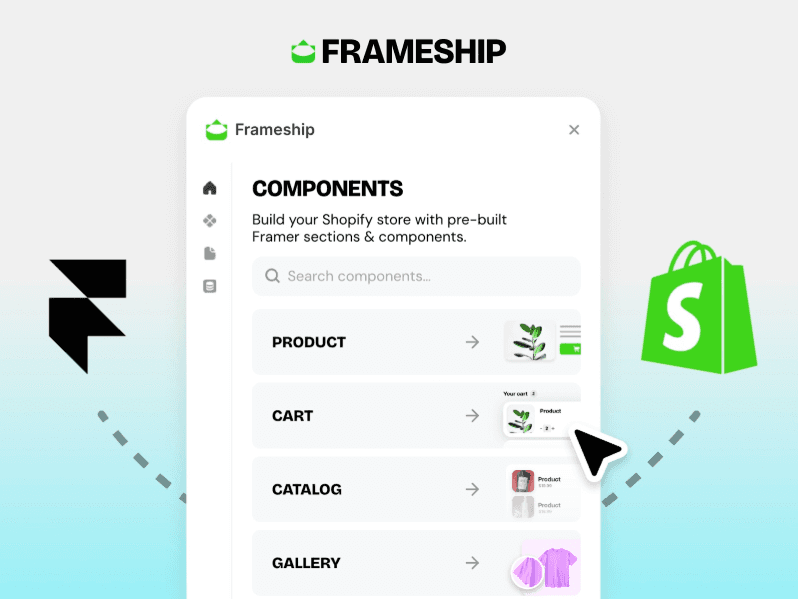
Frameship by Insert Frame is one of the earliest Shopify plugins for Framer and still one of the most approachable. Its pitch is simple: connect your store quickly, let the plugin sync your products, and design the rest with drag-and-drop components.
Why Choose
Frameship
?
Store connection in under 60 seconds
Automatic product data sync
20+ customizable ecommerce components
SEO-friendly storefront structure
Zero-code setup
One-time fee instead of a subscription
Key Features
Shopify product sync
Product and collection components
Cart and checkout flow
Drag-and-drop component library
SEO-friendly pages
Publish with Framer hosting
ShopKit - Design-First Shopify Plugin for Framer

Best For:
Designers, developers, and agencies building fully custom Shopify storefronts
Type:
Premium
ShopKit by Framer ShopKit is built for teams that care about every detail of the buying experience. It keeps Shopify data live in Framer and gives you fine control over how purchase actions, quantity controls, and market selection behave.
Why Choose
ShopKit
?
Live Shopify data kept in sync across your site
Custom Shopify metafields mapped to editable CMS fields
Content teams can update product info visually
Flexible purchase actions for different funnels
Branded market selectors
Design-first approach with no heavy integrations
Key Features
Products, variants, collections, and pricing sync
Add to Cart and Buy Now actions
Quick-add flows
Express checkout options
Inventory-aware quantity controls
Custom market selectors
FramerFlo - All-in-One Ecommerce Plugin for Framer

Best For:
Small and mid-sized stores that want a full store, dashboard, and customer accounts without Shopify
Type:
Premium
FramerFlo by FramerFlo sits somewhere between Frameshop and Shopify. It gives you a hosted merchant dashboard for managing products, plus a set of Framer components for the storefront, cart, checkout, and customer accounts.
Why Choose
FramerFlo
?
Full ecommerce dashboard for managing products and orders
Customer accounts with login and order history
Payments through Stripe, PayPal, or Square
SEO-friendly dynamic product pages
7-day free trial before the subscription starts
Light and dark mode support
Key Features
16 ready-to-use ecommerce components
Product grid and product cards
Slide-out cart drawer
Stripe-powered checkout with shipping
Product variants
Search, filtering, and sorting
Address book and order history
Final Verdict
Framer finally has real ecommerce options, so you don't have to settle for a Shopify theme or a WordPress site that doesn't fit your brand.
On Shopify, go with Framer Commerce, ShopKit, or Frameship if you're happy to pay. ShopifyConnect and Shopify CMS Sync are solid free alternatives. If you'd rather skip an external platform, Frameshop and FramerFlo keep the whole store inside Framer. FeCommerce and Arvo Commerce cover WooCommerce and Odoo.
If you're only selling a few products, StripeKit, RazorpayKit, or Polar is usually enough. And if your customers need to customize what they buy, FramerConfigurator is the one to pick.
Need a head start on the design? Browse our Framer Templates and pair one with the right plugin to launch faster.
Don't choose based on the flashiest demo. Choose the plugin that fits where your products and payments already live. Then sync your catalog, style the components, and start selling.


