Best Framer Arrow Vectors (Free & Paid)
Explore 11 free and paid Framer arrow vector packs for navigation, CTAs, annotations, dashboards, landing pages, and creative website designs.

Arrows do more work on a website than most people give them credit for. They point at the signup button, connect two ideas in a flow diagram, sit inside the “Next” control on a carousel, and add a bit of handwritten personality to an otherwise flat hero section. Getting the right arrow vectors into your project early saves you from stretching a font glyph or redrawing the same shape five times.
Every pack in this roundup comes from the Framer Marketplace, and each one was reviewed on the same points: visual style and consistency, how many shapes you actually get, how easily you can change color and stroke, and the kind of project it genuinely suits. If you’re still choosing a foundation to drop these into, FrameSpark covers the templates, Framer blocks, and Framer components side of that decision.
Here’s how the eleven arrow vector packs compare at a glance before we go through each one in detail.
Quick Comparison Table
Vector Pack | Price | Best For | Standout Feature |
|---|---|---|---|
Aarrows | Free | Inline text and button arrows | Sharp corner geometry, only 10 essential shapes |
Hand Drawn Arrows | Free | Landing page annotations | 70 organic arrows at no cost |
Arrow Essentials | Free | Design systems and UI kits | Chevrons, triangles, circled and squared variants |
Hand-Drawn Arrow | Free | User flows and sketch accents | Compact 18-shape organic set |
Arrows (Launchly) | Free | Dashboards and app navigation | Editable stroke thickness and corner radius |
Editable Arrows | $5 | Creative flows and presentations | Dashed and squiggle trajectory styles |
Arrows Hand And Icon | $5 | Teams needing both styles | 350 vectors across two separate series |
Arrow Vector Set | $8 | Expressive marketing pages | 140 sketch-style arrows in one library |
Arrow-Icon-Set | $5 | Editorial and blog layouts | Brush-textured strokes with adjustable opacity |
Big Arrow Icon Set | $5 | Oversized buttons and CTAs | Filled, outline, and bold weights in one pack |
Bauhaus Arrows | $5 | Brand-led geometric layouts | 78 flat shapes in a cohesive Bauhaus style |
Aarrows Vector - Free

Best For:
Designers who want clean directional arrows for links, buttons, and inline text
Type:
Free
Aarrows by Aaron Rolston is a deliberately small set of ten arrow vectors built as an alternative to relying on font glyphs. The shapes carry sharp, precise corners that most general icon packs round off, and they’re designed to be rotated or flipped rather than duplicated per direction.
Why Choose
Aarrows
?
• No line-height mismatch beside text
• Nothing to scroll past — ten shapes only
• Corner sharpness most icon packs lose
• Free under Framer's Limited License
• One shape covers four directions
• Keeps your assets panel uncluttered
Key Features
• 10 arrow vectors
• Crisp corner terminations
• Arrow-only library, no unrelated icons
• Rotate and flip orientation workflow
• Renders sharp at any display size
• Copy directly into a Framer canvas
Hand Drawn Arrows - Free

Best For:
Marketing pages that need a handwritten, human touch
Type:
Free
Hand Drawn Arrows by mehul is a 70-piece pack of organic, sketch-style arrows drawn with a natural stroke. It covers everything from tight spirals to looping swirls, making it well suited to annotating screenshots, marking up onboarding steps, and drawing attention to calls to action.
Why Choose
Hand Drawn Arrows
?
• Seventy shapes without spending anything
• Friendly stroke softens technical layouts
• Enough range to annotate an entire page
• Ideal for CTA callouts and product highlights
• Safe to trial on client work before committing
• One consistent hand across every shape
Key Features
• 70 hand-drawn vectors
• Curved, loop, and spiral forms
• Zigzag and circular arrows
• Swirl and heart-shaped variants
• Minimal directional arrows included
• Playful sketch-style indicators
Arrow Essentials - Free
Best For:
Product designers building a consistent UI icon library
Type:
Free
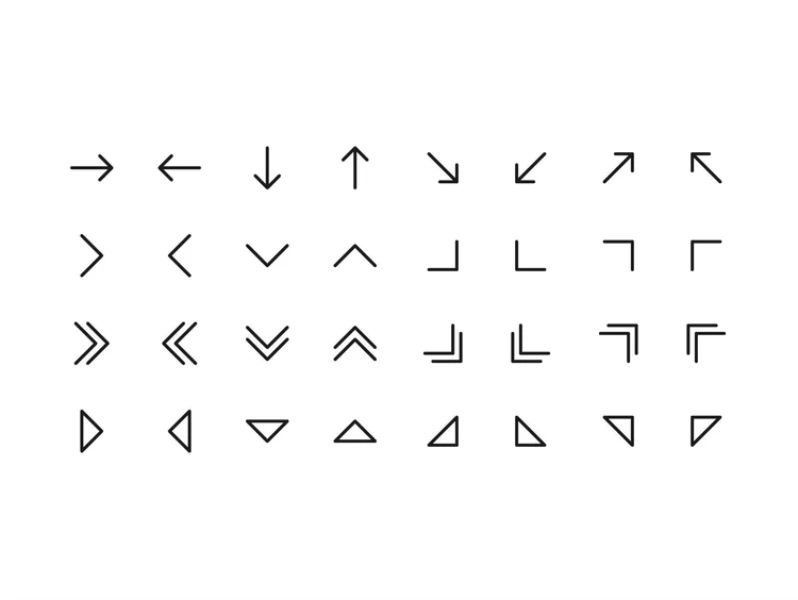
Arrow Essentials by Mathilda Ingvaldsen is a 64-vector interface pack built around consistency. It covers the directional shapes an app actually needs - chevrons, triangles, and enclosed variants -and works across Figma, Framer, and Webflow, so shared team libraries stay aligned.
Why Choose
Arrow Essentials
?
• Built to sit inside a design system
• Sixty-four shapes with no license cost
• Same set carries across your other design tools
• Stroke width can be matched to your brand
• Enclosed variants save building button wrappers
• Covers navigation states without gaps
Key Features
• 64 vectors
• Basic directional arrows
• Single and double chevrons
• Triangular arrow shapes
• Circled and squared variants
• Adjustable size, color, and stroke width
💡 Framer Pro Tip: Before you drop arrows into a layout, decide on one stroke width and stick to it across the whole site. Mixing a 1.5px UI chevron with a 3px hand-drawn arrow in the same section is the fastest way to make a polished page look assembled from parts.
Hand-Drawn Arrow - Free

Best For:
Adding a few organic accents without importing a large library
Type:
Free
Hand-Drawn Arrow by Burhan Kapkıner is a focused 18-shape collection of organic arrows. It’s aimed at highlighting specific details, sketching out user flows, and introducing a looser feel into layouts that would otherwise read as strictly geometric.
Why Choose
Hand-Drawn Arrow
?
• Small enough to scan in one pass
• Useful contrast against grid-based sections
• Works well for flow and journey diagrams
• Low overhead when you only need one accent
• Costs nothing to copy into a project
• Every shape stays fully editable
Key Features
• 18 arrow vectors
• Loose, organic stroke rendering
• Shapes suited to connecting elements
• Editable fills and outlines
• Framer-native copy and paste
• Published under the Limited License
Arrows (by Launchly) - Free
Best For:
Dashboards, documentation sites, and app interfaces
Type:
Free
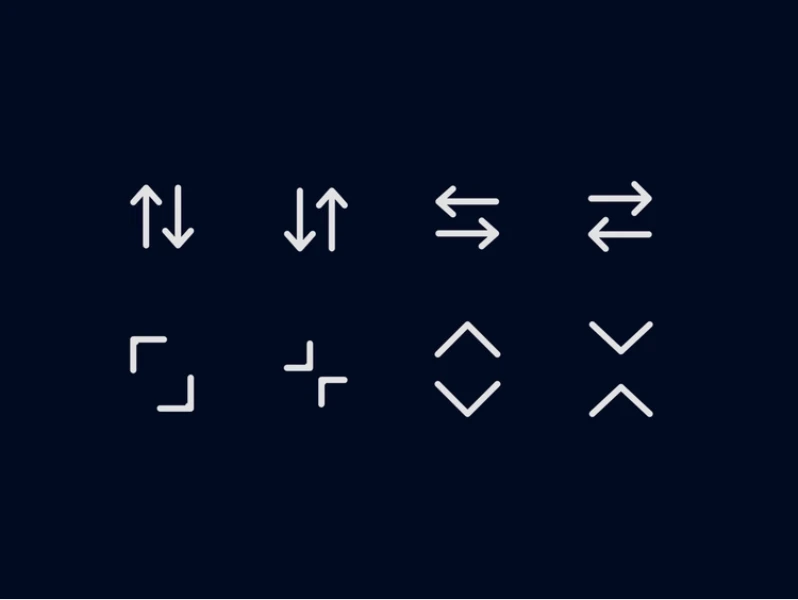
Arrows by Launchly is a 40-piece line-style icon pack with uniform stroke weight throughout. Alongside standard directional shapes, it includes the interaction icons interfaces actually rely on — reload, expand, collapse, and fast-forward controls.
Why Choose
Arrows by Launchly
?
• Uniform weight keeps interfaces looking deliberate
• Covers interface actions, not just direction
• Corner radius is adjustable, which is rare
• Suits data tables and admin panels
• Free to ship in production work
• Removes the mismatched-icon problem entirely
Key Features
• Up, down, left, and right arrows
• Diagonal arrows for navigation controls
• Loop and refresh icons for reload actions
• Double arrows for fast-forward navigation
• Circle-based icons for buttons and callouts
• Expand, collapse, minimize, and maximize shapes
Editable Arrows - Premium
Best For:
Interactive flows, mockups, and presentation-style pages
Type:
Premium
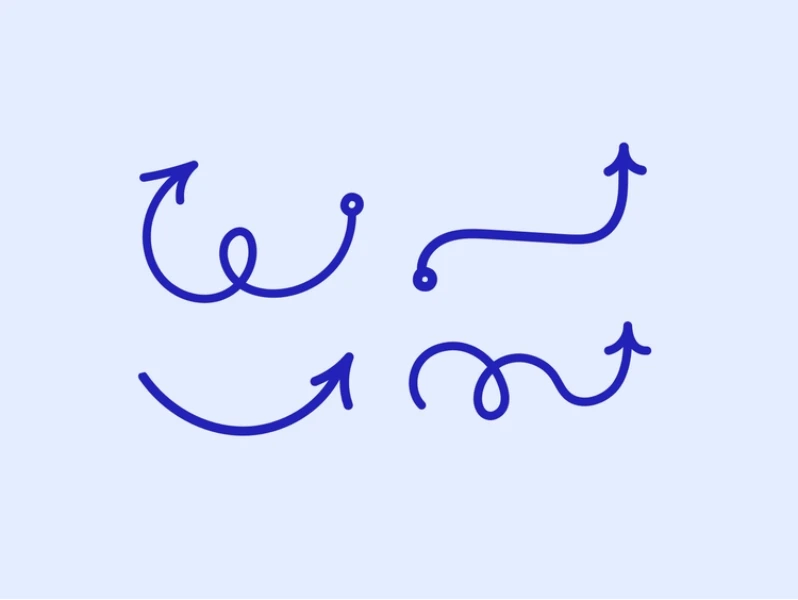
Editable Arrows by Helen Statsevich is a 60-vector hand-drawn collection where each arrow has its own rhythm. The mix of dashed lines and playful squiggles makes it a good fit for connecting ideas visually rather than just pointing at things.
Why Choose
Editable Arrows
?
• Sixty shapes for the price of a coffee
• Dashed and squiggle styles are hard to find free
• Turns plain diagrams into something readable
• Transfers cleanly to other design tools
• The creator lists a direct support address
• Scales without needing to redraw anything
Key Features
• 60 hand-drawn vectors
• Curved and looped arrow forms
• Dashed trajectory lines
• Squiggle-style connectors
• Editable stroke width, color, and scale
• Purchased via Lemon Squeezy checkout
Arrows Hand and Icon - Premium

Best For:
Teams that need both marketing-site personality and app-grade UI icons
Type:
Premium
Arrows Hand And Icon by Karim Saif bundles two separate libraries into one purchase: a 30+ sketch series and a 200+ geometric system series, totalling 350 vectors. The UI half is pixel-aligned with uniform stroke widths, while the hand-drawn half handles callouts and annotations.
Why Choose
Arrows Hand and Icon
?
• The largest vector count in this roundup
• Two aesthetics without two separate purchases
• Handles the landing page and the product UI
• Geometric series is aligned for crisp rendering
• One of the most recently published packs here
• Priced the same as much smaller libraries
Key Features
• 350 vectors in total
• 30+ sketch-style arrows with variable linework
• 200+ geometric interface icons
• Sorting indicators for A–Z and ascending order
• Interface controls for expand, return, and outbound
• Minimal chevrons, carets, and alignment arrows
Arrow Vector Set - Premium
Best For:
Marketing sites that lean heavily on expressive visual direction
Type:
Premium
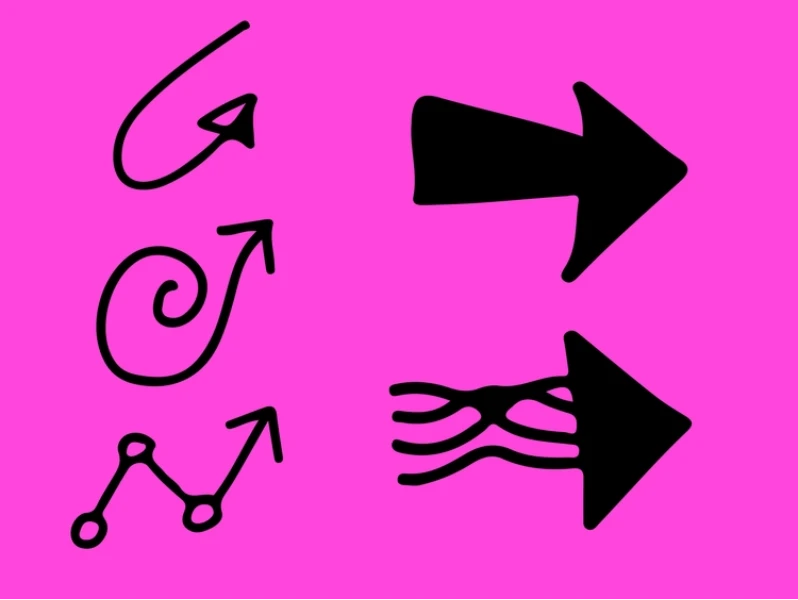
Arrow Vector Set by Zain Gill is a 140-piece hand-drawn library built around guiding attention. The arrows carry a consistent sketch character across the whole set, aimed at highlighting calls to action and adding movement to creative web interfaces.
Why Choose
Arrow Vector Set
?
• Deep enough to cover a multi-page site
• Character stays consistent from shape to shape
• Built specifically around drawing the eye
• Suits agency and portfolio work
• Removes the need to mix packs mid-project
• Note that sales are final, so preview carefully
Key Features
• 140 arrow vectors
• Expressive sketch-style rendering
• Shapes geared toward call-to-action emphasis
• Vector paths remain editable after import
• Sold under Framer's Single-Use License
• Published January 2026
💡 Framer Pro Tip: Hand-drawn arrows read best when they’re slightly rotated off-axis. A perfectly horizontal sketch arrow tends to look like a mistake, while a five to ten degree tilt makes it feel intentional and hand-placed.
Arrow Icon Set - Premium

Best For:
Blog layouts and editorial sections that need visual texture
Type:
Premium
Arrow-Icon-Set by A1 is a 108-vector pack built in a hand-drawn brush style with deliberate natural imperfections. Beyond color and stroke, it supports opacity adjustments, which helps when arrows need to sit behind text or fade into a background.
Why Choose
Arrow Icon Set
?
• Brush texture reads differently from pen-line packs
• Opacity control opens up layered compositions
• Over a hundred shapes at an entry-level price
• Suits long-form content and article layouts
• Direction variations save manual mirroring
• Imperfections keep it from looking machine-made
Key Features
• 108 vectors in the pack
• Brush-textured stroke rendering
• 50+ icons with light style variations
• Multiple directions per arrow style
• Adjustable color, stroke, and opacity
• No quality loss when resized
Big Arrow Icon Set - Premium
Best For:
Large navigation buttons and oversized call-to-action controls
Type:
Premium
Big Arrow Icon Set by Anastasija T. is a 48-vector pack made entirely in Framer, built around clean, minimal shapes that hold up at larger sizes. It ships in three visual weights and includes versions with circular backgrounds already built in.
Why Choose
Big Arrow Icon Set
?
• Holds its shape when scaled up for hero controls
• Three weights let you set visual hierarchy
• Background variants remove a layout step
• Built in Framer, so it behaves predictably
• Minimal look pairs with most SaaS branding
• Compact enough to learn in minutes
Key Features
• 48 vectors
• Filled, outline, and bold style variations
• Right, left, up, and down directions
• Versions with and without circular backgrounds
• Customizable color, size, and stroke
• Suited to buttons, navigation, and interactions
Bauhaus Arrows - Premium
Best For:
Brand-led sites with a strong geometric visual identity
Type:
Premium
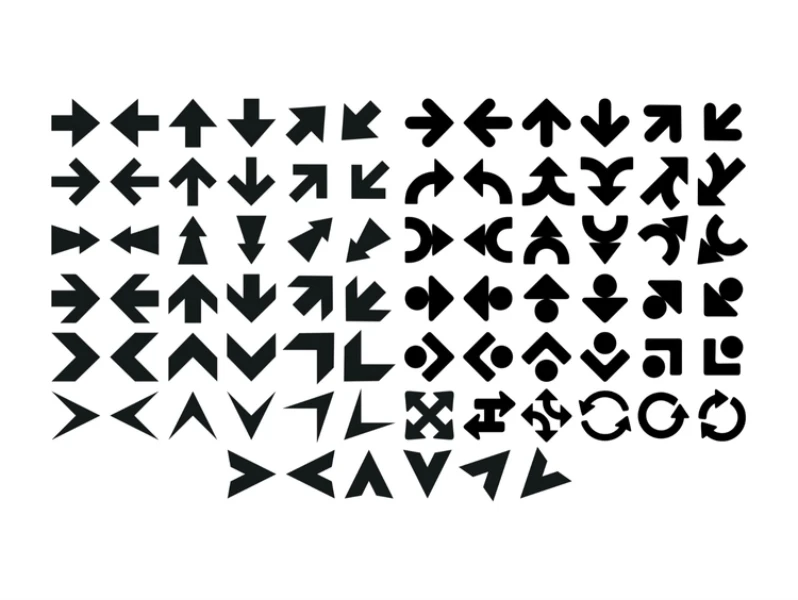
Bauhaus Arrows by Gema Syihab is a 78-shape set drawn in a flat Bauhaus style. Each shape is distinct while still belonging to the same visual family, which makes it useful when arrows are part of the brand language rather than just wayfinding.
Why Choose
Bauhaus Arrows
?
• A geometric look you won't see on every site
• Seventy-eight shapes that still feel like one family
• Flat fills recolor cleanly to brand palettes
• Strong choice for fashion and lifestyle projects
• Works as decoration, not only as direction
• $5 one-time through a Contra payment link
Key Features
• 78 arrow shapes
• Flat, minimal Bauhaus construction
• Distinct silhouettes across the set
• Straightforward color customization
• Prepared for direct use in Framer projects
• Published June 2026
Choosing the Right Arrow Vectors for Your Project
These eleven arrow packs generally fall into two styles: clean geometric arrows for interfaces and hand-drawn arrows for more expressive designs. Free options like Aarrows, Arrow Essentials, and Launchly’s Arrows are strong enough for many real projects, while paid packs mainly offer more variety and distinctive styles.
For apps, dashboards, and documentation, start with Arrow Essentials or Launchly’s Arrows. For landing pages and portfolios, Editable Arrows or Arrow Vector Set add more personality. If you need one versatile pack for both product UI and marketing designs, Arrows Hand And Icon offers the best balance.
Conclusion
“Arrow vectors are a small detail, but they’re the kind of detail that separates a site that looks assembled from one that looks designed. “
Whichever pack you land on, commit to a single stroke weight and one style family across the whole project - consistency reads as craft far more reliably than variety does.
Start free if you’re unsure. Pull in Arrow Essentials or Launchly’s Arrows, build a page with them, and you’ll know quickly whether you need more range or a stronger visual character. And if you’d rather begin from a foundation where those design decisions are already made, browse the framer template and build from there. And if you’d rather begin from a foundation where those design decisions are already made, explore Framer Code Components and build from there.


