Top 10 Framer Carousel Components For Appealing Design
Explore Framer Carousel Components to create engaging, responsive, & visually appealing website sliders to enhance user interaction & modern UI design.

Carousels have become one of the most popular UI elements in modern web design, helping websites showcase content in a more interactive and visually engaging way. From product galleries and testimonials to portfolios and storytelling sections, carousels make it easier to present multiple pieces of content without cluttering the layout.
With Framer’s growing ecosystem of Framer Components, designers and creators can now add stunning Framer Carousel Components to their websites without writing complex code. Whether you’re building a SaaS landing page, agency portfolio, ecommerce store, or personal brand website, the right carousel component can significantly improve user engagement and visual appeal.
In this blog, we’ll explore some of the best free and premium Framer carousel components, along with their features and ideal use cases, to help you choose the perfect option for your next project
What Is Carousel?
A carousel is an interactive UI component that displays multiple images, cards, videos, testimonials, or content slides in a rotating or scrollable layout. Users can navigate through the content using arrows, swipes, autoplay, scrolling, or drag interactions.
Carousels are commonly used in modern websites to showcase products, portfolios, features, galleries, case studies, and visual storytelling sections compactly and engagingly.
Quick Comparison Table:
Component | Best For | Key Feature |
|---|---|---|
Reel Carousel | Reels, testimonials, product demos | Reel-style browsing |
Carousel 3D | Products, portfolios, hero sections | 360° 3D orbit |
Bento Gallery | Creative portfolios, photography | Dynamic bento grids |
Stacked Slider | Products, testimonials, case studies | Card-stacking effect |
Capsule Slider | App showcases, teams, startups | 3D depth animations |
Hover Image Gallery | Portfolios, agencies, ecommerce | Interactive hover effects |
CircleGallery FX | Portfolios, fashion, storytelling | WebGL curved gallery |
3D Image Carousel | Products, portfolios, digital art | Rotating 3D images |
DepthDeck Carousel | Hero sections, portfolios, galleries | 3D depth card stack |
Image Gallery | Ecommerce, portfolios, photography | Thumbnail navigation |
Best Free Framer Carousel Components
Framer carousel components help you create interactive, visually engaging website sections without writing complex code. From 3D sliders and infinite galleries to reel-style showcases, these components add smooth animations and modern browsing experiences to your website. They are perfect for portfolios, SaaS landing pages, ecommerce stores, agencies, and creative projects. In this list, we’ve rounded up the best free Framer carousel components to help you build stunning and immersive websites faster.
Reel Carousel - An Interactive Framer Auto Reel Carousel
Best For:
Product showcases, SaaS websites, agencies, startups, creative portfolios
Type:
Free
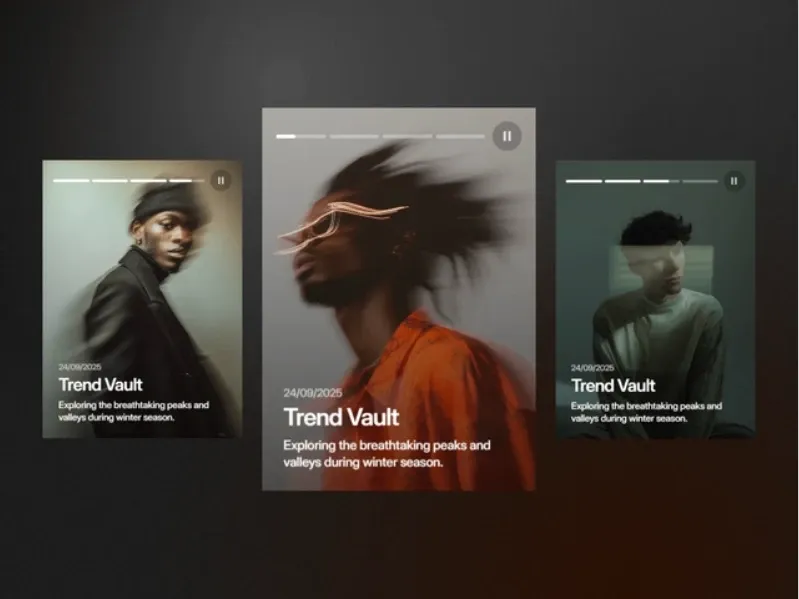
Reel Carousel is an interactive Framer component that brings a reel-style browsing experience to websites. It lets visitors explore videos through smooth transitions, progress controls, and autoplay.
Why Choose
Reel Carousel
?
Reel-style browsing
Interactive navigation
Smooth transitions
Autoplay support
Pause and resume control
Engaging content experience
Key Features
Reel-style layout
Progress bar navigation
Smart progress control
Pause and resume
Smooth transitions
Manual navigation
Autoplay mode
Carousel 3D
Best For:
Product showcases, portfolios, landing pages, events, and creative projects.
Type:
Free
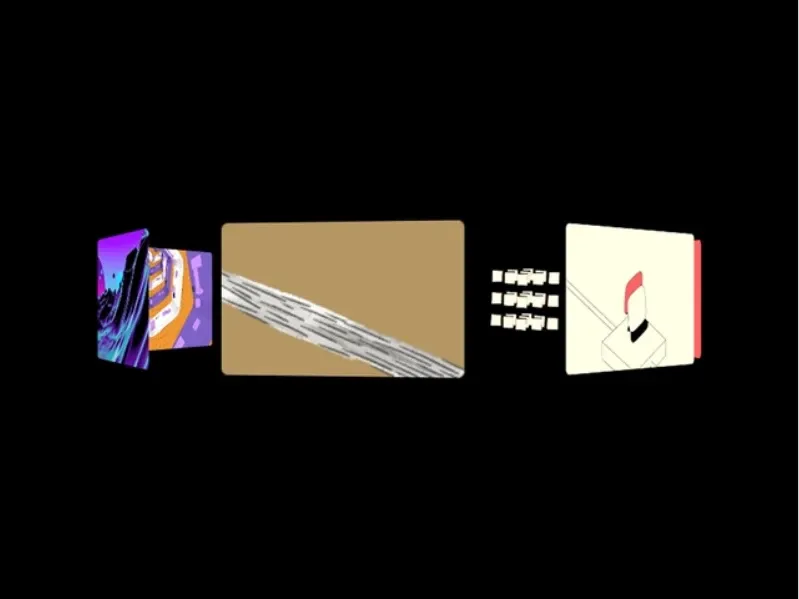
Carousel 3D is a motion-driven Framer component that displays images in a smooth 3D orbit around a true center. Its responsive, touch-friendly design makes it ideal for hero sections, product showcases, and interactive galleries.
Why Choose
Carousel 3D
?
True 3D orbit
Pixel-perfect centering
Smooth motion
Touch-friendly
Responsive layout
No-code setup
Key Features
360° 3D orbit
Even item spacing
Hover/touch pause
Backface visibility option
CSS transform animations
Image fallback placeholders
Responsive design
Works in any container
Bento Gallary

Best For:
Creative studios, portfolios, photography, galleries, and UI showcases.
Type:
Free
Bento Gallery is a visual-first Framer component for creating dynamic bento grids and image-focused layouts. It offers flexible grid controls, responsive behavior, and lightbox support without manual development.
Why Choose
Bento Gallary
?
Visual-first grid design
Flexible compositions
Easy customization
Responsive layout
Lightbox support
No-code setup
Key Features
Image-focused grid
Column customization
Row customization
Lightbox preview
Style customization
Radius and overlay controls
Hover effects
Row and column spans
Stacked Slider Component
Best For:
Product galleries, testimonials, case studies, team profiles, services
Type:
Free
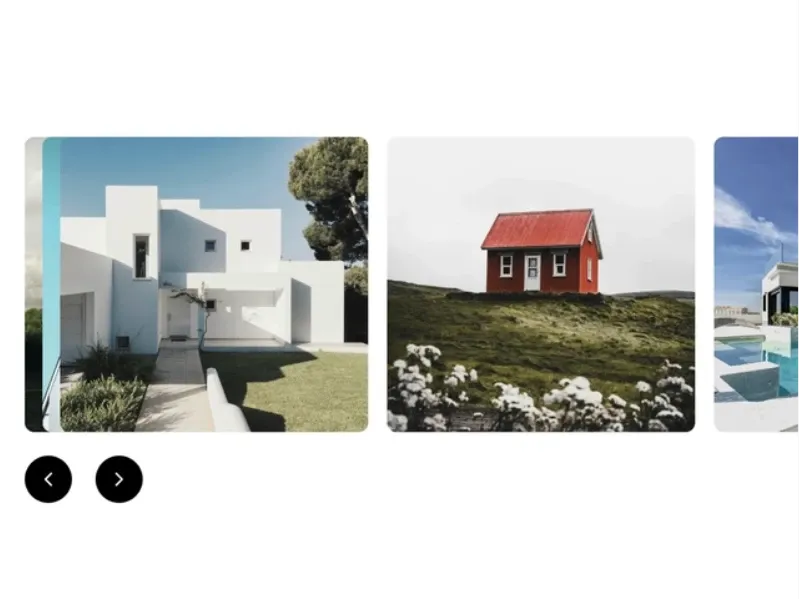
Stacked Slider is a premium Framer carousel component with an elegant card-stacking effect. Its smooth navigation and customizable layout controls create a layered presentation for featured content.
Why Choose
Stacked Slider
?
Elegant card stacking
Smooth navigation
Custom arrow buttons
Responsive controls
Flexible layout
Native Framer integration
Key Features
Card-stacking effect
Custom visible offsets
Smooth navigation
Custom arrow buttons
Responsive controls
Flexible layout
Native integration
15+ controls
Capsule Slider

Best For:
App showcases, team profiles, fashion presentations, startups, and storytelling sections.
Type:
Free
Capsule Slider is a snappy Framer slider component featuring stacked cards that animate smoothly in and out. Its depth, sizing, spacing, and perspective controls make it easy to create custom layouts and animations.
Why Choose
Capsule Slider
?
Snappy card animations
3D depth controls
Flexible sizing
Custom image support
Keyboard navigation
Full customization
Key Features
Z-step/depth control
Width and height controls
Custom image uploads
Framer image support
Custom perspective
Keyboard navigation
Card gap control
Border radius control
Hover Image Gallery - Create smooth, interactive image gallery
Best For:
Portfolio websites, creative agencies, product showcases, and eCommerce shops
Type:
Free
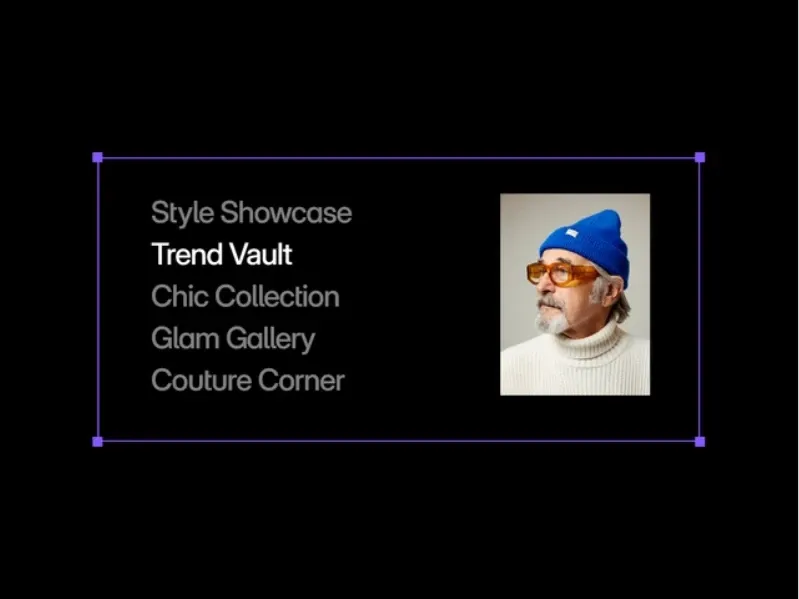
Hover Image Gallery is an interactive Framer component designed to showcase images, projects, and portfolio items with engaging motion and smooth transitions. It helps create more dynamic visual storytelling experiences.
Why Choose
Hover Image Gallery
?
Interactive gallery experience
Engaging motion effects
Smooth transitions
Visual storytelling
Great for portfolios
Easy to showcase products
Key Features
Interactive image gallery
Motion effects
Smooth animations
Portfolio showcases
Product image displays
Visual storytelling layouts
Top Premium Framer Carousel Components
Premium Framer carousel components help you create advanced, high-end website experiences with smoother animations, 3D interactions, CMS support, infinite scrolling, and immersive visual effects. Unlike basic sliders, these components are designed for modern SaaS websites, portfolios, agencies, ecommerce stores, and storytelling-focused landing pages.
CircleGalleryFX

Best For:
Creative portfolios, photography, startups, ecommerce, fashion.
Type:
Premium
CircleGallery FX is an interactive Framer gallery that displays images along smooth circular and curved paths. Its WebGL-powered motion, infinite looping, and interactive captions create a cinematic visual experience.
Why Choose
CircleGalleryFX
?
Cinematic gallery experience
Smooth curved layouts
WebGL-powered motion
Infinite looping
Interactive captions
Adjustable gallery controls
Key Features
Circular image gallery
Drag and scroll interaction
Infinite looping
WebGL animations
Wavy image motion
Interactive captions
Adjustable curvature
Custom spacing and scroll speed
3DImageCarouselFX

Best For:
SaaS, ecommerce, portfolios, landing pages, fashion
Type:
Premium
3D Image Carousel is a Framer component that brings depth and motion to image showcases with a rotating circular layout. Spring-based animations, interactive navigation, and adjustable perspective create an engaging visual experience.
Why Choose
3DImage
?
Realistic 3D depth
Smooth spring animations
Interactive navigation
Click-to-focus interaction
Hover scaling
Adjustable perspective
Key Features
Rotating 3D carousel
Spring-based animations
Arrow navigation
Click-to-focus images
Hover scaling effects
Perspective controls
Adjustable spacing
Reflections and shadows
DepthDeck Carousel
Best For:
Hero sections, portfolios, case studies, product galleries, agencies
Type:
Premium
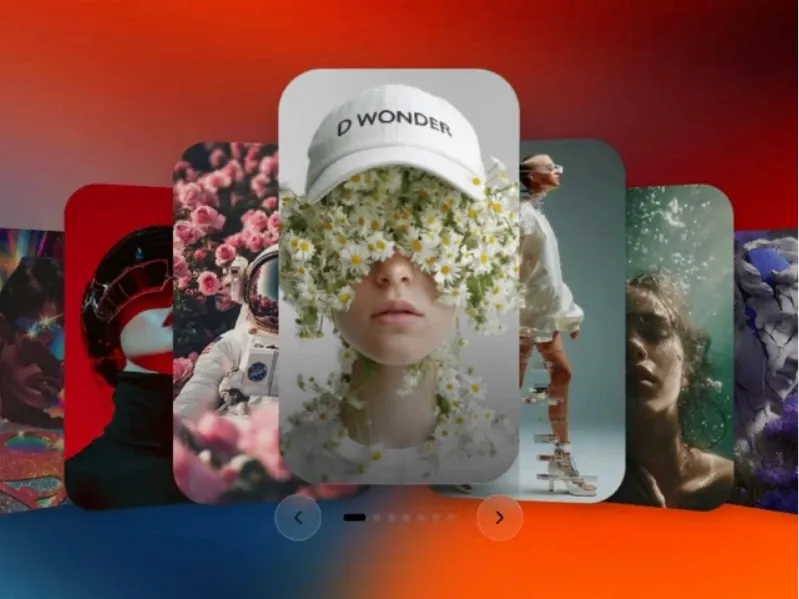
DepthDeck Carousel is a polished 3D Framer carousel designed to showcase cards with smooth depth and motion. Its interactive controls, hover effects, and autoplay options make it well suited for visual content and featured sections.
Why Choose
DepthDeck
?
3D depth effect
Smooth spring animation
Click-to-front interaction
Keyboard navigation
Hover lift and zoom
Autoplay support
Key Features
Spring animations
Click-to-front cards
Keyboard navigation
Hover lift effect
Image zoom
Per-image focal points
Active card details
Expanding dot indicator
Autoplay interval
Image Gallery - Interactive Image Gallery
Best For:
Ecommerce, portfolios, agencies, blogs, photography
Type:
Premium
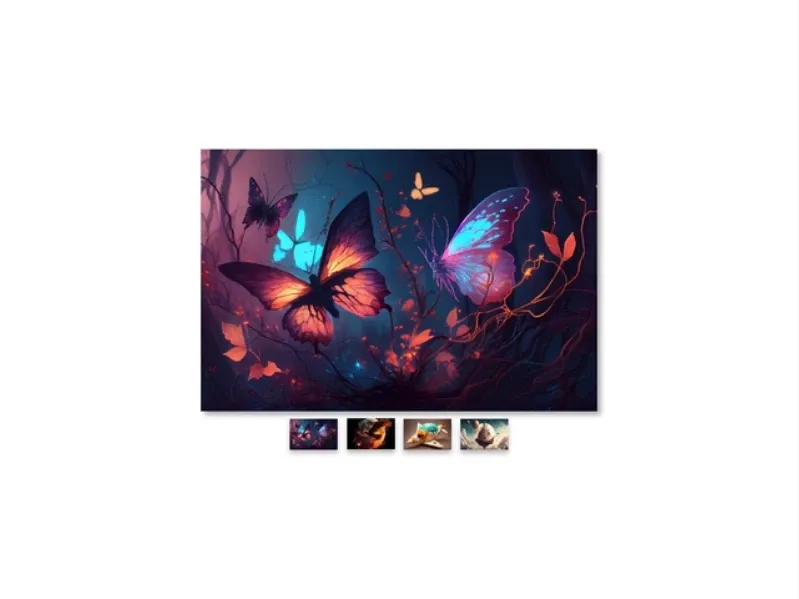
Image Gallery is an interactive Framer component for showcasing multiple images with a main image and thumbnail navigation. Its responsive layout, smooth transitions, and flexible styling make it suitable for different visual projects.
Why Choose
Image Gallery
?
Interactive image browsing
Smooth transitions
Responsive layout
Light and dark modes
Flexible styling
No-code customization
Key Features
Main image display
Thumbnail navigation
Responsive layout
Smooth image transitions
Light and dark modes
Adjustable spacing
Custom image styling
Multiple image support
Conclusion:
Framer carousel components make it easy to create engaging, interactive, and visually impressive website experiences without complex development work.
Looking for more interactive Carousel Components? Explore our Framer Carousel Components to find ready-made carousel experiences for your next Framer project.
Whether you need a simple image slider, a cinematic 3D showcase, or a reel-style storytelling section, there are plenty of free and premium options available to match different design styles and use cases.
Choosing the right carousel component can improve user engagement, highlight important content effectively, and give your website a more modern and polished feel.