10+ Best Framer Forms Plugins
Explore the best Framer forms plugins to create powerful, customizable, and high-converting forms for any website.
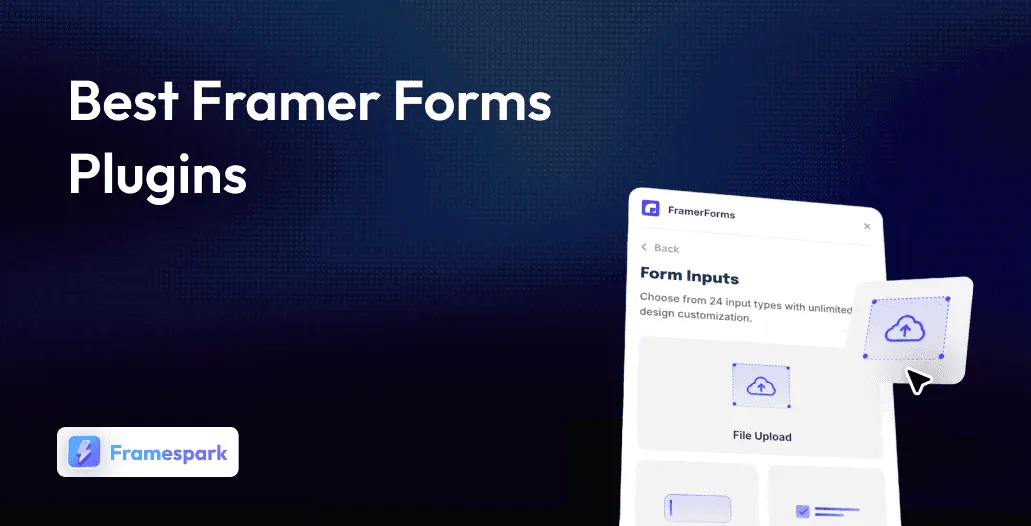
If you’re building websites in Framer, adding the right form experience is no longer optional. From simple contact forms to advanced lead-generation flows, modern Framer forms plugins can completely transform how websites collect, manage, and convert user data. In 2026, the Framer ecosystem has evolved far beyond basic built-in forms, offering powerful solutions with multi-step flows, conditional logic, AI-assisted inputs, CRM integrations, real-time notifications, and fully customizable designs that blend perfectly into your canvas.
Whether you’re a freelancer creating landing pages, a startup capturing qualified leads, or a designer building polished client experiences, choosing the right Framer forms plugin can save hours of development time while dramatically improving conversions. In this guide, we’ve reviewed the best Framer forms plugins available today, comparing their features, usability, pricing, and ideal use cases so you can find the perfect tool for your next Framer project.
Why Framer Forms Plugins Are Essential for Every Website
Forms are one of the most important elements of any website. Every business inquiry, every lead captured, every customer question answered, every survey response collected - all of it passes through a form. And yet, for years, adding a powerful, on-brand form to a Framer website meant either relying on Framer’s basic built-in form element or awkwardly embedding a third-party tool that never quite matched your design.
That has changed completely. In 2026, the Framer Marketplace is home to a rich and growing ecosystem of Framer forms plugins - covering every use case from instant WhatsApp order forms for small businesses to enterprise-grade multi-step lead qualification systems with built-in scoring and conditional logic. Whether you need a simple contact form that sends email notifications, a Typeform-style conversational quiz, a fully native multi-step form builder with 30+ field types, or a real-time submission inbox inside Framer itself, there is a Framer forms plugin built exactly for that.
What makes Framer forms plugins genuinely powerful is where they live: directly inside the Framer editor. No switching tools, no copy-pasting embed codes, no fighting with iframes that look nothing like your site. The best Framer forms plugins integrate natively into your canvas, so your forms look like they were designed as part of your site - because they were.
In this complete guide, we have reviewed all 13 of the best Framer forms plugins on the Marketplace. We cover what each plugin does, who it is best for, its key features, and its pricing - so you can find the right tool for your exact use case without hours of research.
1. Tally Forms - The Free Notion-Style Form Embedder

Tally Forms is one of the most recognized free form tools in the no-code world, and its Framer forms plugin makes it incredibly easy to embed any Tally form directly into your Framer project - no code, no manual iframe setup, no configuration headaches. Created by the Tally team themselves, this is the official Framer integration for one of the most popular free form builders available.
Tally’s form builder is described as Notion-like: fast, flexible, and clean. You build your form on Tally’s platform - which supports payments, file uploads, conditional logic, and connections to hundreds of tools - and then paste the published URL into the Framer plugin to embed it instantly. The result is a fully responsive, fully functional form that works seamlessly on both desktop and mobile.
Key Features
Notion-Style Form Builder: Create beautiful, powerful forms in Tally’s intuitive editor - feedback forms, sign-ups, surveys, payment forms, and more - then embed them in one click.
One-Click Embedding: Paste your Tally form URL into the plugin and it appears instantly on your Framer canvas, fully responsive and ready to collect responses.
Customizable Display Options: Show or hide the form title and background, align the form left or center - all adjustable from the plugin panel.
Free Forever: Tally’s core form builder is free with no submission limits, making it the most generous free Framer forms option available.
Broad Integration Support: Tally connects to Notion, Google Sheets, Airtable, HubSpot, Slack, and hundreds of other tools via native integrations and Zapier.
Payment Collection: Accept payments through Tally forms using Stripe - no additional tools required.
Ideal For
Framer users who already use Tally for their forms
Designers who want a free, no-code form solution for any use case
Sites needing payment collection via forms without additional plugins
Teams that manage form responses in Notion or Google Sheets
2. Typer Quiz - Beautiful Quiz Builder with Conditional Logic
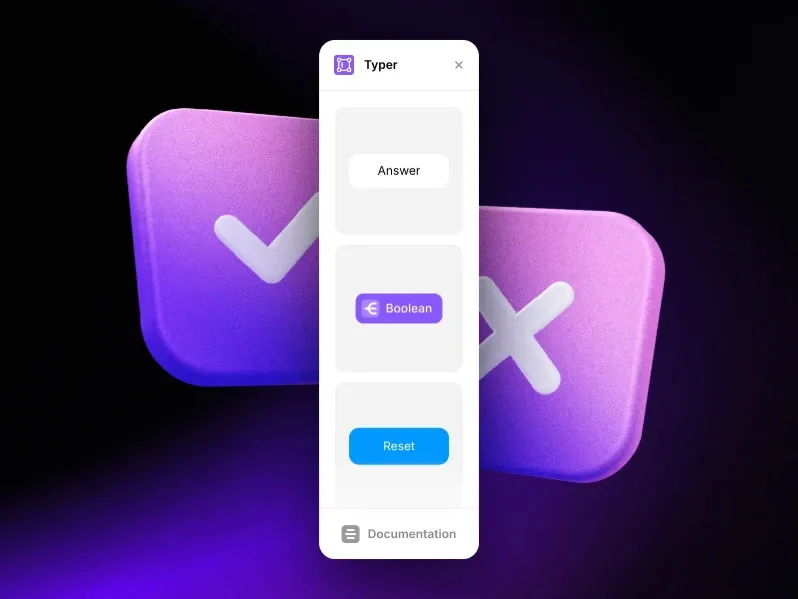
Typer Quiz is a uniquely creative Framer forms plugin that goes beyond standard form building - it lets you create beautiful, interactive quizzes with multiple possible outcomes, conditional branching logic, and user-driven pathways, all using native Framer components. Created by Victorien .net, Typer Quiz is ideal for lead qualification flows, audience segmentation, product recommendation quizzes, and any interactive experience where different users should arrive at different end results.
The plugin operates through three types of building blocks: Form components to collect user answers, Logic components to create conditional rules that direct users down different paths, and Action components to trigger resets or other interactions. Combined, they give you complete control over a branching quiz experience without writing a single line of code.
Key Features
Multi-Output Quiz Architecture: Build quizzes where different answers lead users to entirely different outcomes - product recommendations, service matches, quiz results, or custom CTAs.
Three Component Types: Form (collect answers), Logic (set conditional routing rules), and Action (trigger resets and interactions) - a complete toolkit for any quiz flow.
Conditional Branching Logic: Create rules that direct users to different scenarios based on their responses - ‘if answer equals X, go to step Y’.
Native Framer Components: All components live and behave natively inside Framer, maintaining full design consistency with your site.
Fully Free: No cost, no subscription, no submission limits - completely free for all Framer users.
Flexible Combinations: Mix and match Form, Logic, and Action components in any configuration to build the exact quiz experience you need.
Ideal For
Lead qualification and segmentation flows
Product recommendation quizzes for eCommerce sites
Interactive onboarding flows and service matching tools
Audience engagement tools for agencies, SaaS, and content creators
3. Forms Plugin - Powerful Native Framer Forms by Framer Geeks
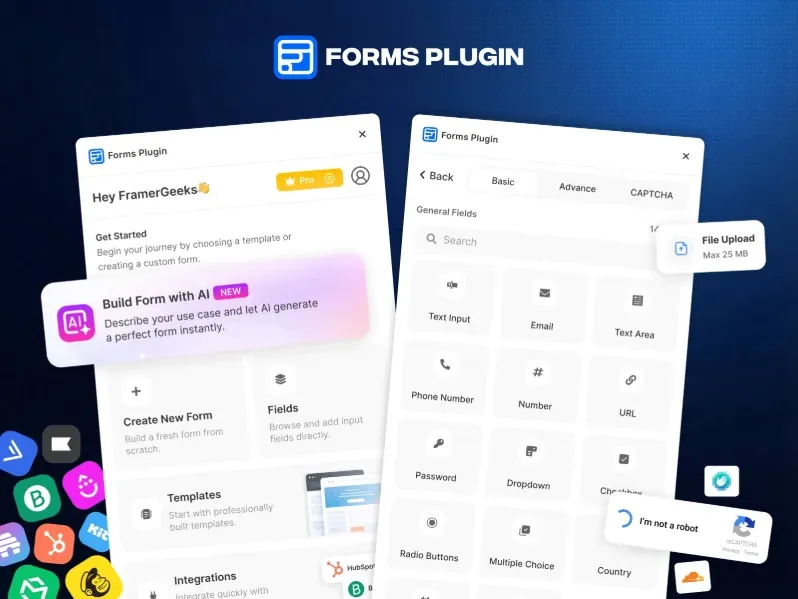
Forms Plugin by Framer Geeks is one of the most capable and recently released Framer forms plugins on the Marketplace - and its tagline says it all: built for Framer, not bolted on. This plugin works entirely inside Framer’s editor with no external platforms, no embedded iframes, and no copy-paste code snippets. Your forms live exactly where your design lives - natively inside Framer.
The breadth of field types alone sets Forms Plugin apart: 20+ options including e-signature, voice recording, color picker, audio and video upload, and three different CAPTCHA options (Google reCAPTCHA, hCAPTCHA, and Cloudflare Turnstile). A free Basic plan lets you start building immediately with no credit card, and Pro and Scale plans unlock more submission volume and advanced features.
Key Features
20+ Native Field Types: Text, email, dropdown, checkbox, radio, date picker, time picker, file upload, image upload, audio upload, video upload, color picker, e-signature, voice recording, Google reCAPTCHA, hCAPTCHA, Cloudflare Turnstile, and more.
No Embeds, No Iframes: Everything runs natively inside Framer - forms are design elements, not external embeds.
Full Design Control: Style every field element - fonts, colors, spacing, borders, focus states, and error states - to match your brand perfectly.
File & Media Uploads: Let users attach documents, images, audio, or video directly through your forms.
Built-in CAPTCHA & Spam Protection: Three CAPTCHA options (Google, hCaptcha, Cloudflare) to keep your inbox free of bot submissions.
Ready-Made Templates: Start quickly with pre-designed form templates for common business use cases.
Free to Start: Basic plan is free forever - no credit card, no trial limits. Upgrade when ready.
Ideal For
Framer designers who want fully native, no-iframe forms
Sites that need advanced field types including e-signatures and voice recordings
Projects requiring multiple CAPTCHA options for spam protection
Teams that want to start free and scale with a Pro plan later
4. Contact Form - Quick Contact Form by Smartarget
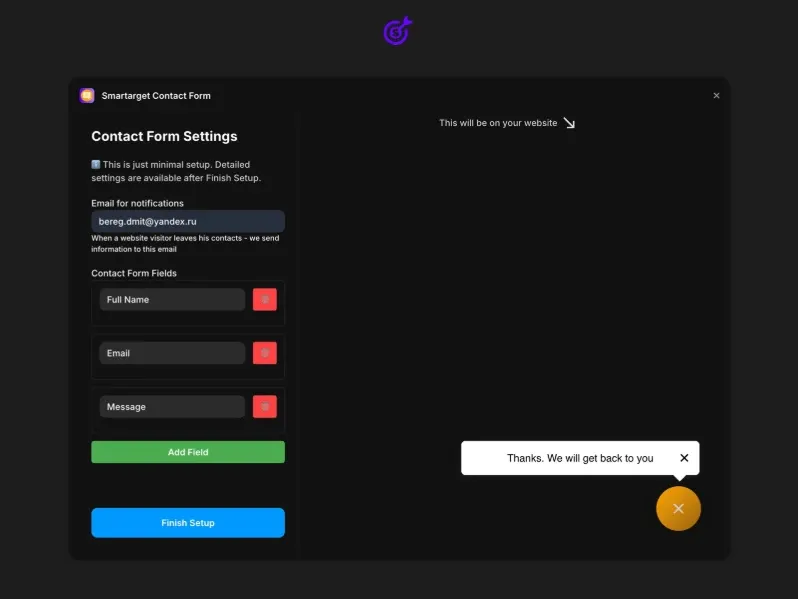
Contact Form by Smartarget is the fastest and simplest way to add a professional contact form to any Framer website. In less than five minutes, you can add a fully functional, branded contact form that sends customer inquiries directly to your email or Telegram - no development skills needed, no third-party accounts, no complex configuration.
What makes this plugin practical for real businesses is its flexibility in notification delivery. Most contact form solutions only support email. Contact Form by Smartarget also supports Telegram notifications, making it ideal for businesses in markets where Telegram is a primary communication channel, or for freelancers and agencies who prefer real-time mobile alerts over inbox management.
Key Features
Email Notifications: Every form submission goes directly to your email inbox - immediately and reliably.
Telegram Notifications: Optional real-time Telegram alerts for every form submission - faster and more reliable than email for mobile-first users.
Customizable Icon & Position: Choose where the contact form icon appears on your site and style it to match your brand.
Field Configuration: Define which fields visitors must fill in and which are optional - name, email, phone, message, and more.
Full Brand Customization: Match form colors, CTA text, and icon style to your site’s design system with no coding.
Works on Desktop & Mobile: Fully responsive and optimized for both desktop visitors and mobile users.
Completely Free: No fees, no plans, no usage limits - entirely free to use.
Ideal For
Portfolios, agency sites, and small business websites needing a simple contact form
Framer users who prefer Telegram over email for lead notifications
Non-technical users who need a working contact form in minutes
Businesses in markets where Telegram is a primary communication channel
5. Framer Form Kit
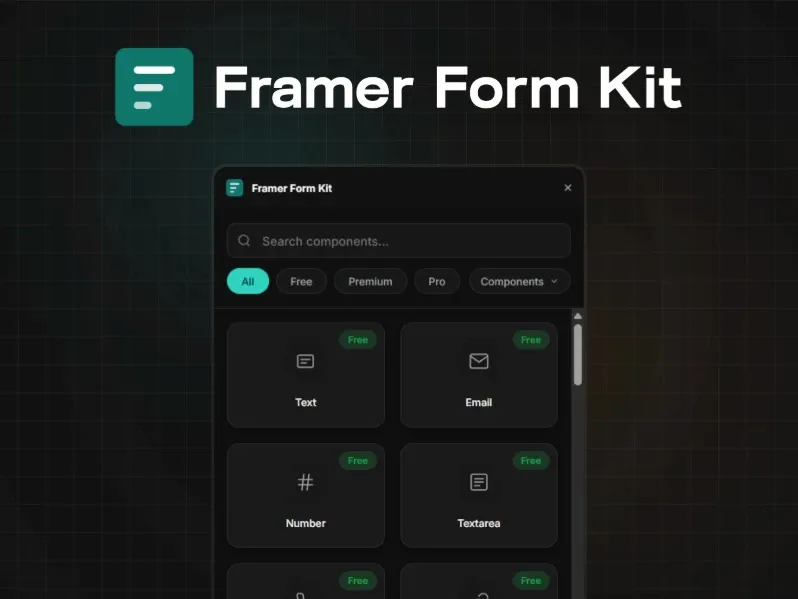
Framer Form Kit by FramerHub.io is one of the most technically sophisticated Framer forms plugins on the Marketplace - a complete form component system built to extend Framer’s native form element with real validation, multi-step flows, conditional logic, and 35+ field types. Unlike embed-based solutions, every Form Kit component is a native Framer layer that behaves exactly like standard Framer design elements - drag it in, configure it in the Properties Panel, and preview with Ctrl+P.
The free tier includes 10 components (Text, Email, Number, Phone, URL, Textarea, Select, Checkbox, Submit) plus the full validation engine, conditional logic engine, and auto-save to localStorage - making it one of the most generous free Framer forms tiers available. Premium unlocks 21 more components and Pro adds advanced field types like Signature Pad, Rich Text Editor, Country Selector with flags, and more.
Key Features
35+ Native Field Components: Across three tiers - Free (10 fields), Premium (21 additional), and Pro (5 advanced) - covering every form input type imaginable.
Real Validation Engine: Required fields, email/phone/URL format checks, character limits, regex patterns, min/max ranges, with inline error messages on blur and custom error text.
Multi-Step Forms: Break long forms into steps with progress bars, step indicators, and navigation buttons. Auto-saves to localStorage so users never lose progress.
Conditional Logic: Show, hide, enable, or disable any field based on other field values - 8 operators (equals, contains, greater than, is empty, etc.) with AND/OR matching.
URL Parameter Prefill: Pre-populate fields from URL query strings - perfect for email campaigns and ad landing pages.
Full Styling Control: Every component exposes Input, Label, Error, Focus, and Success styles in the Properties Panel. Copy styles across fields with Ctrl+Alt+C/V.
Works With Framer’s Native Form Handling: Components live inside Framer’s native Form element - no external services required for submission.
Ideal For
Framer users who need real validation without writing JavaScript
Sites with long forms that benefit from multi-step layouts
Marketing teams using URL parameter prefill for campaign personalization
Advanced users who need conditional logic and auto-save in their forms
6. FramerForms - The Advanced Power User Framer Form Builder
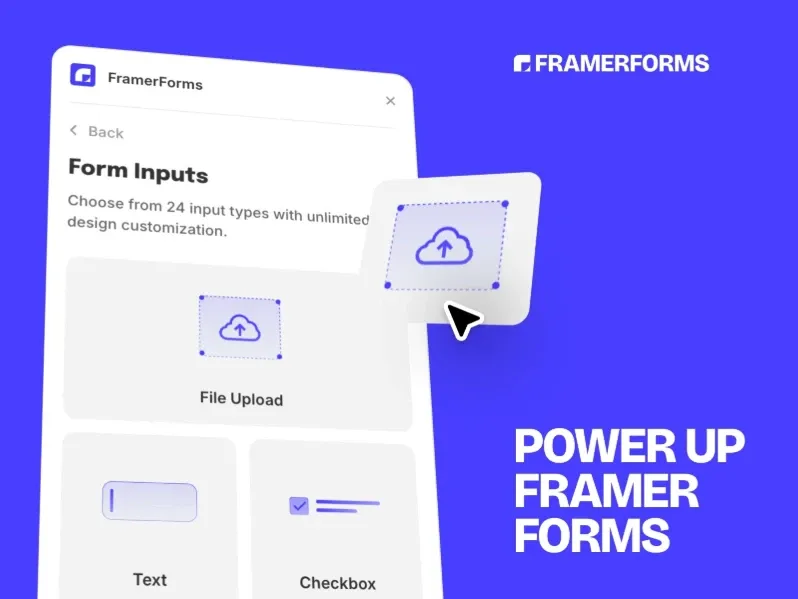
FramerForms by Insert Frame is the most popular paid Framer forms plugin on the entire Marketplace, with 13,000 users - a testament to its power, reliability, and the trust that the Framer community has placed in Insert Frame, one of the most prolific and respected creators on the Marketplace (also the team behind Frameship, the leading Shopify plugin). FramerForms delivers multi-step forms, file uploads, conditional logic, hidden data fields, and unlimited file uploads - all within Framer’s native form framework.
What separates FramerForms from other Framer forms plugins is its blend of power and accessibility. It is described as the Typeform equivalent within Framer - step-by-step form flows with a polished UX that keeps completion rates high. The hidden data fields feature is particularly valuable for marketers, capturing referrer URLs, UTM parameters, and current page URLs automatically without cluttering the user-facing form.
Key Features
Multi-Step Forms: Build Typeform-style step-by-step form flows that guide users through one question at a time - proven to increase form completion rates significantly.
File Uploads: Accept unlimited file uploads from users with no subscription fees - documents, images, PDFs, and more.
Conditional Logic: Direct users to new pages or show different follow-up questions based on their responses - fully flexible branching paths.
Hidden Data Fields: Automatically capture referrer URLs, UTM parameters, and current page URLs behind the scenes - critical data for marketing attribution.
Full Design Control: Complete control over form appearance to match your site’s brand and visual identity.
Framer Integration Support: Connects seamlessly to Framer’s native form handling and integrations for submission delivery.
13,000 Active Users: The most-used paid Framer forms plugin - proven and trusted by the largest segment of the Framer community.
Ideal For
Power users who need the most feature-rich Framer forms plugin available
Marketing teams who need UTM and referrer tracking built into forms
Sites where high completion rates justify multi-step Typeform-style flows
Businesses that need unlimited file upload capability in their forms
7. Formflow - Conversion-Optimized Multi-Step Forms
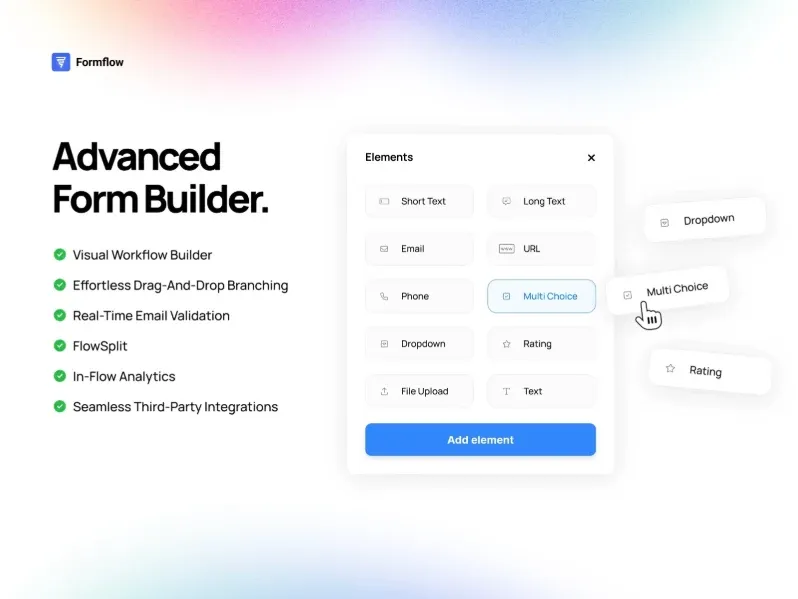
Formflow is the most conversion-science-focused Framer forms plugin on the Marketplace. Built around the philosophy that forms should actively qualify leads and maximize completion rates, Formflow brings visual drag-and-drop multi-step form building, branching logic, in-flow analytics, native A/B testing, and real-time email validation directly into Framer - all in a polished, no-code interface. With 2,200 users, it is one of the most adopted paid Framer forms plugins.
What makes Formflow genuinely unique among Framer forms plugins is its in-flow analytics and A/B testing capabilities. You can see exactly where users drop off in your form, how long they spend on each step, and run split tests on different question sequences or CTA text - all from within Formflow’s dashboard without leaving Framer. For businesses that treat their forms as conversion assets rather than just data collection tools, Formflow is the standout choice.
Key Features
Visual Drag-and-Drop Builder: Design multi-step forms with branching logic using Formflow’s visual workflow builder - no code, no technical expertise required.
In-Flow Analytics: See how users move through every step of your form - where they drop off, how long they spend, and where they convert - directly in the dashboard.
Native A/B Testing: Test different questions, pathways, or CTAs with built-in traffic splitting. Formflow shows exactly which version performs best.
Real-Time Email Validation: Filter out bad leads before they submit - invalid email addresses are caught in real time, keeping your database clean.
Personalized Form Experience: Conditional logic and in-line personalization adapt the form to each user’s answers for a tailored, relevant experience.
Style Editor: Full control over fonts, colors, spacing, and layout - form looks like a native part of your site, not an embed.
Proven Performance: 2,200+ active Framer users trust Formflow for converting visitors into high-quality leads.
Ideal For
Marketing teams who treat forms as conversion optimization tools
Agencies running A/B tests on lead capture and qualification flows
SaaS and B2B companies needing to qualify leads before sales contact
Any Framer site where form completion rate and lead quality matter more than simplicity
8. PlumSpace Form Builder - Drag-and-Drop Framer Form Builder

PlumSpace Form Builder is a versatile, full-featured Framer forms plugin designed for building everything from quick contact forms to complex multi-page registration flows - all through a clean drag-and-drop interface with no coding required. Created by PlumSpace, one of the Marketplace’s most prolific plugin creators, it is offered at a single flat price of $9 with a 7-day free trial and no credit card needed during customization.
PlumSpace Form Builder is particularly strong for business use cases that need custom customer fields, file upload collection, and multi-step forms. The pre-built templates let you get started in minutes, and the full customization options ensure every form matches your brand’s visual identity precisely. The plugin is actively maintained, with version 7 released just two months ago.
Key Features
Drag-and-Drop Form Builder: Create forms visually by dragging and dropping fields - no code, no technical expertise, completely intuitive.
Multi-Page Forms: Break long forms into multiple pages with navigation for a cleaner, less overwhelming user experience.
File Upload Support: Let users attach documents, images, and files directly through your form for lead capture, applications, and support requests.
Pre-Built Templates: Start in minutes with professionally designed form templates for common business use cases.
Custom Customer Fields: Capture exactly the data you need - add any custom field type to any form with no limitations.
Full Brand Customization: Every form element - colors, typography, spacing, buttons - customizable to match your site perfectly.
7-Day Free Trial: Use and customize the plugin completely free for 7 days - no credit card required during the trial.
Flat $9 Pricing: A single, one-time payment of $9 - one of the most affordable paid Framer forms plugins available.
Ideal For
Small businesses and startups needing an affordable, full-featured Framer form builder
Sites that need multi-page forms for registrations, applications, and surveys
Users who want a 7-day trial before committing to a paid plan
Framer designers who want drag-and-drop form building with deep customization
9. Lead Form - Score, Route & Convert Your Leads

Lead Form by CodePerfect is a purpose-built Framer forms plugin for B2B and SaaS companies that need more than just form submissions - they need qualified, scored, routed lead data. The plugin’s tagline, ‘Score. Route. Convert.’, captures its unique value proposition precisely: build multi-step lead qualification forms that assign point values to answers, route qualified leads to different delivery endpoints (email, Slack, or webhooks), and surface high-intent prospects automatically.
Lead Form requires no backend setup. Everything is configured visually: define your questions, assign point scores to each answer, set up conditional steps for branching paths, and choose your delivery method. The result is a self-qualifying lead form that saves sales teams hours of manual lead review by delivering only the most relevant, highest-scoring prospects to their inboxes.
Key Features
Built-in Lead Scoring: Assign point values to individual answers. High-scoring leads are automatically identified and surfaced in the delivery payload and thank-you screen.
Multi-Step UX: Guide visitors through a clean, one-question-at-a-time flow that dramatically improves completion rates for longer qualification forms.
Conditional Steps: Route users to different questions based on their answers - skip irrelevant steps, show relevant follow-ups.
Delivery Routing: Send submissions to Email, Slack incoming webhook, or any custom HTTP endpoint - choose per form or per score threshold.
5 Input Types: Radio buttons, dropdowns, sliders, free text, and email - the core types needed for qualification flows.
Zero Backend Required: No server setup, no API configuration - just set a delivery method and go live immediately.
Full Styling Control: Colors, fonts, border radius, progress bar style - match any brand identity.
Ideal For
B2B SaaS companies who need to qualify leads before routing to sales teams
Marketing agencies building multi-step lead qualification flows for clients
Businesses using Slack for sales notifications and lead management
Any Framer site where the quality of leads matters as much as the quantity
10. FrameInbox - Instant Telegram Form Notifications
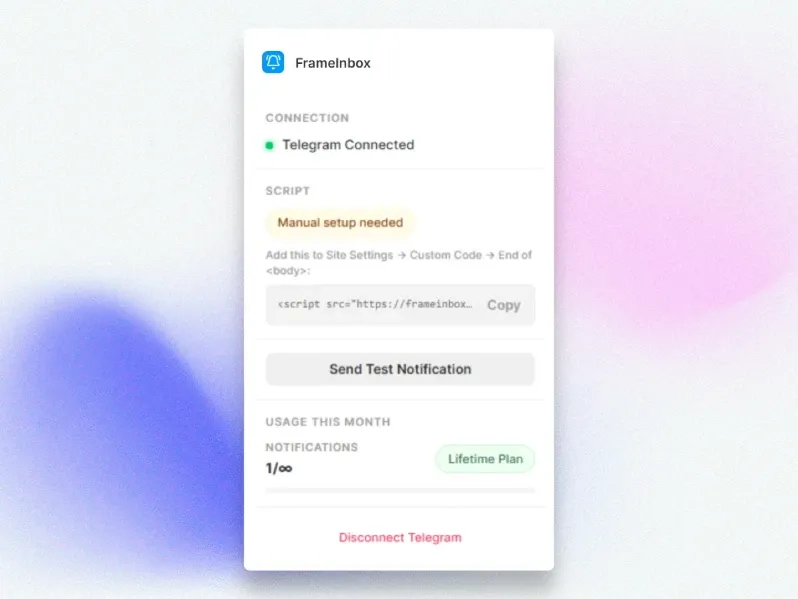
FrameInbox is a Framer forms plugin built for one specific, high-value purpose: making sure you never miss a form submission again. Created by Soubhagya Sahu - a creator known in the Framer community for practical, well-built utility plugins - FrameInbox sends instant, beautifully formatted Telegram notifications within typically two seconds of any form submission on your Framer site, directly to your phone, desktop, or any device where you use Telegram.
The setup takes 30 seconds: install the plugin, open Telegram and start @FrameInboxBot to get your unique Chat ID, paste it into the plugin settings, and publish your site. Every submission from that point forward arrives in Telegram with all form fields clearly labeled, a timestamp, the source page URL, and emoji icons for visual organization - faster and more reliable than email.
Key Features
Instant Telegram Notifications: Real-time delivery of form submissions directly to your Telegram account - typically under 2 seconds.
Universal Form Support: Works with contact forms, lead capture forms, booking requests, support tickets, newsletter signups, and any custom form type.
All Field Types Supported: Text, email, phone, textarea, select dropdowns, radio buttons, checkboxes, and file uploads (shows filename) - every submission field captured.
Beautiful Message Formatting: Clean, readable layout with labeled fields, timestamp, source page URL, and emoji icons for quick visual scanning.
30-Second Setup: Get Chat ID from @FrameInboxBot, paste into plugin settings, publish - zero technical complexity.
Multi-Device Support: Works wherever Telegram is installed - phone, desktop, tablet, or web browser.
Ideal For
Freelancers and consultants who rely on fast inquiry response times
Agencies managing multiple client sites who want centralized submission alerts
Business owners in markets where Telegram is a primary communication platform
Anyone who finds email notification workflows too slow for time-sensitive leads
11. Proofly Forms - The 30+ Field Native Form Builder

Proofly Forms by Proofly.ae positions itself boldly: most form plugins give you a text field and a submit button - Proofly Forms gives you everything else. With 30+ native field types including Signature Pad, Star Ratings, NPS Scale, Calculated Fields, Repeater Groups, Rich Text Editor, Country Selector, and File Upload, it is the most comprehensive native Framer forms plugin available in 2026. The free tier includes 10 essential field types forever. The Pro upgrade ($39 one-time) unlocks all 30+ fields for unlimited projects with no subscription.
What makes Proofly Forms stand out beyond the field count is its calculated fields feature - automatically computing values from other inputs so you can build quote calculators, pricing estimators, and order total forms entirely within Framer. The repeater group feature lets users add multiple entries (team members, line items, project milestones) with a single ‘Add Another’ click. Combined with webhook support for Zapier, Make, n8n, or custom APIs, Proofly Forms is a genuine enterprise-grade Framer forms solution.
Key Features
30+ Native Field Types: Text, Email, Phone, Number, URL, Textarea, Dropdown, Radio, Checkbox, Toggle, Country Selector, Date, Time, File Upload, Star Rating, NPS Scale, Range Slider, Signature Pad, Rich Text Editor, Color Picker, Calculated Fields, Repeater Groups, GDPR Consent, Hidden Fields (UTM, referrer, URL params), reCAPTCHA, and more.
Signature Pad: Let users draw their signature directly in the form - perfect for contracts, agreements, and client sign-offs.
Calculated Fields: Auto-compute values from other inputs - build quote calculators, pricing estimators, and order totals without writing code.
Repeater Groups: Let users add multiple entries (team members, line items, milestones) with an ‘Add Another’ click - rare in Framer forms plugins.
Webhook Submissions: Send form data as JSON to any backend - Zapier, Make, n8n, custom APIs, or any endpoint accepting POST requests.
Visual Builder: Design forms directly in Framer, live preview as you build, click ‘Insert Form’ and it appears on canvas.
Free + Pro · $39 one-time: 10 fields free forever. All 30+ fields for $39 one-time - unlimited projects, pay once, use forever.
Ideal For
Framer users who need the most comprehensive native field type library
Businesses building quote calculators or pricing estimators in Framer
Service businesses needing digital contract signature collection
Teams connecting Framer forms to Zapier, Make, or custom API backends
12. Proofly Forms Inbox - Real-Time Submission Dashboard Inside Framer
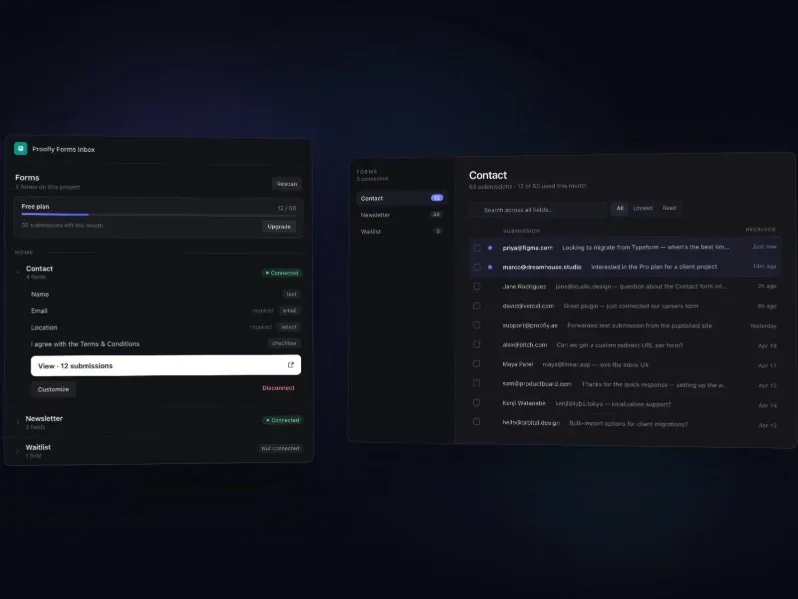
Proofly Forms Inbox is a companion plugin to Proofly Forms that solves a fundamental problem every Framer forms user faces: where do your submissions actually go? Right now, they go to email, a Google Sheet, or - worst case - nowhere. You set up Zapier webhooks and hope they work. You lose leads because you forgot to check a spreadsheet. Proofly Forms Inbox fixes this by giving every Framer form its own real, searchable, filterable inbox - directly inside the Framer plugin panel.
What makes this plugin genuinely powerful is its universal compatibility: it works with Framer native forms, FramerForms, Proofly Forms, and custom form components - detecting every form on your page automatically. One click to connect any form, and submissions start flowing to a unified dashboard with search, filters, read/unread status, bulk export, and email notifications for every submission.
Key Features
Works With Any Framer Form: Native Framer forms, FramerForms, Proofly Forms, and custom form components - automatically detected with one-click connection.
Real Submission Dashboard: Every submission in one place with search across all fields, filter by date/status/attachments, and mark as read/unread.
Email Notifications: Get notified instantly when a form is submitted - add multiple team email addresses, all field data included.
CSV Export: One-click export of all submissions - filter first, then export for your CRM, spreadsheet, or reporting.
File Attachment Storage: Forms with file uploads? Attachments stored securely and viewable directly from the dashboard.
Built-in Spam Protection: Spam detection filters junk from your inbox - toggle ‘Exclude spam’ to see only real submissions.
Free Tier: 50 submissions per user with full dashboard access - no credit card required to start.
No Zapier or Webhook Setup: One-click connection replaces complex Zapier workflows for submission management.
Ideal For
Framer users who manage leads across multiple sites and forms
Teams who want to eliminate Zapier/webhook complexity for form submission management
Businesses that need a searchable, exportable submission inbox inside Framer
Agencies managing client forms who need a unified dashboard for all submissions
13. WhatsApp Order Form - Take Orders Directly via WhatsApp

WhatsApp Order Form by KDX Studios is the most uniquely positioned Framer forms plugin on the Marketplace - and one of the most innovative. Instead of collecting submissions into an inbox or email, it routes form submissions directly to your WhatsApp as a beautifully formatted message. Customers fill in the form on your Framer site, click Send, and the complete order lands in your WhatsApp inbox instantly. No backend, no API, no monthly fees, no server setup - just your WhatsApp number and your Framer site.
The plugin is purpose-built for businesses that already operate primarily through WhatsApp: restaurants and bakeries taking delivery orders, salons and service businesses booking appointments, freelancers collecting project briefs, and D2C brands serving markets where WhatsApp is the dominant communication channel. The polished UI - with focus glow interactions, gradient submit button, shimmer hover effects, and spring success animation - ensures the form looks as professional as the brand it represents.
Key Features
WhatsApp-Direct Order Delivery: Form submissions arrive in your WhatsApp inbox as pre-formatted messages with bold field labels - no backend, no API, no configuration.
8 Form Field Types: Name, Phone, Email, Product, Quantity, Address, Custom (with custom label), and Notes - covering every order detail you need.
Polished Interactive UI: Focus glow on inputs, gradient submit button, shimmer hover effects, and spring success animation - a premium form experience.
Free Tier: 5 core fields (Name, Phone, Email, Product, Quantity) - perfect for simple order capture at zero cost.
Pro · $19 One-Time: Unlock Address, Custom label, and Notes fields. No subscription, lifetime updates, 30-day money-back guarantee.
Fully Customizable Styling: Card colors, button colors, border radius, padding, input styles - every element matched to your brand.
Works Everywhere: Desktop, mobile, tablet - fully responsive with no performance compromise.
Ideal For
Restaurants and bakeries taking delivery orders through WhatsApp
Salons and service businesses booking appointments via WhatsApp
Freelancers collecting project briefs from WhatsApp-preferred clients
D2C brands targeting markets in South Asia, Middle East, and LATAM where WhatsApp commerce is dominant
How to Choose the Right Framer Forms Plugin
With 13 Framer forms plugins covered in this guide, here is a quick decision guide to find your perfect match:
Need the simplest free contact form? Choose Contact Form by Smartarget - 5-minute setup, email and Telegram notifications, completely free.
Want to embed a powerful form you build externally? Choose Tally Forms - connect your full-featured Tally form in one click.
Need a native multi-step form with 30+ field types? Choose Proofly Forms - the most field-type-rich native Framer forms plugin available.
Want the most popular paid Framer forms plugin? Choose FramerForms - 13,000 users, multi-step flows, file uploads, and hidden data fields.
Need A/B testing and conversion analytics on your forms? Choose Formflow - the only Framer forms plugin with built-in A/B testing and in-flow analytics.
Building a quiz or lead qualification flow? Choose Typer Quiz (free) for quiz branching or Lead Form (paid) for scored lead qualification.
Want real validation and conditional logic with native Framer components? Choose Framer Form Kit - 35+ native components with full validation engine.
Need instant mobile notifications for every submission? Choose FrameInbox - instant Telegram alerts in under 2 seconds.
Want a unified inbox for all your Framer form submissions? Choose Proofly Forms Inbox - dashboard, CSV export, email notifications, no Zapier needed.
Running a WhatsApp-based business? Choose WhatsApp Order Form - orders go straight to your WhatsApp, no backend needed.
Quick Comparison - All 13 Framer Forms Plugins
Plugin | Price | Creator | Users | Key Features |
|---|---|---|---|---|
Tally Forms | Free | Tally | 2.5K users | Embed-based forms, Contact forms, Surveys, Payments |
Typer Quiz | Free | Victorien .net | 1.3K users | Native components, Quiz builder, Branching logic |
Forms Plugin | Free to start | Framer Geeks | — | 20+ native fields, E-signature, CAPTCHA, Voice recording |
Contact Form | Free | Smartarget | 810 users | Email + Telegram notifications, Simple contact forms |
Framer Form Kit | Free tier / Paid tiers | FramerHub.io | — | 35+ native fields, Multi-step forms, Conditional logic, URL prefill |
FramerForms | Paid | Insert Frame | 13K users | Multi-step forms, File uploads, Hidden fields |
Formflow | Paid | Formflow | 2.2K users | A/B testing, In-flow analytics, Email validation |
PlumSpace Form Builder | $9 (7-day trial) | PlumSpace | 475 users | Drag-and-drop builder, Multi-page forms, File uploads |
Lead Form | Paid | CodePerfect | 58 users | Lead scoring, Conditional steps, Email/Slack/Webhook routing |
FrameInbox | Paid | Soubhagya Sahu | — | Telegram notifications, Under 2-second delivery |
Proofly Forms | Free + $39 Pro | Proofly.ae | 55 users | 30+ fields, Signature, Calculated fields, Webhooks |
Proofly Forms Inbox | Free (50) / $25/month Pro | Proofly.ae | 14 users | Universal form inbox, CSV export, Spam filter |
WhatsApp Order Form | Free + $19 Pro | KDX Studios | New | WhatsApp delivery, No backend, D2C & restaurant orders |
Final Thoughts - Framer Forms Are More Powerful Than Ever
The Framer forms ecosystem in 2026 is genuinely impressive. What was once a weak point of the platform - limited to a basic form element with no advanced features - is now a thriving category with 13 specialized plugins covering every possible use case and complexity level. Whether you need a simple contact form that works in five minutes, a professional multi-step lead qualification system that scores and routes prospects automatically, or a WhatsApp-connected order form for a business that operates entirely on mobile messaging, there is a Framer forms plugin built for exactly that purpose.
The best Framer forms plugins do not just collect data - they are designed to convert visitors, qualify prospects, build brand trust, and connect seamlessly to the tools your business already uses. They are built natively for Framer, which means they look exactly right in every design, load without the performance penalty of external embeds, and integrate naturally into your design and publishing workflow.
“The best form is one that gets filled out. In Framer, the best Framer forms plugins make that effortless - for you to build and for your visitors to complete.”
Start with the free options to learn what you need, upgrade to paid plugins when your use case demands more, and take advantage of the rich Framer forms ecosystem that continues to grow every month. Your next lead is one well-designed form away.
Browse all Framer forms plugins at Framer Marketplace and find the perfect tool for your next project.


