10+ Useful Framer CMS Plugins in 2026
Discover the best Framer CMS plugins. From content management and database integrations to advanced filtering, search, and automation tools, these plugins help you build more powerful and scalable Framer websites.
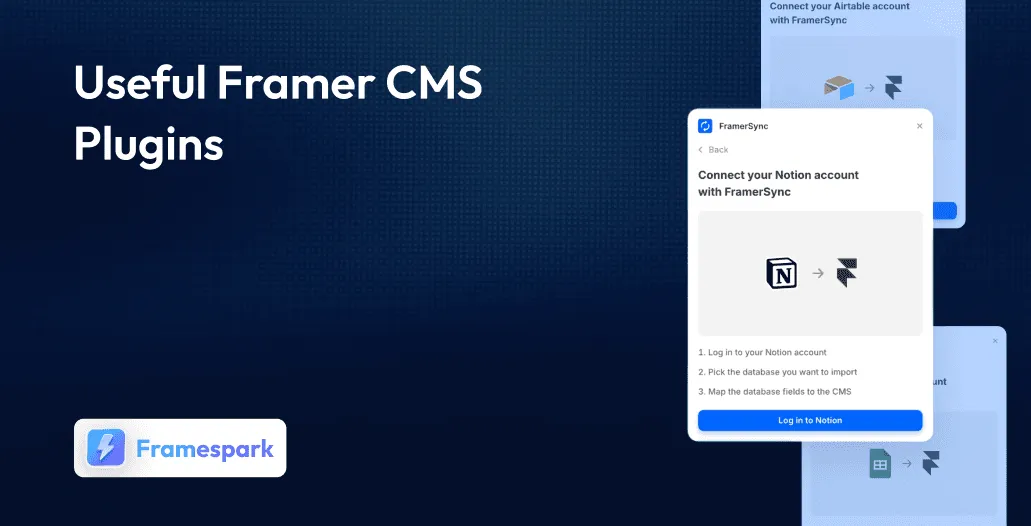
Framer has quickly become one of the most popular website builders for designers and creators, combining visual design, powerful animations, and a built-in CMS in a single platform. Whether you’re building a blog, resource directory, portfolio, startup website, or content-driven platform, Framer CMS makes it easy to manage and publish content without writing code.
However, as projects grow, many teams need more advanced functionality than the built-in CMS provides. That’s where Framer CMS plugins come in. From connecting external databases and automating content workflows to adding advanced filtering, search, and data management capabilities, plugins can significantly extend what’s possible with Framer CMS.
Why Framer CMS Plugins Matter in 2026
Framer’s built-in CMS is already one of the most visual and flexible content management systems available to no-code designers. But in 2026, the real power of Framer CMS comes from the growing ecosystem of plugins that extend what it can do - connecting it to external databases, enabling advanced filtering, syncing content from dozens of third-party tools, and giving your site’s visitors experiences that were previously impossible without custom code.
Whether you need to pull content from Notion, Supabase, GitHub, Google Sheets, or any REST API, there is a Framer CMS plugin for it. Whether you want to add real-time search, Masonry layouts, interactive tables, or multi-condition filtering to your collections, the Marketplace has you covered.
Quick Comparison Table
Here is a side-by-side overview of all 14 Framer CMS plugins covered in this guide:
Plugin | Price | Users | By | Best For |
CMS Export | Free | 26K+ | Framer | Data export & backup |
Notion | Free | 21.1K+ | Framer | Notion-to-Framer sync |
Pixabay | Free | 11.5K+ | Kye | In-editor stock photos |
Superfields | Paid | 2.8K+ | Insert Frame | Advanced CMS interactions |
FramerSync | Free | 2.2K+ | Isaac Roberts | Multi-source sync (legacy) |
JSON Import & Export | Free | 1.7K+ | Isaac Roberts | JSON data transfer |
CMS Data Sync | Free | 1.5K+ | BuildShip | Any database / AI content |
Framer CMS Filter | Paid | 1.1K+ | FramerHub.io | Multi-condition filtering |
Table/Grid | Paid | 1.1K+ | Zeroqode | CMS data as tables |
AnySync | Paid | 1K+ | Reiss | Any REST API |
GitHub Sync | Paid | 914+ | Tommy D. Rossi | GitHub Markdown content |
SupaSync | Paid | 799+ | Kayode | Supabase database sync |
YouTube Sync | Paid ($99) | 46+ | Fred Moon | YouTube channel sync |
Marble | Free | New | Marble | Headless CMS for writing |
CMS Export - Export Your Collections

Best For:
CMS migration, backups, bulk editing, and Framer projects.
Type:
Free
CMS Export is an official Framer plugin for exporting CMS collections as CSV files. It makes it easy to back up, migrate, preview, and edit collection data using external spreadsheet tools.
Why Choose
CMS Export
?
Official Framer solution
One-click CSV export
Easy CMS migration
Built-in data preview
Direct CSV reimport
Supports large collections
Key Features
CMS collection export
CSV file support
Built-in data preview
CSV reimport
Excel and Google Sheets support
Bulk content editing
Large collection optimization
Export loading indicators
Notion - Sync with Notion

Best For:
Content teams, bloggers, creators, agencies
Type:
Free
Notion is an official Framer plugin that connects Notion databases with Framer CMS. With one-click syncing and support for various Notion field types, it helps streamline content management and publishing.
Why Choose
Notion
?
One-click content sync
Automatic CMS connection
Supports rich content
Easy content management
Works with complex databases
Ideal for team workflows
Key Features
Notion database integration
Framer CMS sync
One-click content updates
Rich text support
Image and gallery support
Date and link fields
Reference fields
Options and boolean fields
Up to 100 relation references
Pixabay - Free Stock Photos Inside Framer

Best For:
CMS-powered blogs, portfolios, landing pages, and content-heavy Framer sites
Type:
Free
Pixabay is a Framer plugin that brings Pixabay’s royalty-free image library directly into your Framer workspace. Search and import stock photos, illustrations, and images without leaving your project.
Why Choose
Pixabay
?
Access millions of royalty-free visuals
Search images directly in Framer
Import images without browser downloads
Simplify CMS image workflows
Use visuals for commercial projects
Save time when populating CMS collections
Key Features
Pixabay stock library integration
Keyword-based image search
Images available inside Framer’s image panel
Drag-and-drop image workflow
Royalty-free stock photos
Royalty-free illustrations and images
Superfields - Supercharge Your Framer CMS

Best For:
Agencies, freelancers, blogs, portfolios, directories
Type:
Premium
Superfields is a no-code Framer plugin that adds advanced interactive features to CMS collections. It includes filtering, real-time search, favouriting, Masonry layouts, pagination, and social sharing in one package.
Why Choose
Superfields
?
Add advanced CMS interactions
Filter collections instantly
Search CMS content in real time
Let visitors save favourites
Improve navigation for large collections
Build dynamic content experiences
Key Features
Multi-field CMS filtering
Real-time CMS search
Favourite and save functionality
Pinterest-style Masonry grids
Load more and infinite scroll
Previous/next pagination
Social sharing
Item counting and sorting
Content randomisation
FramerSync - Sync Data to the CMS
Best For:
Developers, teams, and creators working with Notion
Type:
Free
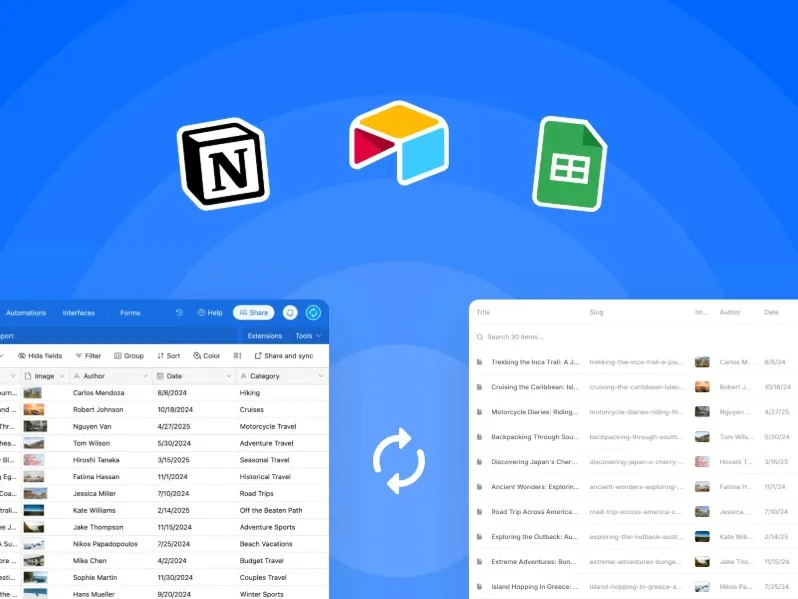
FramerSync is an open-source Framer CMS sync plugin for connecting Notion, Airtable, and Google Sheets to Framer. It also offers advanced importing features such as Markdown rendering and multi-value field splitting.
Why Choose
FramerSync
?
Connect multiple external data sources
Import formatted Markdown content
Convert multi-value fields automatically
Access the full open-source codebase
Let teams manage CMS collections
Support advanced CMS importing workflows
Key Features
1-click Notion, Airtable, and Google Sheets sync
Markdown and HTML importing
Rich text formatting preservation
Multi-value field splitting
Open-source GitHub codebase
Team-based CMS syncing
JSON Import & Export - Flexible CMS Data Transfer

Best For:
Developers, technical teams, API workflows
Type:
Premium
JSON Import & Export is a Framer plugin for moving CMS data between projects using JSON. It supports flexible importing, exporting, conflict resolution, and compatibility with Framer CMS field types.
Why Choose
JSON Import
?
Work with developer-friendly JSON data
Import CMS content quickly
Handle duplicate item conflicts
Preview data before exporting
Support programmatic CMS workflows
Move data between Framer projects
Key Features
JSON file upload and drag-and-drop
Clipboard-based JSON import
CMS conflict resolution
JSON structure preview
Support for all Framer CMS field types
Image alt text import and export
Open-source GitHub project
CMS Data Sync - Sync Data from Anywhere to CMS

Best For:
Developers, technical teams, custom databases, AI content workflows
Type:
Free
CMS Data Sync is a Framer plugin by BuildShip that connects Framer CMS with a wide range of external data sources. Its low-code workflow builder lets teams create custom data pipelines using databases, spreadsheets, scraped content, and AI-generated data.
Why Choose
CMS Data Sync
?
Connect virtually any data source
Build custom CMS data pipelines
Use low-code and no-code workflows
Publish workflows as API endpoints
Keep CMS data automatically updated
Sync only new or changed content
Key Features
Supabase, Firebase, and Postgres integration
Google Sheets and Airtable support
Website scraping workflows
AI-generated content integration
Visual BuildShip workflow builder
Hosted API webhook endpoints
Upsert-based data syncing
Framer CMS Filter - Advanced Filtering for Framer
Best For:
Portfolios, directories, real estate listings, product catalogues
Type:
Free
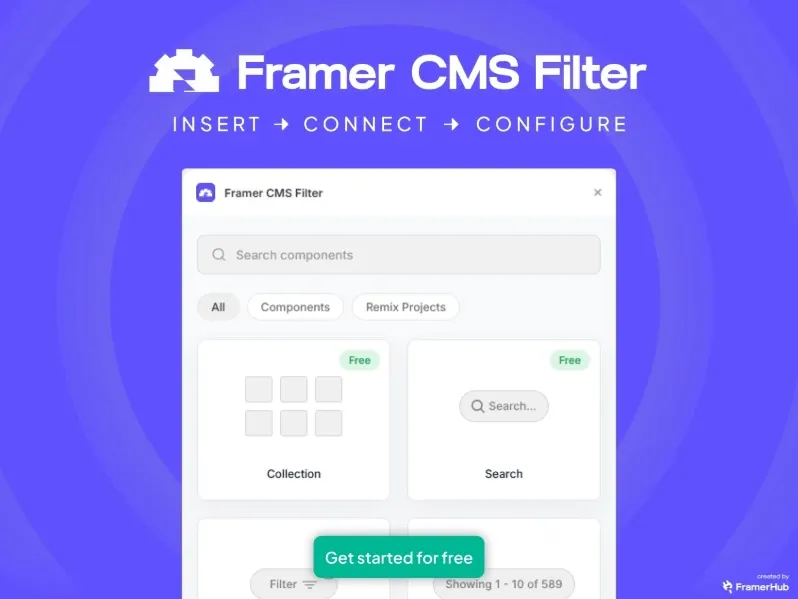
Framer CMS Filter is a Framer plugin that adds multi-condition and multi-field filtering to CMS collections. It lets visitors combine filters, search content in real time, and navigate large collections without page reloads.
Why Choose
Framer CMS Filter
?
Combine multiple filters at once
Enable real-time CMS filtering
Add live search to collections
Create flexible filtering systems
Customize the filter interface
Set up filters without complex code
Key Features
Multi-field filter combinations
Live search functionality
Category, tag, date, and price filters
Copy-paste component setup
Custom layout and design controls
Typography and spacing controls
Filter animation customization
Drag-and-drop filter ordering
Table/Grid - Turn CMS Data into Interactive Tables
Best For:
Product catalogues, team directories, event listings, data dashboards
Type:
Free
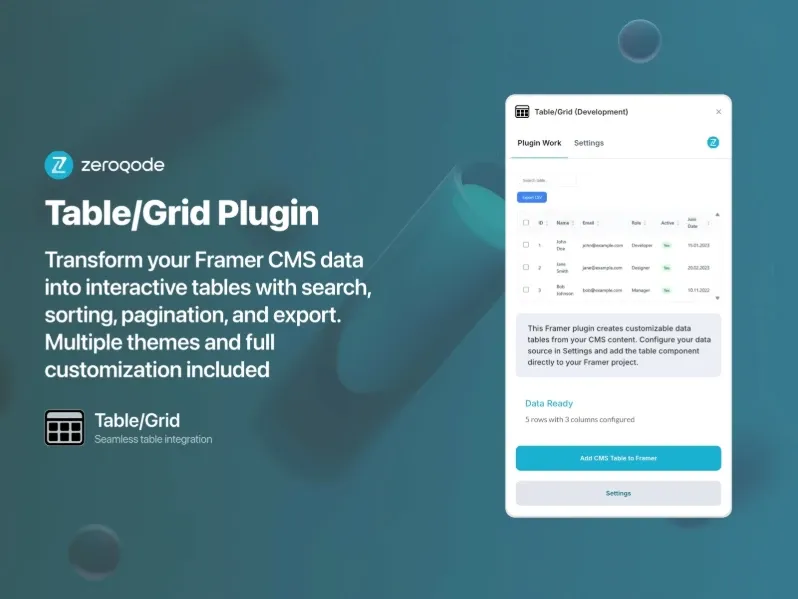
Table/Grid is a Framer plugin for displaying CMS collections in an interactive table format. It supports searchable, sortable, and responsive data grids with pagination and export features.
Why Choose
Table/Grid
?
Turn CMS data into structured tables
Search and sort content easily
Support different CMS field types
Export table data as CSV
Customize table appearance
Create responsive data grids
Key Features
Connect any Framer CMS collection
Map up to 15 CMS fields
Text, number, date, boolean, and image fields
Search and column sorting
Row selection and pagination
CSV export
13 built-in themes
Custom styling controls
Sticky headers and hover effects
Keyboard navigation support
AnySync - Connect to Any API

Best For:
Developers, technical teams, custom APIs, and projects with unique data sources
Type:
Free
AnySync is a Framer plugin that connects RESTful APIs directly to Framer CMS. It supports custom data sources, field enrichment, and one-click syncing without requiring a recurring subscription.
Why Choose
AnySync
?
Connect any RESTful API
Sync custom backend data
Add Framer-specific CMS fields
Keep data updated with one click
Support team-based CMS management
Avoid recurring subscription fees
Key Features
REST API URL and header configuration
Query parameters and API authentication
One-click CMS data syncing
Custom Framer field enrichment
Team-wide project access
Unlimited collections per project
One-time pricing model
GitHub Sync - Sync Your CMS with GitHub

Best For:
Developer portfolios, documentation sites, changelogs, open-source projects
Type:
Free
GitHub Sync is a Framer plugin that connects GitHub Markdown files directly to Framer CMS. It imports frontmatter fields, preserves Markdown formatting, and automatically resolves repository-based images and links.
Why Choose
GitHub Sync
?
Sync GitHub content with Framer CMS
Keep content managed in Markdown
Import frontmatter as CMS fields
Support public and private repositories
Resolve repository paths automatically
Simplify developer-focused content workflows
Key Features
.mdand.mdxfile syncingGitHub repository folder targeting
YAML frontmatter field import
Custom base path support
Personal access token authentication
Relative image path resolution
Relative link path resolution
SupaSync - From Supabase to Framer

Best For:
Developers, designers, SaaS founders, and data-driven Framer sites using Supabase
Type:
Free
SupaSync is a no-code Framer plugin that connects Supabase databases directly to Framer CMS. It supports multiple Supabase schemas while preserving CMS configurations and keeping data flows entirely client-side.
Why Choose
SupaSync
?
Connect Supabase data to Framer CMS
Import database tables without code
Preserve field configurations across syncs
Prevent duplicate CMS fields
Handle complex image URLs
Keep synced data private
Key Features
Supabase schema integration
Auth, public, real-time, and storage support
Field type preservation
Smart field merging
Google Photos and complex image handling
Client-side data transfer
No data storage or interception
YouTube Sync - Sync Your YouTube Channel to Framer CMS

Best For:
YouTubers, video creators, brands, agencies, media hubs
Type:
Free
YouTube Sync is a Framer plugin that automatically keeps your website’s video content synced with a YouTube channel. It pulls public videos into Framer CMS, maps their metadata, and keeps additions, updates, and removals in sync.
Why Choose
YouTube Sync
?
Automates YouTube-to-CMS syncing
Keeps video content up to date
Supports Full Sync and Add Only modes
Preserves manual CMS edits
Maps video metadata automatically
Easy setup with a YouTube API key
Key Features
Fetches public YouTube videos
Automatic CMS field mapping
Title and description fields
Published date and thumbnail
Video URL and Video ID
Full Sync and Add Only modes
Preserves manual edits
Setup in under two minutes
Marble - Sync with Marble CMS

Best For:
Bloggers, content teams, SaaS teams, changelogs, content-heavy Framer sites
Type:
Free
Marble is a Framer plugin that connects Framer CMS with Marble, a headless CMS built for blogs, changelogs, and articles. It provides a focused writing environment in Marble while syncing structured content to Framer CMS with one click.
Why Choose
Marble
?
Connects Marble with Framer CMS
Keeps published content in sync
Provides a focused writing workflow
Supports structured CMS content
Handles rich media and content fields
Completely free to use
Key Features
Marble workspace integration
Posts, categories, tags, and authors
One-click content syncing
Rich text and image support
Dates and boolean fields
Structured field support
Dedicated editorial interface
Free to use
How to Choose the Right Framer CMS Plugin
With 14 strong options on this list, choosing the right Framer CMS plugin comes down to your workflow, your data source, and what you need your CMS to do for your visitors. Here is a quick decision guide:
Need to export and back up CMS data as CSV? Use CMS Export - it is official, free, and reliable.
Managing content in Notion? The official Notion plugin is free and fully maintained by Framer.
Building on Supabase? SupaSync is the dedicated, privacy-first bridge for Supabase-to-Framer workflows.
Need advanced filtering, search, or Masonry layouts on your CMS collections? Superfields covers all of it in one paid plugin.
Building a directory, portfolio with filters, or e-commerce-style site? Framer CMS Filter unlocks multi-condition filtering.
Want to connect a custom or unusual API? AnySync handles any RESTful API with a one-time purchase.
Content stored in GitHub Markdown? GitHub Sync is the only purpose-built solution for this workflow.
Want structured data tables on your site? Table/Grid by Zeroqode transforms CMS collections into interactive tables.
Running a YouTube channel and want your videos in Framer? YouTube Sync automates the entire pipeline.
Want a clean editorial CMS for writing? Marble pairs a purpose-built writing platform with a Framer sync plugin.
Conclusion:
The Framer CMS plugins featured in this guide represent the full spectrum of what is possible when you move beyond Framer’s native CMS capabilities in 2026. Whether you choose a free official plugin like Notion or CMS Export, an open-source tool like JSON Import & Export, or a premium solution like Superfields or Framer CMS Filter, every plugin on this list addresses a real workflow need that Framer’s built-in CMS cannot handle alone.
The free plugins - CMS Export, Notion, Pixabay, FramerSync, JSON Import & Export, CMS Data Sync, and Marble - are natural starting points. They cover the most common needs (syncing, exporting, image sourcing) at zero cost, and several are maintained by Framer itself, ensuring long-term reliability.
When you need more advanced capabilities - multi-condition filtering, interactive tables, any-API connectivity, or Supabase integration - the paid plugins on this list are some of the most mature and well-supported tools in the Framer ecosystem. Superfields, Framer CMS Filter, AnySync, and SupaSync each solve a distinct problem that no free tool currently addresses at the same level of depth.


