Awesome Framer Form Components To Use in Your Projects
Explore the best Framer Form Components to build modern, interactive, and conversion-focused forms faster.
Forms are where a website either earns something - a signup, an enquiry, a booking - or quietly loses it. Framer’s native form handles submission, but the inputs it ships with are basic; form components add the missing pieces (multi-step flows, phone inputs, conditional logic, spam protection) while still posting through the native form.
We picked these twelve by dropping each into a real Framer form and checking what actually submits, not by reading feature lists. Each was judged on whether it works with Framer’s native form system, how much it can be customised without code, and whether it solves a problem the default inputs genuinely can’t. They pair well with the interaction Framer Code Components in our own catalogue - FAQ, counter, progress - when a form page needs more than fields.
The table below gives you price, best use, and the one thing each component does that the others don’t - free first, then paid in ascending price.
Quick Comparison Table
Component | Price | Best For | Standout Feature |
|---|---|---|---|
Free Multi Step Form | Free | Long forms that scare people off | 3 predefined steps with progress, all editable via variables |
Country Phone Input | Free | International signup and contact forms | Combined country + phone variant or standalone selector |
013 Checkbox | Free | Consent boxes and multi-select options | Animated checkmark with 15 customisable properties |
Country Code Select | Free | Global forms needing a searchable selector | Searchable dropdown with flags and custom CSV lists |
Smart Form Fields | Free | Configurators, quotes, and logic-driven forms | 13 field types including calculation and conditional logic |
Sign In | Free | Membership sites on FrameAuth | Ready login UI for the FrameAuth suite |
Button Group Input | Free | Surveys and visual option pickers | Single or multi-select buttons that submit natively |
Radio Group | $2 | Clean single-choice questions | Deep style controls, down to the checked inner dot |
Real Form Toggle | $5 | Pricing switches and consent toggles | Custom On/Off values that pass correctly on submit |
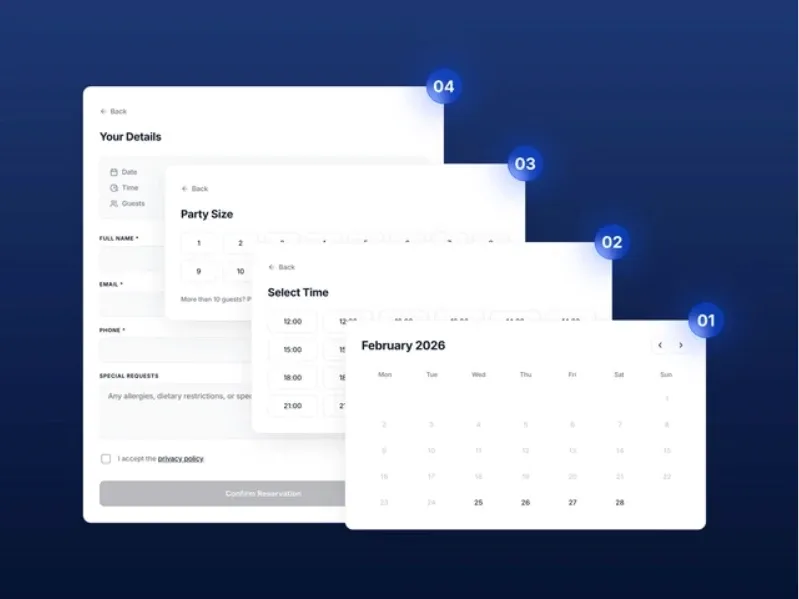
Reservation Form Pro | $5 | Restaurant and venue bookings | 4-step flow with opening hours and blocked-date logic |
reCAPTCHA Pro | $7 | Forms drowning in bot spam | Server-side Google verification via managed worker |
Subscription Button | Paid | Newsletter capture with flair | Click-to-expand email field with success state |
Free Multi Step Form
Best For:
Long forms that scare people off a single page
Type:
Free
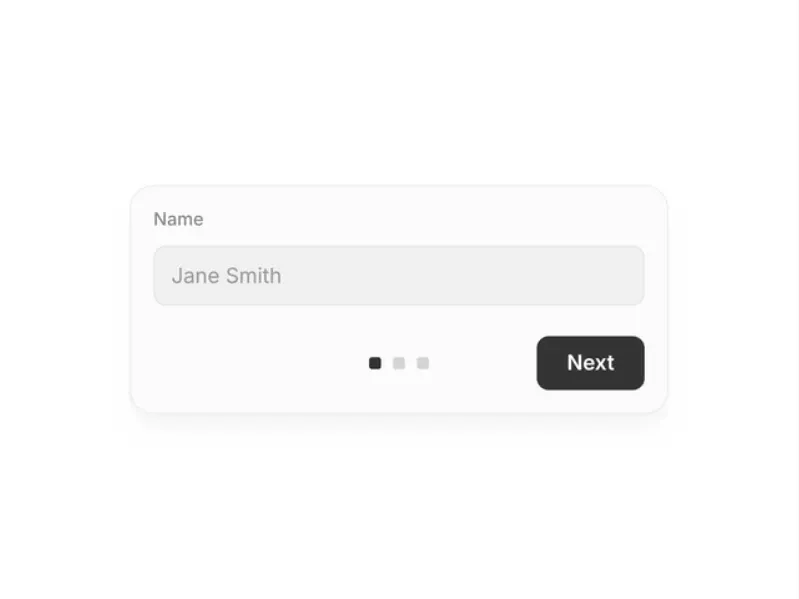
Free Multi Step Form by Till Janek breaks a long form into three predefined steps with smooth transitions, and everything -buttons, steps, labels, inputs, card style - is editable through variables. Point the native Form panel’s “Send to” at your address and it submits like any Framer form.
"Three small asks instead of one big one."
Why Choose
Multi Step Form
?
• Step-by-step flow measurably lifts completion on long forms
• Customisation is variable-driven, so no digging through layers
• Uses Framer's native submission - no external service
• Setup is three clicks in the sidebar
Key Features
• 3 predefined steps with progress indication
• Smooth step transitions
• Variable-based customisation for every element
• Native Framer Form submission
• Responsive layout
Country Phone Input
Best For:
International signup and contact forms
Type:
Free
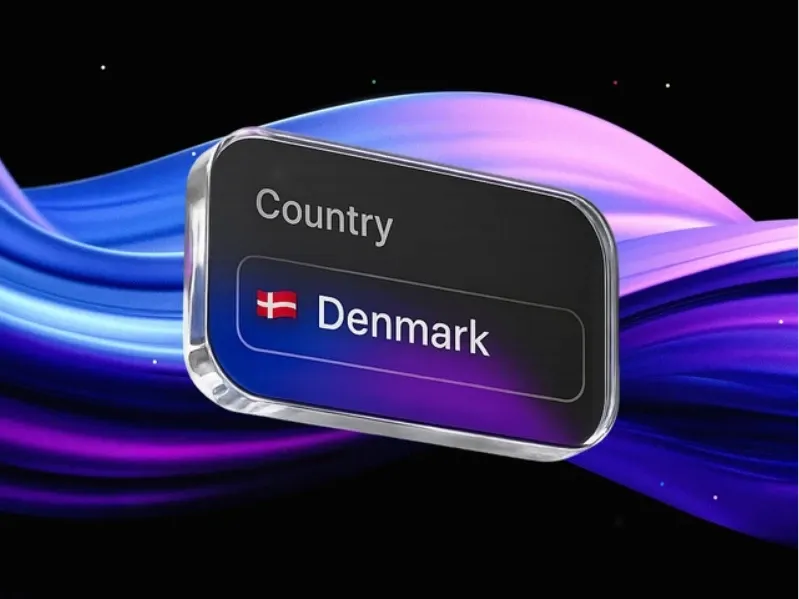
Country Phone Input by Stefan @ Pixco ships two variants - Phone combines a country selector with the number field, Locale is a standalone country picker - with a changelog showing steady improvements like configurable number limits and formatted placeholders. Full documentation lives on the Pixco support site.
"Country codes handled before they become typos."
Why Choose
Country Phone Input
?
• Two variants cover phone capture and plain country selection
• Formatted placeholders show users exactly what to type
• Active changelog - the creator keeps refining it
• External documentation for anything non-obvious
Key Features
• Combined country selector + phone field variant
• Standalone Locale country picker
• Optional phone number length limiter
• Customisable, formattable placeholders
• Extensive style controls
013 Checkbox

Best For:
Consent boxes, preferences, and multi-select options
Type:
Free
013 Checkbox by 099 Supply is an animated checkmark with fifteen exposed properties - label, name, value, required state, and separate colours for box, border, focus, and error states. It’s the freebie from their larger paid form-builder system.
"The default checkbox, done properly."
Why Choose
013 Checkbox
?
• Error and focus border colours mean real validation states
• Animation makes ticking feel responsive, not clinical
• Name/value/required map cleanly to form submissions
• Gateway to 099 Supply's fuller form toolkit if you outgrow it
Key Features
• Animated check interaction
• 15 customisable properties
• Focus and error border states
• Required toggle for consent use
• Label font and colour controls
Country Code Select
Best For:
Global forms that need a fast, searchable country selector
Type:
Free
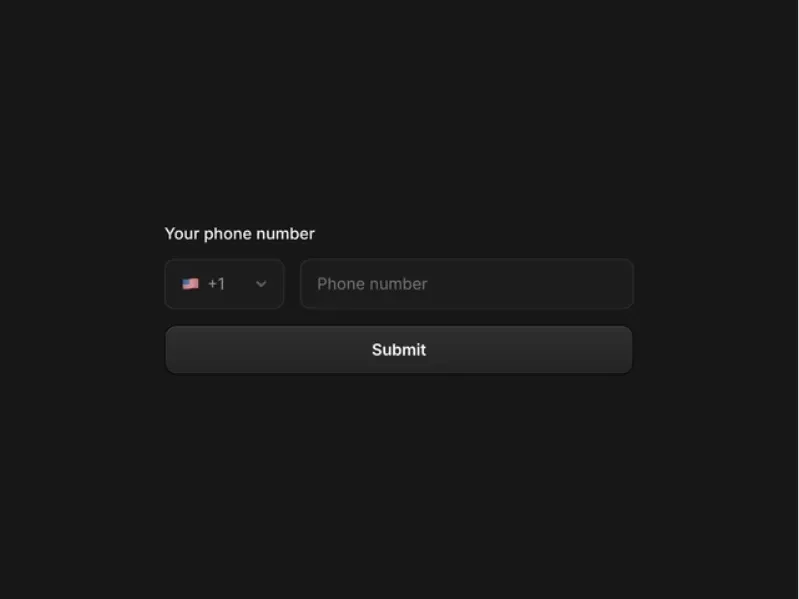
Country Code Select by HOLD is a phone-prefix dropdown with flags, dialing codes, and a built-in search field - plus a CSV upload option to supply your own country list and ARIA attribute support for screen readers.
"Type two letters, find the country."
Why Choose
Country Code Select
?
• Search beats scrolling through 200 countries
• CSV upload lets you restrict or reorder the list
• ARIA support is rare in marketplace form components
• Focus states and value colours are all styleable
Key Features
• Searchable dropdown with flags and prefixes
• Custom country lists via CSV
• Custom ARIA attributes for accessibility
• Form-ready value passing
• Font, colour, and border controls
Shopix
Best For:
Modern e-commerce storefronts
Type:
Free
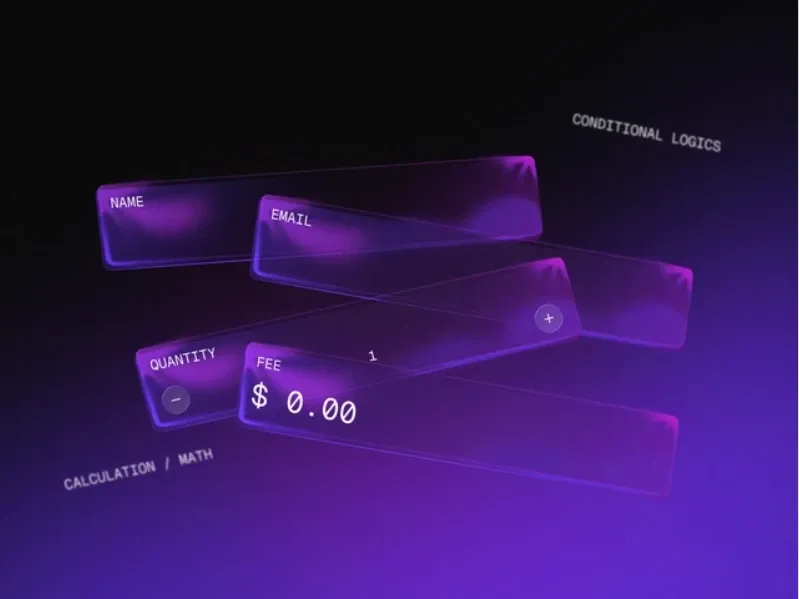
Smart Form Fields by Farhan Malik is the most capable free entry here - thirteen field types including Calculation (live formulas like price × qty + tax), conditional show/hide logic, hidden metadata fields, and date/time pickers, all submitting through the native Framer form. Five updates since launch and a set of video tutorials.
"A form builder disguised as a component."
Why Choose
Smart Form
?
• Conditional logic builds branching forms with no code
• Calculation field powers pricing and quote estimators
• Hidden fields pass tracking data with submissions
• Video tutorials for every major feature
• Actively updated - country code support arrived in v1.5
Key Features
• 13 field types: text, email, tel, select, date, time, slider and more
• Show/hide conditional logic between fields
• Live calculation fields with currency formatting
• Hidden and note fields
• Full visual styling without CSS
💡 Framer Pro Tip: Before styling any form component, run one test submission and check what arrives in your inbox or sheet. The components on this list pass values through Framer’s native form correctly - but many marketplace components are visual-only and submit nothing, and you want to find that out before launch, not after.
Sign In
Best For:
Membership and gated-content sites built on FrameAuth
Type:
Free
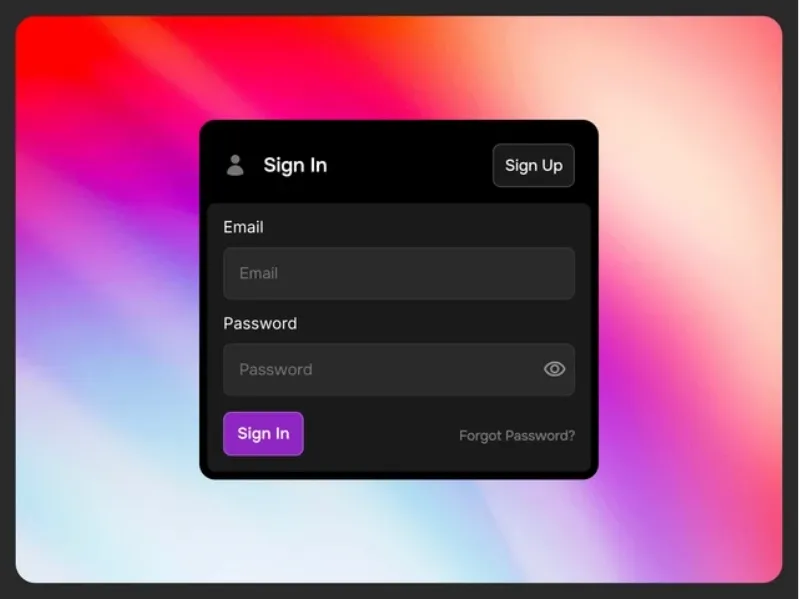
Sign In by Danny Sapio is a ready-made login interface for the FrameAuth membership system - the component itself is free, but it’s the front door to FrameAuth’s paid suite, which handles accounts, purchases, and gated content (14-day free trial).
"The login screen for Framer memberships."
Why Choose
Sign In
?
• Fastest route to real authentication in Framer
• Pairs with the creator's matching Sign Up component
• Built by the FramerAuth developer, so it stays in sync
• Know upfront: functionality needs a FrameAuth subscription
Key Features
• Ready login interface
• Part of the FrameAuth component suite
• Membership and paid-content support via FrameAuth
• Clean, familiar layout
• 14-day FrameAuth trial available
Button Group Input
Best For:
Surveys, preference pickers, and visual option selection
Type:
Free
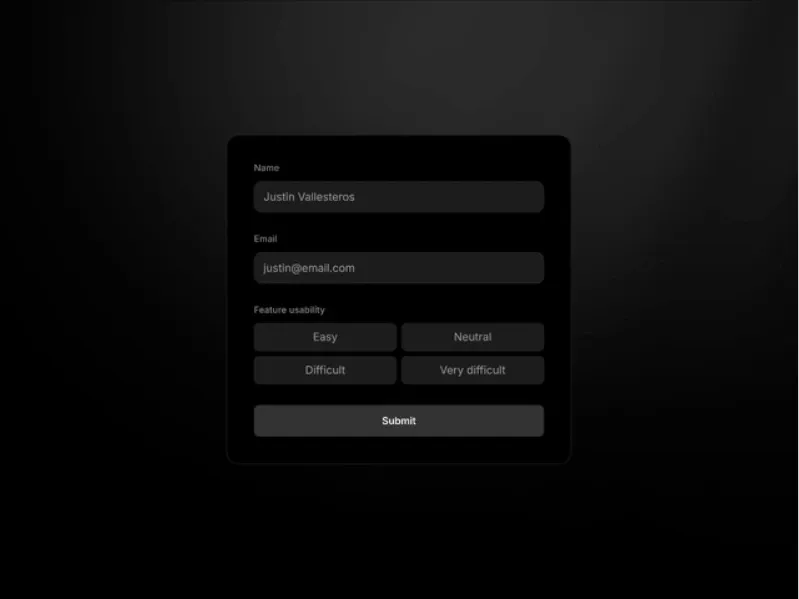
Button Group Input by Agustin Zalazar replaces dropdowns and radio lists with tappable buttons - configurable as single or multi-select, with a required-field option, and wired into Framer’s native form so selections actually submit.
"Options people tap instead of hunt for."
Why Choose
Button Group Input
?
• Buttons are faster than dropdowns, especially on mobile
• One component covers single-choice and multi-choice
• Required option prevents empty submissions
• Every state - hover, active - is styleable per button
Key Features
• Native Framer form integration
• Single or multi-select modes
• Required-field option
• Per-button colour, border, and radius controls
• Font customisation
Radio Group
Best For:
Modern e-commerce storefronts
Type:
Premium
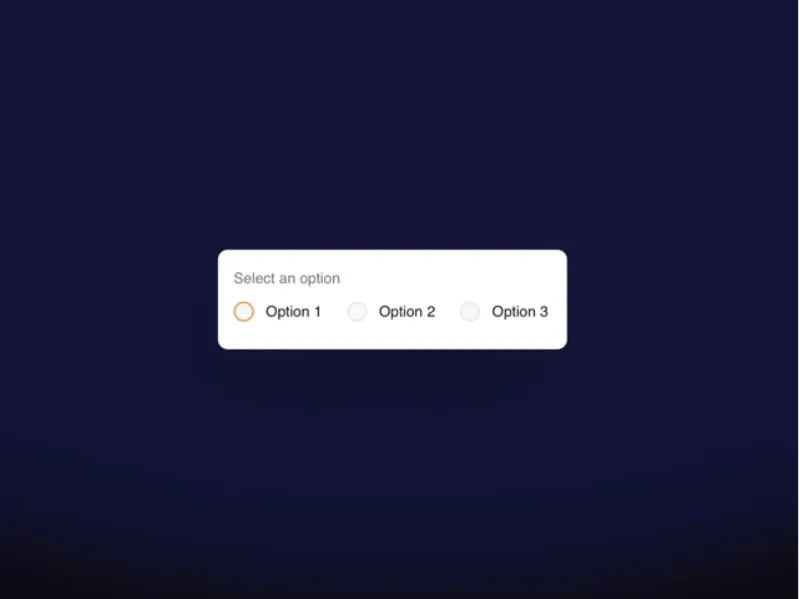
Radio Group by João Saraiva is a two-dollar component with surprisingly deep controls - options list with per-option disabled states, default selection, horizontal or vertical direction, and colour properties down to the checked inner dot. There’s even a squared-radio option.
"Two dollars, every property exposed."
Why Choose
Radio Group
?
• Cheapest paid pick here, priced like a coffee
• Disabled options let you show unavailable choices honestly
• Direction toggle fits sidebars and wide forms alike
• Group Name property supports custom tracking
Key Features
• Options list with per-option disabled state
• Default selection and required toggle
• Horizontal or vertical layout
• Checked-state colour controls including inner dot
• Squared or circular radio style
Real Form Toggle

Best For:
Pricing switches, opt-ins, and consent toggles
Type:
Premium
Real Form Toggle by Michael Slotta exists because most toggle switches in Framer are visual tricks that submit nothing. This one behaves like a native input - set custom On/Off values (Yes/No, Monthly/Yearly), a field name, and a default state, and the value arrives correctly in every submission.
"A toggle that actually submits."
Why Choose
Real Form Toggle
?
• Solves the exact failure mode of decorative toggles
• Custom value pairs suit pricing and billing switches
• Required and disabled states included
• Drops into any existing Framer form
Key Features
• Custom On/Off submission values
• Field name and default state controls
• Active, inactive, and thumb colour styling
• Required and disabled options
• Native form behaviour on submit
Reservation Form Pro
Best For:
Restaurant, bar, and venue table bookings
Type:
Premium
Reservation Form Pro by levindbr is a four-step booking flow - calendar, time slots, guest count, summary - with genuine availability logic: opening hours per weekday, closed days, blocked times, an advance-booking window, and an earliest-booking buffer. It runs entirely on the native Framer form, so reservations land in your email with no backend.
"A booking system for the price of a sandwich."
Why Choose
Reservation Form Pro
?
• Availability logic most venues would otherwise pay a SaaS for
• Guest cap with a configurable large-group message
• Privacy checkbox with custom link for GDPR consent
• Setup video and step-by-step guide included
• No external service - submissions go to your email
Key Features
• 4-step flow: date, time, guests, contact summary
• Opening hours per weekday plus blocked dates/times
• Advance-window and earliest-booking limits
• Optional email, phone, and notes fields
• Full typography, colour, and border theming
reCAPTCHA Pro

Best For:
Contact and lead forms drowning in bot spam
Type:
Premium
reCAPTCHA Pro by Digithink Technologies does what most Framer captcha embeds don’t: every submission is verified server-side against Google’s API through a managed Cloudflare Worker, so spoofed or missing tokens are blocked rather than waved through. Supports v2 checkbox, v2 invisible, and v3 score-based modes, plus reCAPTCHA Enterprise. The listing is refreshingly honest about limits - it stops bots, not humans.
"Verification on the server, where it counts."
Why Choose
reCAPTCHA Pro
?
• Server-side verification - the part DIY embeds skip
• Auto-detects the parent form, no wiring
• v3 score threshold is configurable
• Hostname validation blocks cross-domain token reuse
• Fallback message when ad blockers interfere
Key Features
• v2 checkbox, v2 invisible, and v3 modes
• Standard and Enterprise reCAPTCHA support
• Managed verification endpoint, no backend setup
• Light/dark themes, inline or badge placement
• Debug mode with console logs
Subscription Button

Best For:
Newsletter capture that earns the click
Type:
Premium
Subscription Button by Waqas Gill turns email capture into a small moment - the button expands with a fluid animation to reveal the input, then shows a success state after signup. Colours, typography, borders, copy, and redirect links are all editable.
"An email field that performs a little."
Why Choose
Subscription Button
?
• The animation earns attention a static field doesn't
• Success state confirms signup without a page change
• Every visual element is editable
• Compact enough for footers and blog sidebars
Key Features
• Click-to-expand animation
• Email input with success confirmation
• Colour, typography, and border controls
• Editable text and messaging
• Custom link and redirect options
💡 Framer Pro Tip: Layer these rather than choosing one: a typical high-converting Framer form is Smart Form Fields for the inputs and logic, reCAPTCHA Pro guarding the submit, and a multi-step wrapper if it runs past six fields. They all post through the same native form, so they stack without conflicts.
Which Framer Form Components Should You Choose?
The free seven cover most everyday forms: Free Multi Step Form when length is killing completion, Smart Form Fields when you need logic, calculations, or unusual field types, the two country components for international audiences, Button Group Input and 013 Checkbox for better option-picking, and Sign In if you’re committing to FrameAuth for memberships. Smart Form Fields is the one to try first - it quietly replaces half the others for simple cases.
The paid five are cheap enough ($2–$7) that the decision is purely about the problem: Radio Group and Real Form Toggle fix specific input gaps, Reservation Form Pro is a genuine booking system for venues, and reCAPTCHA Pro is the one to buy the day spam submissions start outnumbering real ones. Browse the full Forms category on the Framer Marketplace if your use case isn’t here. You can also explore more Framer Components if you need additional interactive elements alongside your forms.