Best 10 Free No Code Website Builders for Buisnessess
Explore the best No Code Website Builders for eCommerce, small businesses, portfolios, and enterprises.

No-code website builders have transformed how websites are created by making web design accessible to everyone, regardless of technical expertise. Instead of spending weeks learning programming languages or hiring developers, users can build and publish professional websites through intuitive visual interfaces.
What Is a No-Code Website Builder
A no-code website builder is a platform that allows users to create, customize, and publish websites without writing code. Instead of relying on programming languages like HTML, CSS, or JavaScript, these tools provide visual editors, drag-and-drop interfaces, pre-built templates, and AI-powered design assistants that simplify the website creation process.
Over the last few years, no-code website builders have evolved far beyond simple landing page creators. Modern platforms now support eCommerce stores, business websites, portfolio sites, blogs, membership platforms, and even enterprise-grade digital experiences.
Whether you're a small business owner, freelancer, creator, startup founder, or enterprise team, a no-code website builder can help you launch and manage a professional website faster and more efficiently than traditional development approaches.
Benefits of Using No-Code Website Builders
Some of the biggest benefits of using no-code website builders include:
Faster website creation and deployment
Lower development and maintenance costs
Beginner-friendly drag-and-drop editing
Professional templates and pre-built components
AI-powered website generation and content assistance
Built-in hosting, security, and performance optimization
Responsive designs that work across desktop and mobile devices
Easy content updates without developer support
Integrated SEO tools for better search visibility
Scalability options for businesses, creators, and enterprises
Whether you're launching an online store, showcasing a portfolio, generating leads for a business, or managing enterprise content, no-code website builders provide a faster and more cost-effective way to establish a strong online presence.
How Do You Use a No-Code Website Builder?
Most no-code website builders follow a simple process:
Choose a template or generate a site using AI.
Customize layouts, colors, fonts, and content.
Add pages, images, forms, or products.
Connect a custom domain.
Publish your website.
Many platforms also include built-in SEO tools, analytics, and integrations, allowing users to launch professional websites without technical expertise.
Best 10 No-Code Website Builders: Comprehensive Comparison
Building a website no longer requires coding skills, complex development workflows, or a large budget. Today's no-code website builders make it easy for businesses, creators, and entrepreneurs to launch professional websites with powerful design, SEO, eCommerce, and AI-driven capabilities.
Below are the comprehensive comparision for the best 10+ No Code Website Builders.
Based on Key Features:
Choosing the right no-code website builder goes beyond templates and drag-and-drop functionality. Factors such as design flexibility, content management capabilities, AI tools, collaboration features, integrations, and scalability can significantly impact your website's long-term success.
The comparison below evaluates each platform across the features that matter most to businesses, creators, marketers, and enterprise teams.
Feature | Wix | Webflow | Framer | Shopify | Squarespace | Wordpress | HubSpot CMS | Contentful | GoDaddy |
|---|---|---|---|---|---|---|---|---|---|
Drag-and-Drop Builder | ✅ | ✅ | ✅ | ✅ | ✅ | Limited | ✅ | ❌ | ✅ |
AI Website Generator | ✅ | Limited | ✅ | ✅ | Limited | Limited | ✅ | ❌ | ✅ |
Blogging | Excellent | Excellent | Good | Good | Excellent | Excellent | Excellent | Good | Basic |
Dynamic CMS | Good | Excellent | Good | Limited | Good | Excellent | Excellent | Excellent | Basic |
Custom Code Support | Limited | Excellent | Good | Good | Limited | Excellent | Good | Excellent | Limited |
Built-In Hosting | ✅ | ✅ | ✅ | ✅ | ✅ | ✅ | ✅ | ❌ | ✅ |
Custom Domain | ✅ | ✅ | ✅ | ✅ | ✅ | ✅ | ✅ | N/A | ✅ |
Mobile Optimization | Good | Excellent | Excellent | Good | Good | Good | Good | Depends on Frontend | Good |
Team Collaboration | Good | Excellent | Good | Good | Good | Good | Excellent | Excellent | Basic |
Enterprise Readiness | Moderate | Excellent | Moderate | Excellent | Moderate | Good | Excellent | Excellent | Limited |
Free Plan | ✅ | ✅ | ✅ | ❌ | ❌ | ✅ | ✅ | ✅ | ❌ |
Based on SEO & Performance Comparison
SEO capabilities vary significantly across no-code website builders, with some offering advanced control over technical SEO elements while others focus primarily on ease of use.
This comparison examines key SEO factors such as metadata management, URL customization, schema support, sitemap generation, Core Web Vitals performance, redirects, and technical flexibility to help you choose a platform that aligns with your organic growth goals.
SEO Feature | Wix | Webflow | Framer | Shopify | Squarespace | WordPress | HubSpot CMS | Contentful | GoDaddy |
|---|---|---|---|---|---|---|---|---|---|
Meta Titles & Descriptions | ✅ | ✅ | ✅ | ✅ | ✅ | ✅ | ✅ | Frontend Dependent | ✅ |
Custom URL Structures | ✅ | ✅ | ✅ | Limited | Limited | ✅ | ✅ | Frontend Dependent | Limited |
XML Sitemap | ✅ | ✅ | ✅ | ✅ | ✅ | ✅ | ✅ | Frontend Dependent | ✅ |
Redirect Management | ✅ | ✅ | Limited | ✅ | ✅ | ✅ | ✅ | Frontend Dependent | Basic |
Canonical Tag Control | Good | Excellent | Good | Good | Good | Excellent | Excellent | Frontend Dependent | Basic |
Schema Markup Support | Good | Excellent | Good | Excellent | Good | Excellent | Excellent | Frontend Dependent | Basic |
Robots.txt Access | Limited | Excellent | Limited | Good | Limited | Excellent | Excellent | Frontend Dependent | Limited |
Image Optimization | Good | Excellent | Excellent | Good | Good | Good | Good | Frontend Dependent | Good |
Core Web Vitals Potential | Good | Excellent | Excellent | Good | Good | Good | Good | Excellent | Moderate |
Technical SEO Control | Good | Excellent | Good | Good | Moderate | Excellent | Excellent | Excellent | Basic |
Which No-Code Website Builder Is Best?
There isn't a single best website builder for every use case.
Best Overall: Webflow
Best for Beginners: Wix
Best for eCommerce: Shopify
Best for Portfolios: Framer
Best for Small Businesses: Wix
Best for Content & Blogging: WordPress
Best for Enterprise: Webflow Enterprise or Contentful
The right choice depends on your website goals, budget, and technical requirements.
Best No-Code Website Builders: Detailed Reviews
No-code website builders cater to a wide range of needs, from launching online stores and business websites to showcasing creative portfolios and managing enterprise-level digital experiences. While some platforms prioritize ease of use and affordability, others focus on advanced customization, scalability, collaboration, and content management capabilities.
To help you find the right solution, we've categorized the best no-code website builders based on their primary use cases:
eCommerce
Small Businesses
Portfolio Websites
Enterprise Websites.
Whether you're a solopreneur, creator, growing business, or large organization, these platforms offer the tools needed to build and manage a professional website without writing code.
eCommerce Website Builders
Choosing the right No Code Website Builder for eCommerce depends on more than just design and ease of use. Online stores require features like inventory management, payment processing, shipping configuration, marketing tools, and scalability.
The platforms below excel in different areas, whether you're launching a small online shop, building a growing DTC brand, or managing a large-scale eCommerce operation.
Shopify

Best For:
DTC brands, retailers, and anyone whose site exists to sell
Type:
Paid (Free Trial Available)
Shopify is built entirely around commerce rather than treating selling as a feature. Product management, inventory, shipping, tax, and payments work as one system, the App Store fills nearly every gap without custom development, and the checkout is the result of years of conversion optimisation. Even at hundreds of products and variants, the dashboard stays navigable.
"Everything orbits the transaction."
Why Choose
Shopify
?
• The most mature commerce operations stack in no-code
• App Store solves missing features without developers
• Checkout conversion the others chase, not match
• Scales from first sale to enterprise volume
Key Features
• Design flexibility trails Webflow and Framer unless you edit Liquid
• Blogging is clearly a secondary feature
• Transaction fees and premium app costs add up as you grow
• No free plan - trial then paid
Shopix

Best For:
First-time entrepreneurs and small stores that value speed
Type:
Free plan + paid tiers
Wix has outgrown its beginner-toy reputation - the AI-powered setup generates layouts and content structure that get a functioning store live faster than any platform here, and the template library keeps it looking professional without a designer. It balances simplicity and capability better than anything else at the entry level.
"Idea to live store, fastest."
Why Choose
Wix
?
• Quickest realistic path from zero to a working store
• AI setup removes most first-timer friction
• Huge template library across industries
• Free plan for testing before committing
Key Features
• Inventory, reporting, and scale trail Shopify as catalogues grow
• Complex commerce workflows hit walls
• Technical SEO control is good, not deep
Squarespace

Best For:
Creators, photographers, and boutique brands selling on aesthetics
Type:
Paid (trial available)
Squarespace prioritises presentation over commerce machinery: product pages, galleries, blog posts, and landing pages share one polished design language, so the whole brand feels cohesive with minimal customising. For businesses where how the product looks is half the pitch, that trade is worth making.
"The store that looks like a lookbook."
Why Choose
Squarespace
?
• Template quality is the best in the category
• Content and commerce share one design system
• Strong blogging for brands that market with content
• Minimal design skill needed for a premium result
Key Features
• Store management depth is well behind Shopify
• Smaller app and integration ecosystem
• Large inventories and complex operations outgrow it
• No free plan
GoDaddy Website Builder

Best For:
Local businesses that need a professional site today
Type:
Paid (trial available)
GoDaddy optimises for one thing: speed to published. A few onboarding questions generate a working site, built-in marketing tools and appointment booking cover local-business basics, and the mobile editing experience beats most rivals. Sign up in the morning, publish by evening.
"The one-afternoon website."
Why Choose
GoDaddy Website Builder
?
• The lowest-friction onboarding in the category
• Appointment booking and social tools built in
• Easiest mobile editing here
• Zero technical experience required
Key Features
• Low customisation ceiling -growing businesses outgrow it
• Limited SEO and content management depth
• Design options are basic next to Wix or Webflow
Hostinger Website Builder

Best For:
Startups and businesses on a tight budget
Type:
Paid (low cost)
Hostinger has quietly become the value pick - its AI generator produces layouts and content structure in minutes, hosting and domains are bundled into one dashboard, and page-speed performance is genuinely good. At its price, it delivers features competitors charge multiples for.
"More builder than the price implies."
Why Choose
Hostinger
?
• Best value-for-money in the category
• Capable AI site generation cuts setup time dramatically
• Hosting, domain, and site management in one place
• Solid performance scores out of the box
Key Features
• Template quality trails Wix and Squarespace
• Younger ecosystem - fewer integrations and extensions
• Heavy customisation eventually hits limits
WordPress

Best For:
Bloggers, publishers, and SEO-driven businesses
Type:
Free plan + paid tiers
WordPress remains the reference platform for content at scale - organising large article libraries, building topic clusters, and running a serious editorial operation is easier here than on any visual builder. The SEO ecosystem around it is unmatched, which is why publishers and agencies keep choosing it
"Built for the thousandth post, not the first."
Why Choose
WordPress
?
• The strongest publishing and content-organisation workflow
• SEO ecosystem and structure support organic growth strategies
• Scales to news sites, knowledge bases, and media operations
• Free plan to start
Key Features
• Visual design editing is less intuitive than Framer or Wix
• Management complexity grows with customisation
• Core Web Vitals need active attention to stay fast
Framer

Best For:
Designers, freelancers, and startups that sell on visual quality
Type:
Free plan + paid tiers
Framer feels like working in a design tool, not a website editor - if you know Figma, the canvas is immediately familiar. Responsive layouts, animation, and polished interactions take a fraction of the effort they demand elsewhere, and the publish workflow is the fastest we've used: edit, preview, ship. It's why we build everything on it.
"The shortest distance from Figma-brain to live site."
Why Choose
Framer
?
• Animation and interactions are native, not plugin work
• Editing feels like designing, so iteration stays fast
• Publishing and updating is genuinely frictionless
• Marketplace of templates, components, and plugins shortcuts every build
• Excellent mobile optimisation out of the box
Key Features
• CMS is capable but less deep than Webflow's for complex structures
• Very large content operations can hit limits
• Third-party ecosystem is younger than Webflow or WordPress
• Redirect and robots.txt control is more limited than SEO power-users want
Webflow

Best For:
Agencies and advanced designers who want total control
Type:
Free plan + paid tiers
Webflow sits between a website builder and a front-end development tool - its editor mirrors how HTML and CSS actually work, which is exactly why it can build almost anything visually while keeping clean code underneath. The CMS is the strongest in the visual-builder category, and SEO control runs deep: canonical tags, schema, robots.txt, redirects.
"A front-end developer's power, without the code."
Why Choose
Webflow
?
• Unmatched layout, interaction, and responsiveness control
• CMS handles blogs, case studies, and content-rich sites properly
• Best-in-class technical SEO access
• Scales from freelancer to enterprise plans
Key Features
• Steepest learning curve here - classes, flexbox, and grid concepts required
• Simple sites can take longer than on friendlier tools
• Overkill if you just need a five-page brochure site
HubSpot CMS
Best For:
B2B and marketing teams that treat the website as a revenue engine
Type:
Free tools + paid tiers
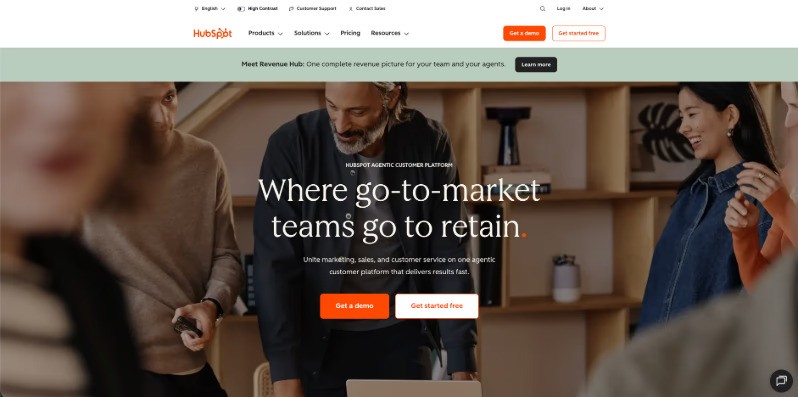
HubSpot CMS wins on what surrounds the website rather than the builder itself: forms feed the CRM automatically, email campaigns connect to site activity, and personalisation runs on real customer data. For lead-generation organisations, that closed loop replaces a stack of third-party tools.
"The website as one part of the funnel, wired in."
Why Choose
Hubspot CMS
?
• Forms, CRM, email, and analytics in one native flow
• Personalisation driven by actual CRM data
• Attribution reporting ties content to revenue
• Free tools tier to start
Key Features
• Design flexibility trails Webflow noticeably
• Costs climb with contact database and feature needs
• Highly custom visual experiences feel constrained
Contentful

Best For:
Enterprises publishing across websites, apps, and channels
Type:
Free plan + paid tiers
Contentful is content infrastructure rather than a website builder - model content once, deliver it via API to websites, mobile apps, kiosks, and portals without duplication. Localisation, governance, and workflow tools are built for global teams managing thousands of assets across brands and regions.
"One content model, every channel."
Why Choose
ContentFul
?
• Exceptional content modelling and reuse across channels
• API-first delivery to any frontend framework
• Enterprise-grade localisation, workflows, and governance
• Scales to multi-brand, multi-region operations
Key Features
• No visual drag-and-drop site building at all
• A frontend must be built separately - developers required
• Massive overkill for small businesses
Conclusion:
No-code website builders have made it easier than ever to create professional websites without technical expertise. Whether you're launching an online store, building a business website, showcasing a portfolio, or managing enterprise content, there's a platform designed for your specific needs.
Shopify leads for eCommerce, Wix is the best choice for most small businesses, Framer excels at portfolio websites, and Webflow offers the strongest balance of design flexibility, SEO, and scalability. By choosing a platform that aligns with your goals, budget, and growth plans, you can build a high-performing website without writing a single line of code.
Frequently Asked Questions:
Can I Add Custom Code to a No-Code Website Builder?
Yes, many no-code website builders support custom code to varying degrees.
Webflow offers extensive custom code support.
Framer allows custom code components and embeds.
Shopify supports Liquid templates and custom scripts.
WordPress.com supports custom code on higher-tier plans.
Wix provides developer tools through Velo.
This flexibility allows users to extend functionality while still benefiting from a no-code workflow.
Are No-Code Website Builders Good for SEO?
Yes. Modern no-code website builders offer SEO features such as custom meta titles, meta descriptions, XML sitemaps, redirects, image optimization, and mobile responsiveness. Platforms like Webflow, WordPress.com, Shopify, and Wix provide strong SEO capabilities that can help websites rank well in search engines when combined with quality content and technical SEO best practices.
Can I Build an eCommerce Website Without Coding?
Absolutely. Platforms like Shopify, Wix, Squarespace, and Webflow allow users to create online stores without coding. Features such as product management, payment gateways, inventory tracking, shipping settings, and order management are handled through visual interfaces, making it easy for beginners to launch and manage an online business.
Are Free No-Code Website Builders Worth Using?
Free plans are useful for testing a platform or building a basic website, but they often come with limitations such as platform branding, restricted storage, and the inability to connect a custom domain. For professional websites, upgrading to a paid plan is usually recommended to unlock advanced features and improve credibility.