10+ Amazing Framer Effect Components in 2026
Explore 10+ incredible Framer effect components, from ripple animations to fractal glass effects, that make websites more interactive and memorable.
The difference between a site people close and a site people screenshot is usually one well-placed effect - an image that ripples when touched, a headline that blurs in character by character, glass that refracts what's behind it. Effect components deliver these as copy-paste pieces: drop one into the canvas, tune the property controls, publish. They're the finishing layer on top of a Framer template, not a replacement for one.
We picked these thirteen by dropping each into a project and playing with the controls, not by watching preview videos. Each was judged on how good the effect actually looks in motion, how deep the customisation goes, performance on mobile, and whether it earns its place or just adds noise. Used sparingly, they pair well with structural Framer blocks - one memorable effect per page beats five competing ones.
The table below gives you price, best use, and the one thing each effect does that the others don't - free first, then paid in ascending price. For interaction pieces beyond pure effects, our own Framer components cover card hovers, motion animation, and a before/after slider.
Why Framer Effect Components Change Everything in 2026
The average website visitor makes a judgment about your site's quality in under 3 seconds. In a landscape where every Framer template looks polished and every brand claims to be premium, the framer effect is what creates a genuine moment of pause - a 'wait, what was that?' that turns a passive visitor into an engaged one.
Framer effect components are purpose-built, plug-and-play visual experiences that require zero custom code. Copy a framer effect component into your canvas, connect it to your content, adjust the property controls, and publish. The result is a professional, GPU-accelerated framer effect that would take a frontend developer hours to build from scratch - available in minutes.
Whether you are a designer building a portfolio, an agency creating client sites, or a founder launching a product, these framer effect components give you the visual vocabulary to stand out. Let's explore the 13 best framer effect options available on the Marketplace today.
Quick Comparison Table
Effect | Price | Best For | Standout Feature |
|---|---|---|---|
Blur Text Effect | Free | Editorial headlines and hero type | Per-character blur with left, right, or dual-edge directions |
Water Ripple Effect | Free | Hero images that beg to be touched | Physics ripple simulation with glitchy and psychedelic modes |
Image Overlay Effect | Free | Consistent art direction across imagery | Two-layer blend system: base image + effect texture |
Fractal Glass Effect | Free | Glassmorphism with real depth | Reeded glass in columns, rows, or grid (2–50 elements) |
Scale Effect Gallery | Free | Portfolio grids that need a wow | 3D dome hover across up to 100 images |
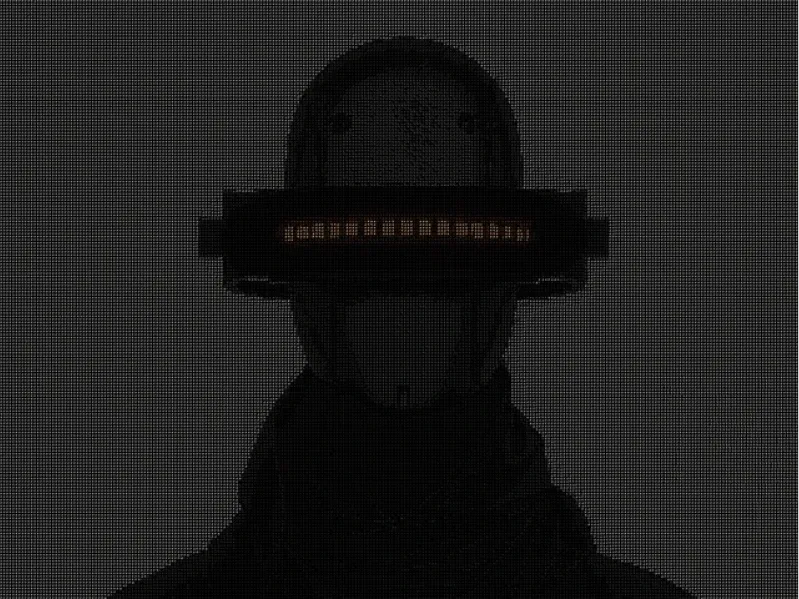
ASCII Art Effect | Free | Retro and developer aesthetics | Converts any image to colour or mono ASCII art |
Tap Effect | Free | Tactile click feedback on buttons | Ripple from the exact click position, keyboard-accessible |
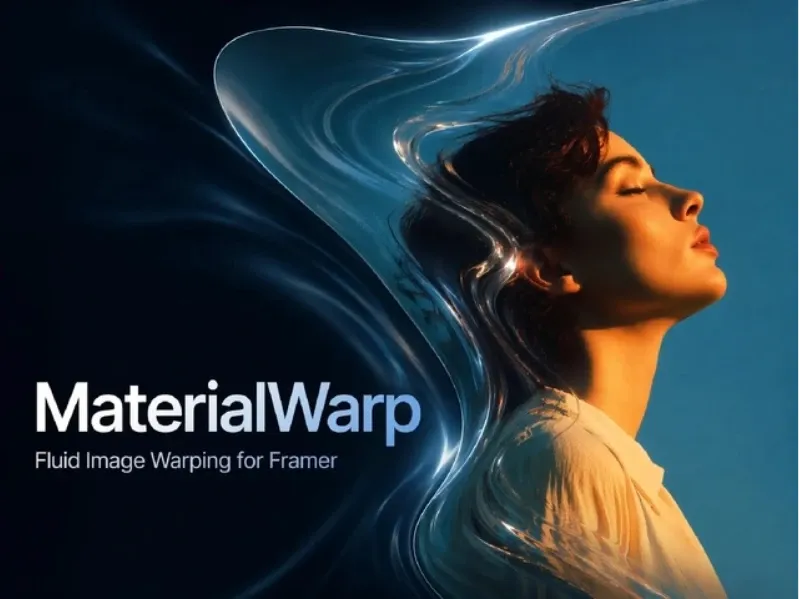
Material Warp Effect | Free | Premium, elastic image interactions | Pointer-driven warping with render-scale performance controls |
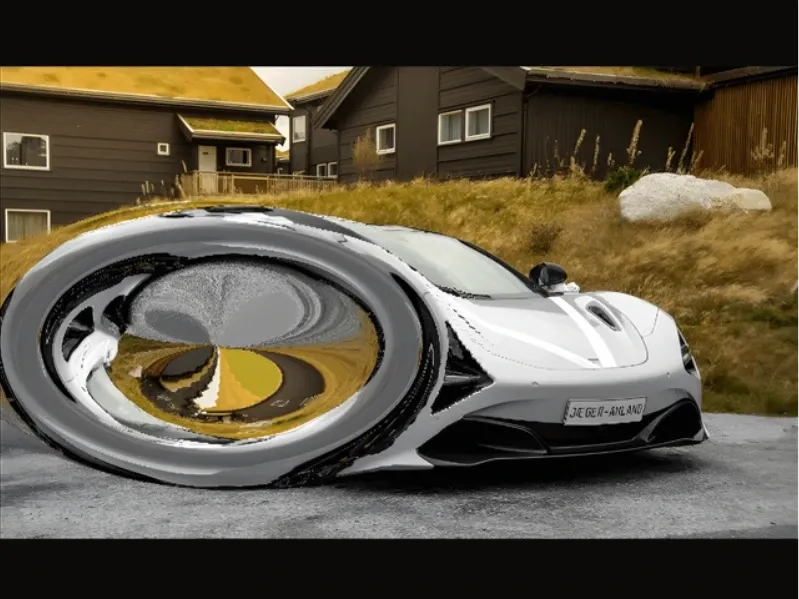
Image Ripple Effect | Free | Water ripples that run on old phones | WebGL1-compatible simulation with 13 tuning controls |
Hover Text Effect | $4 | Proximity-reactive headlines | Taper distance spreads the hover across neighbouring characters |
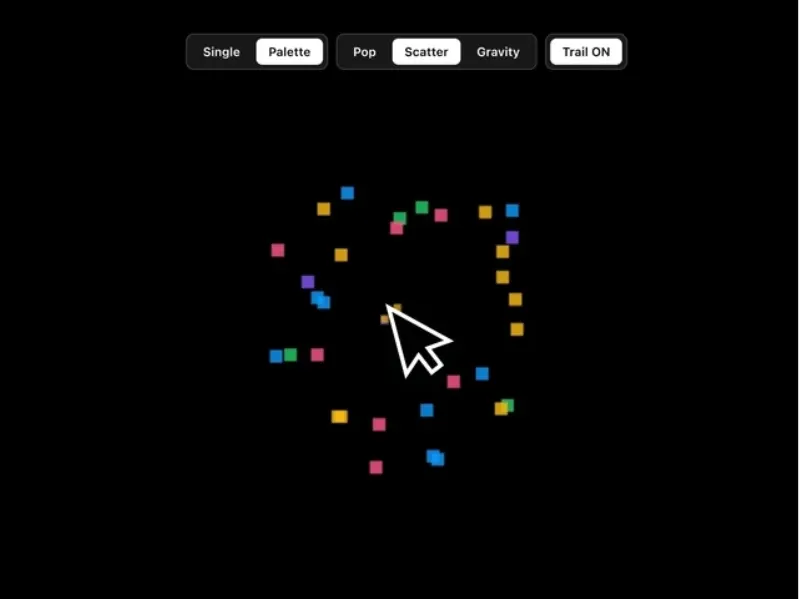
Pixel Click Effect | $5 | Playful, arcade-style interactions | Three burst styles: Pop & Fade, Scatter, Gravity Drop |
Shimmering Effect | $5 | Canvas pixel animation on heroes and CTAs | Four pixel shapes plus an always-on ambient mode |
Snowfall Effect | $8 | Seasonal campaigns and ambient particles | Colour, custom-image, or emoji flakes with wind physics |
Blur Text Effect

Best For:
Editorial headlines and hero typography
Type:
Free
Blur Text Effect by Joao Baltieri applies blur per character with left, right, or dual-edge directions - and the engineering underneath is unusually serious for a free effect: instead of scaling the layer, it recalculates font size, letter spacing, and line height responsively, keeps working after browser translation, and stays screen-reader friendly by separating the visual effect from the semantic text.
"Cinematic type that survives real-world layouts."
Why Choose
Blur Text Effect
?
• Direction modes create fades, edge emphasis, and reveals from one component
• Responsive system avoids the broken spacing scale() tricks cause
• Screen readers get the full sentence, not letter-by-letter noise
• Rebuilds itself automatically when browser translation changes the text
Key Features
• Per-character progressive blur
• Left, right, or both-edge blur directions
• Adjustable blur intensity and width
• Dynamic typography recalculation instead of visual scaling
• Full font and colour controls
Water Ripple Effect
Best For:
Hero images that beg to be touched
Type:
Free
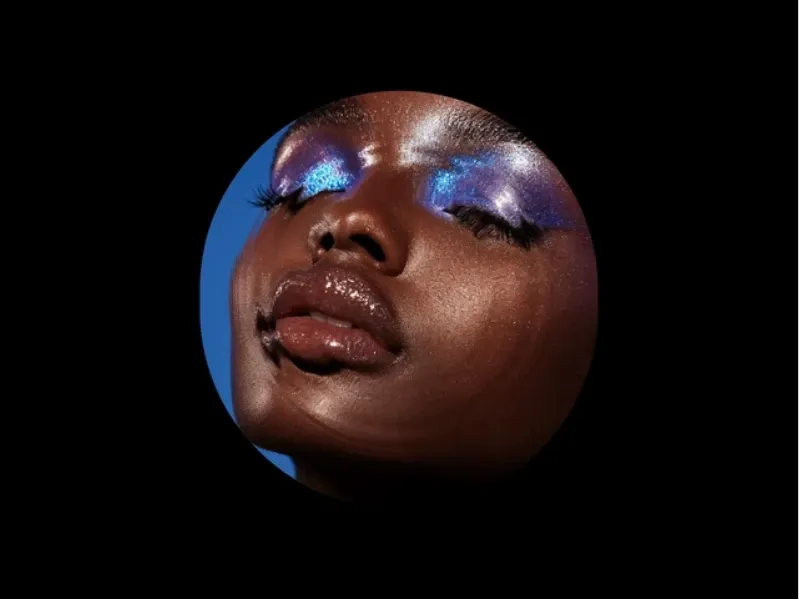
Water Ripple Effect by Netbloom turns any static image into a touch-responsive water surface - a genuine ripple simulation reacting to hover, clicks, and taps, with independent controls for each. Push the parameters past realistic and you get glitchy, psychedelic variants; there's an optional glowing hover trail and a frame-rate control for performance tuning.
"The image everyone pokes twice."
Why Choose
Water Ripple Effect
?
• Real simulation, not a CSS loop pretending to be one
• Hover and click ripples tuned separately
• Click-only mode saves the effect as a surprise
• FPS control lets you protect mobile performance
Key Features
• Physics-based ripple simulation
• Independent hover/click radius and strength
• Glitchy and psychedelic parameter space
• Optional glowing cursor trail
• Damping, frame rate, and border radius controls
Image Overlay Effect
Best For:
Keeping art direction consistent across a site's imagery
Type:
Free
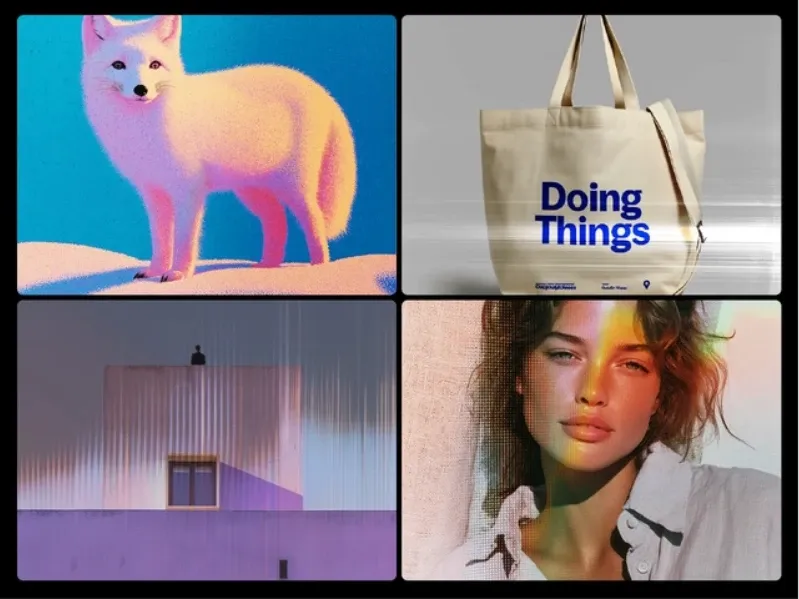
Image Overlay Effect by Ava Thiery merges a base image with a second "effect" image - grain, film dust, halftone, gradient - through blend modes and an opacity slider. It's less a single effect than a system for giving every photo on a site the same treatment.
"One texture, every image on brand."
Why Choose
Image Overlay Effect
?
• Two-layer approach creates unlimited looks from one component
• Blend-mode guidance built in (Multiply for grain, Screen to lift dark shots)
• Keeps case studies and thumbnails visually consistent
• No CSS knowledge needed for effects that usually require it
Key Features
• Base + effect image layering
• Multiply, Screen, Overlay, Soft/Hard Light, Color Dodge and more
• Opacity slider from subtle to poster-bold
• Cover/Contain/Fill sizing with position controls
• Responsive by default
Fractal Glass Effect
Best For:
Glassmorphism that actually has depth
Type:
Free
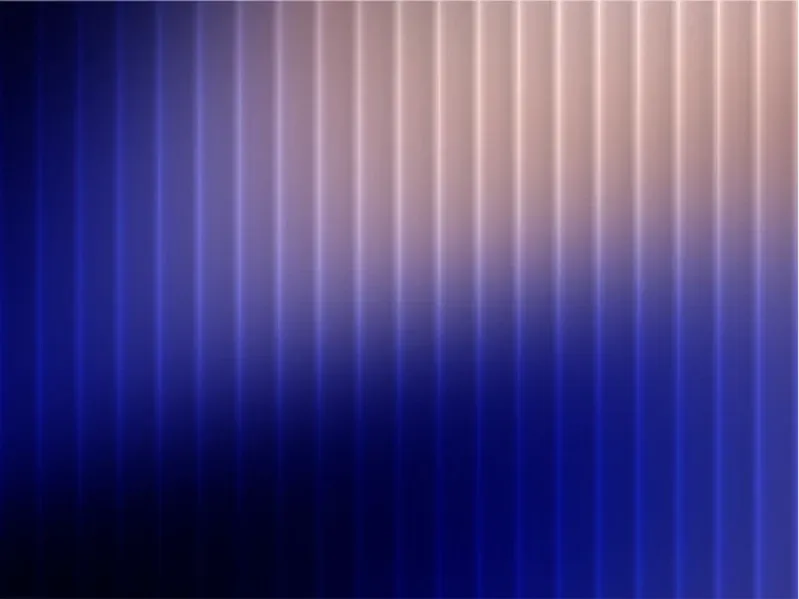
Fractal Glass Effect by Shovo Poddar simulates reeded glass - the ribbed, light-bending panels from architecture - in vertical columns, horizontal rows, or a full grid, with density adjustable from 2 to 50 elements. Built on CSS backdrop filters with memoized rendering, it works as an overlay or background layer anywhere flat backdrop-blur feels cheap.
"Backdrop blur, graduated to architecture."
Why Choose
Fractal Glass Effect
?
• Genuine optical-distortion look most glassmorphism lacks
• Density slider moves from subtle texture to bold stripes
• Six blend modes plus custom glass tint
• Lightweight despite the visual complexity
Key Features
• Columns, rows, or grid pattern modes
• 2–50 element density control
• Blur intensity, opacity, and tint controls
• 6 blend modes (overlay, soft-light, screen…)
• Works as overlay or background layer
Scale Effect Gallery

Best For:
Portfolio grids that need a show-stopper
Type:
Free
Scale Effect Gallery by Design from Nick supports up to 100 images in two modes: a clean grid-scale hover, or the signature 3D dome - where the whole grid curves toward the cursor like a concave wall of screens. Dome height, radius, tilt, gap, and columns are all adjustable, and each image can carry its own link.
"A hundred images, bending toward the cursor."
Why Choose
Scale Effect Gallery
?
• The dome mode is genuinely unachievable with standard CSS
• 100-image capacity covers a full portfolio, not a teaser
• Grid mode is the tasteful fallback on the same component
• Per-image links make it navigation, not just decoration
Key Features
• 3D dome or grid scale modes
• Up to 100 images
• Dome height, radius, and tilt controls
• Column and gap configuration
• Individual image links
💡 Framer Pro Tip: Budget one heavy effect per viewport. Canvas and WebGL effects each run their own animation loop, and stacking a ripple hero, a shimmer CTA, and a particle background on one screen will drag mobile frame rates down. Pick the moment that matters, give it the effect, and keep the rest of the page still.
ASCII Art Effect
Best For:
Retro visuals and developer-brand identity
Type:
Free
ASCII Art Effect by Masum Iqbal converts any uploaded image into text-based ASCII art inside Framer - toggle colour or black-and-white, tune character size for detail versus boldness, and set the background for contrast. It's the most unexpected visual on this list, which is exactly the point.
"Your hero image, rendered in characters."
Why Choose
ASCII Art Effect
?
• Nobody scrolls past an ASCII hero without pausing
• Character-size control trades detail for typographic boldness
• Colour mode keeps it usable beyond terminal-green clichés
• Effortless setup for how unusual the output is
Key Features
• Image-to-ASCII conversion in canvas
• Colour and black & white modes
• Adjustable character size
• Custom background colour
• Fully responsive
Tap Effect

Best For:
Tactile click feedback on buttons and cards
Type:
Free
Tap Effect by mmaas_ generates a smooth ripple from the exact click or tap position - Material Design-style feedback with customisable radius, fill, border, and transitions, plus an overflow option that lets the ripple spill past the element for creative compositions. It's lightweight and keyboard-accessible.
"Every click gets an answer."
Why Choose
Tap Effect
?
• Position-precise origin makes interaction feel genuinely responsive
• Keyboard and tab accessibility is rare in effect components
• Overflow control enables boundary-breaking designs
• Light enough to use on every button site-wide
Key Features
• Ripple from exact click/tap position
• Radius, fill, and border customisation
• Optional overflow beyond the frame
• Keyboard/tab friendly
• Works with Framer layout and transitions
Material Warp Effect
Best For:
Premium, elastic image interactions
Type:
Free
Material Warp Effect by Honcho makes an image behave like flexible material - stretching and settling in response to pointer movement, with intensity, radius, damping, and force all adjustable. Notably, it ships real performance engineering: render-scale and DPR caps, plus an offscreen pause so the animation stops when it's not visible.
"Images that feel like fabric, not pixels."
Why Choose
Material Wrap Effect
?
• Elastic motion reads as premium rather than gimmicky
• Offscreen pause protects page performance automatically
• Force control ties distortion to pointer velocity
• Optional glow highlights the displacement
Key Features
• Pointer-driven fluid warping
• Intensity, radius, damping, and force controls
• Render scale and max-DPR performance caps
• Offscreen pause with visibility threshold
• No external dependencies
Image Ripple Effect
Best For:
Water ripples that still run on older phones
Type:
Free
Image Ripple Effect by Weblr Studio is a WebGL ripple simulation built for compatibility -WebGL1 support for older GPUs, pointer events covering mouse, touch, and pen, smart DPR capping for mobile, and accurate cover mapping so the image never stretches. Thirteen controls, from ripple density to trail length, make it the most tunable ripple on this list.
"The ripple that works everywhere."
Why Choose
Image Ripple Effect
?
• WebGL1 fallback covers devices other ripple effects drop
• Cover UV mapping keeps imagery on-brand, no distortion crops
• Separate distortion radius/falloff controls shape the feel precisely
• Weblr Studio's free catalogue (Image Shatter, Animated Gradient BG) is consistently solid
Key Features
• WebGL ripple simulation with WebGL1 compatibility
• Mouse, touch, and pen pointer support
• 13 controls: strength, speed, density, falloff, trail, more
• Smart DPR capping for mobile performance
• Accurate cover mapping - no stretching
💡 Framer Pro Tip: Effects are the first thing to test on a real mid-range phone, not the last. Look for components that expose frame-rate, DPR, or render-scale controls (Water Ripple, Material Warp, and Image Ripple all do) — those knobs are the difference between a hero that shimmers and a hero that stutters.
Hover Text Effect

Best For:
Headlines that react to cursor proximity
Type:
Premium
Hover Text Effect by Nabeel changes weight, scale, and colour on individual characters as the cursor passes - with a taper distance control that spreads the change across neighbouring characters, producing a smooth wave through the type. It's part of the SegmentUI PRO library and comes with a video walkthrough.
"Type that leans toward the cursor."
Why Choose
Hover Text Effect
?
• Taper distance is the detail that separates this from crude hover swaps
• Weight range (100–900) works beautifully with variable fonts
• Cheapest paid effect here at $4
• Quality-guarantee refund if it doesn't work as advertised
Key Features
• Per-character weight, scale, and colour on hover
• Taper distance for neighbouring characters
• Full typography controls
• Transition duration from drift to snap
• Word spacing control
Pixel Click Effect
Best For:
Playful, arcade-style click interactions
Type:
Premium
Pixel Click Effect by Sobakhul Munir Siroj fires an 8-bit pixel burst from every click or tap - with three motion styles (Pop & Fade, Scatter Burst, Gravity Drop), an optional pixel cursor trail, and full-screen or section-based deployment. It even respects reduced-motion accessibility settings.
"Every click is a tiny arcade moment."
Why Choose
Pixel Click Effect
?
• Three motion styles keep the effect from getting repetitive
• Reduced-motion support - rare care in a novelty effect
• On-screen controls let visitors switch styles live (or hide them)
• Creator's particle catalogue (Sparkles, Meteor) shows deep specialisation
Key Features
• Pop & Fade, Scatter Burst, and Gravity Drop styles
• Single or multi-colour palettes, 4–32px pixels
• 5–50 particles per click, spread and speed controls
• Optional continuous cursor trail
• Full-screen or contained mode
Shimmering Effect

Best For:
Canvas pixel animation on heroes and CTAs
Type:
Premium
Shimmering Effect by Fred Moon turns any area into a grid of animated pixels that ripple outward from the centre on hover and retreat when the cursor leaves - canvas-rendered for crisp scaling at any size. The v1.1 updates added multiple pixel shapes and an always-on mode for ambient background use.
"Pixels that ripple out and pull back."
Why Choose
Shimmering Effect
?
• Always-on mode doubles it as an ambient background
• Four shape presets change the character entirely
• Zero-lag hover detection keeps the feedback instant
• Fred Moon's canvas work (PixelScan Pro, Image to Particles) is a known quantity
Key Features
• Canvas-rendered pixel grid animation
• Centre-out ripple with propagation speed control
• Circle, triangle, diamond, square pixel shapes
• Custom multi-colour palettes
• 4–50px gap spacing and 0–100% shimmer intensity
Snowfall Effect

Best For:
Seasonal campaigns and ambient particle atmosphere
Type:
Premium
Snowfall Effect by Soyeb is more versatile than its name - three flake modes (geometric colour flakes, your own uploaded images, or emoji) mean the same component does snow, autumn leaves, rose petals at a wedding, or confetti. Fifteen controllers cover physics, wind, opacity depth, and sizes, with site-wide deployment via a template.
"Snow today, confetti next launch."
Why Choose
Snowfall Effect
?
• Image and emoji modes make it a year-round particle system
• Wind, gravity, and drift physics avoid the fake CSS-loop look
• Template method applies it site-wide in one step
• Soyeb's premium catalogue (Smart Popups, Ask AI) has a track record
Key Features
• Colour, image, and emoji flake modes
• 15 controllers: count, sizes, speed, wind, opacity
• 60fps canvas rendering, no shimmer flicker
• Section or site-wide deployment
• Touch-friendly on mobile
💡 Framer Pro Tip: Match the effect to the job, not the other way round. A conversion page wants micro-feedback (Tap Effect, Hover Text) that reassures without distracting; a portfolio wants one theatrical moment (dome gallery, water ripple) that proves craft. If you can't say what a given effect is for on the page, it's decoration — cut it.
Which Framer Effect Component Should You Choose?
Nine of the thirteen are free, and they cover an enormous range: Water Ripple or Image Ripple for interactive imagery (pick Image Ripple if older-device compatibility matters), Material Warp for a quieter premium feel, Blur Text for typography, Fractal Glass for depth, Scale Effect Gallery for portfolios, ASCII Art when you want genuinely strange, and Tap Effect plus Image Overlay as the quiet workhorses. Start free - for most sites one of these is the only effect you need.
The paid four are $4–$8 impulse territory, so choose by personality: Hover Text for craft-focused typography, Pixel Click for playful brands, Shimmering for a canvas hero or ambient background, and Snowfall for anything seasonal or celebratory - its image and emoji modes quietly make it a general particle system. Browse the Interactions category on the Framer Marketplace if none of these hit the note you're after.


